

Participant
October 29, 2020
Question

Opaque blue boxes covering text

  • October 29, 2020
  • 2 replies
  • 1536 views

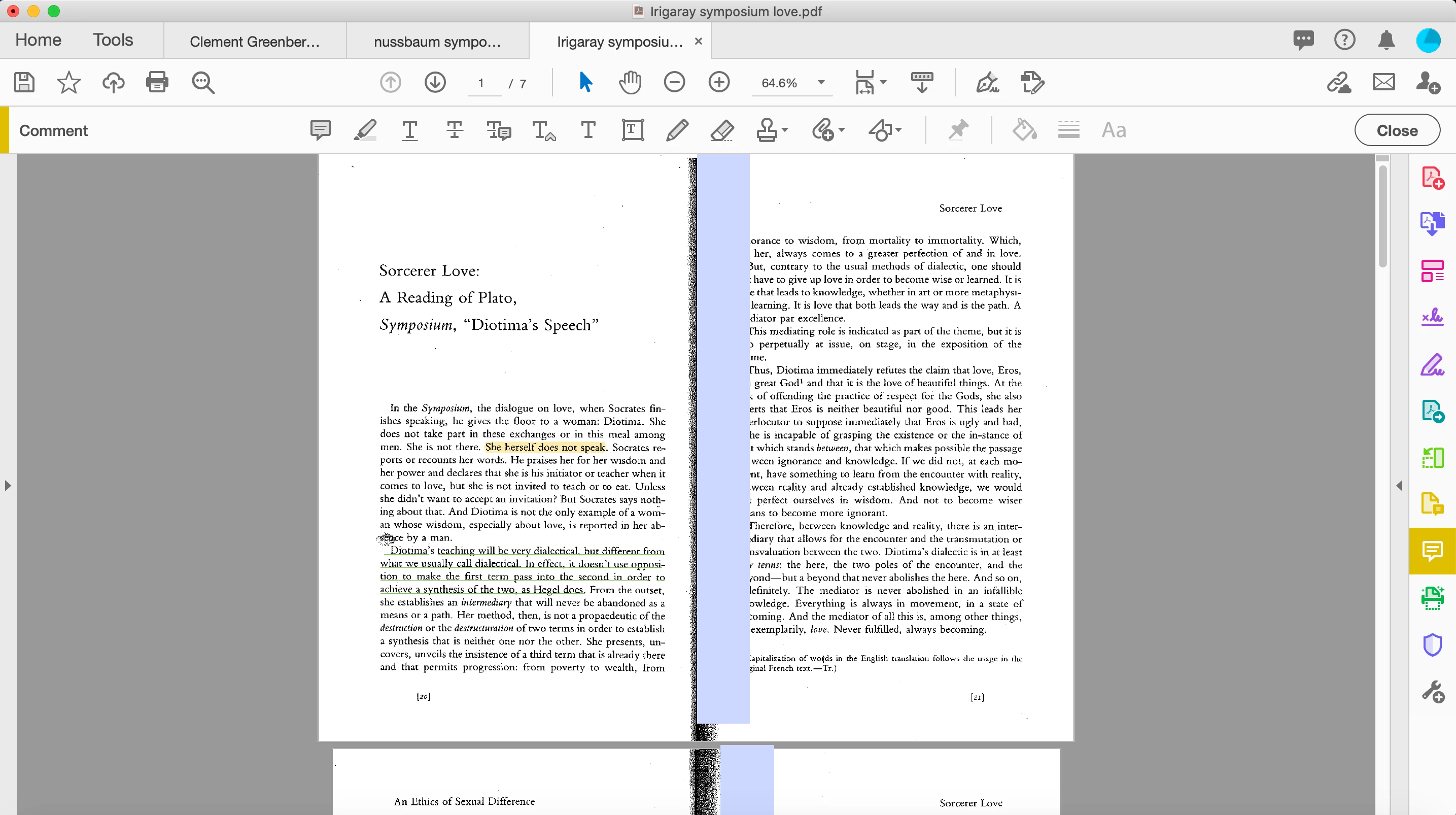
How do I get rid of the opaque blue boxes that are covering text in Acrobat Pro on mac? I've attatched an image to show the bizarre boxes in the middle of the page—that is what I need to get rid of. Thanks!



This topic has been closed for replies.

2 replies

try67
Community Expert
Community Expert
October 29, 2020

They look like form fields. What happens when click them?

Participant
November 1, 2020

Thank you so much for helping. I can begin typing when I click on them. So maybe they are form fields(?) If so, what can I do about them?

try67
Community Expert
Community Expert
November 1, 2020

Yes, that means they are text fields. There's nothing you can do about it in the free Reader.

If you have Acrobat then you can remove them, via Tools - Prepare Form.

Legend
October 29, 2020

It's certainly odd, and I don't recall any similar reports. My first thought is that maybe it's actually, somehow, part of that specific PDF file. You could check this by opening the PDF in Apple Preview instead.  If it looks fine in Preview, then we do indeed need to look for a cause inside Acrobat. I wonder if Acrobat shows these as comments?

Participant
November 1, 2020


Thank you very much for your suggestion. It seems that they're also in preview, but white instead of blue. I guess this suggests that this is an issue with the PDF. The weird thing is, I've had this issue with a good number of PDFs. Thoughts?