
"Open all PDFs in Acrobat Reader"
Hello,
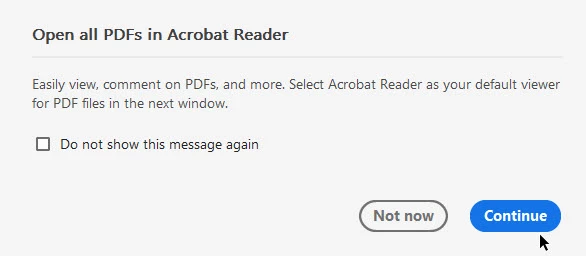
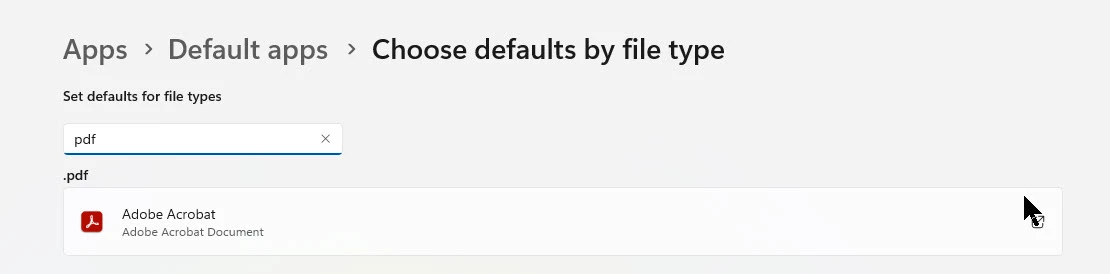
I've recently started installing Adobe Acrobat (Reader) during OS installaiton via Confoguration Managet from the Microsoft Store using Winget - the installation works perfectly fine, after the installation finishes I can login to the system and I can ope PDFs via the Reader application. When I open a PDF I get a popup message (screenshot below), which suggests that the reader application is not set as the default app to open PDFs and it is in my case, as I have a GPO that set's "Adobe Acrobat" as the default app to open .pdf files (screnshot below).
Is there a GPO or registry entry that can hide the message for all users in a corporate environment?
P.S.
Can Adobe make up their mind on how the products are named, be consistent in the naming and not rename them so frequently?
In Control Panel I can see "Adobe Acrobat", then I open the applicaiton tand he title bar shows "Adobe Acrobat Reader" and the file association shows "Adobe Acrobat" - this is very confusing for an IT person.


 AdChoices