
jasonc25422697
Participant
October 30, 2019
Question

Open any PDF file it will crash

  • October 30, 2019
  • 2 replies
  • 2793 views

Dear All,

whenever i opened any PDF file, after 2-10sec the adobe acrobat reader/DC will have a error.

Please advise is there a solution for this? attached screenshot


Error: Adobe acrobat has stopped working.

a problem caused the program to stop working correctly. Please close the program.
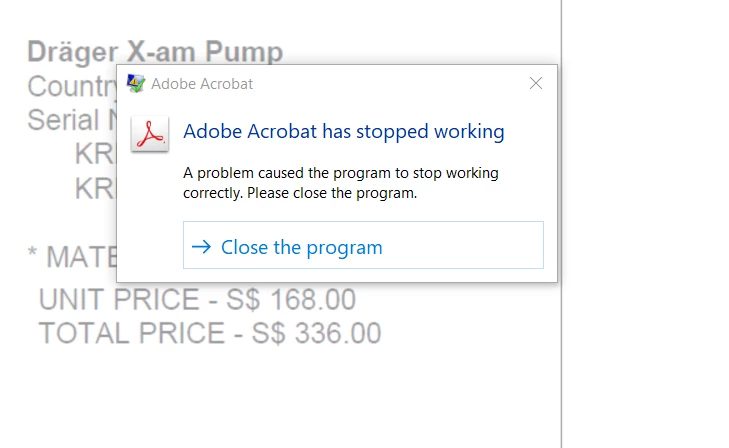


Thank you


This topic has been closed for replies.

2 replies

Legend
October 31, 2019

Hi jasonc25422697,


Based on the discussion here, I see you are using Acrobat XI.

I see some of the updates are pending for your machine for Acrobat. You may download the updates manually if you are unable to install updates following these steps, Launch Acrobat>Help>Check for updates. Here is the link to download the latest update: https://www.adobe.com/devnet-docs/acrobatetk/tools/ReleaseNotes/11/11.0.23.html#elevenzerozerotwenty... 
Let us know if you are still experiencing the issue.

 
-Tariq

Adobe Employee
October 30, 2019

Hi jasonc25422697,


Thanks for reporting the issue. Can you please share more details so that we can investigate this issue :

Regards, 

Priyanka 

(Adobe Acrobat Desktop Team)

jasonc25422697
Participant
October 31, 2019

Hi Priyanka,


Thank you for your reply.


We are using Windows 10 version 1809 OS.


Dump file 


Regards,
Jason


Adobe Employee
October 31, 2019

Hi Jason, 


You can upload the file to any drive , sharepoint or Acrobat Send Files option and share the link with us.


Regards, 

Priyanka Jain

(Adobe Acrobat Desktop Team)