
"Open in Adobe Acrobat" suddenly missing in SharePoint Online
Hello,
we are currently experiencing an issue with the Adobe Acrobat integration for SharePoint Online.
Adobe Acrobat is deployed as an integrated app in our Microsoft 365 tenant and was working well till tuesday. Since tuesday PDF files are no longer opened in Adobe Document Cloud. The option “Open in Adobe Acrobat” is also missing.
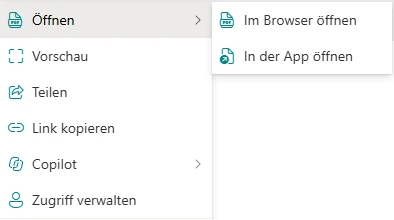
I tried deploying the app again and waited for 48 hours, but the option is still not available for most users.
We found one interesting exception:
When I open the SharePoint site trough a private session and log in with the same Microsoft 365 user, it works.
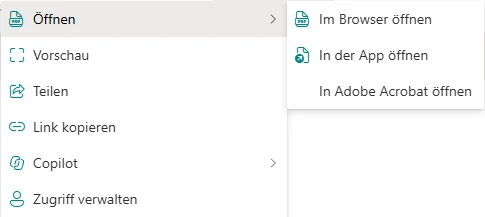
We had a similar issue some time ago, when you had an issue with the SPOD integration. It started working again when the issue was resolved.
Is there currently an know issue with the SharePoint integration or could there be a problem wih the integration being loaded for our Microsoft 365 tenant?
Thank you very much!
 AdChoices