

Open parameters on embedded PDF in sharepoint page
It appears that I am not alone in my frustration about the right hand tools pane that is visible by default. I can successfully hide it from my personal view using the guidance that various users have shared. However, I am having trouble on the embedded pdf document when it is in a sharepoint (or any HTML) page.
My users want to be able to see the page navigation controls like these==> but they do not want to see the side pane (below)
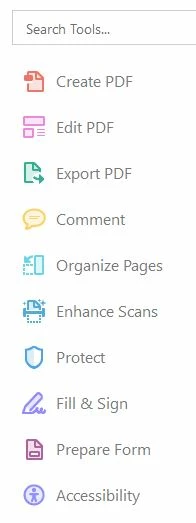
I am currently using the following code.
<iframe src="Filename.pdf#pagemode=bookmarks&toolbar=1&scrollbar=0&statusbar=0&frameborder=0&view=fit"></iframe>
Previously I had the toolbar=0, which removed the tools pane but it also removed the page navigation buttons.
Is there a syntax that just controls the tools pane in isolation?


 AdChoices