
Participant
February 23, 2025
Question

open the last active tab directly by one click

  • February 23, 2025
  • 1 reply
  • 423 views

hi

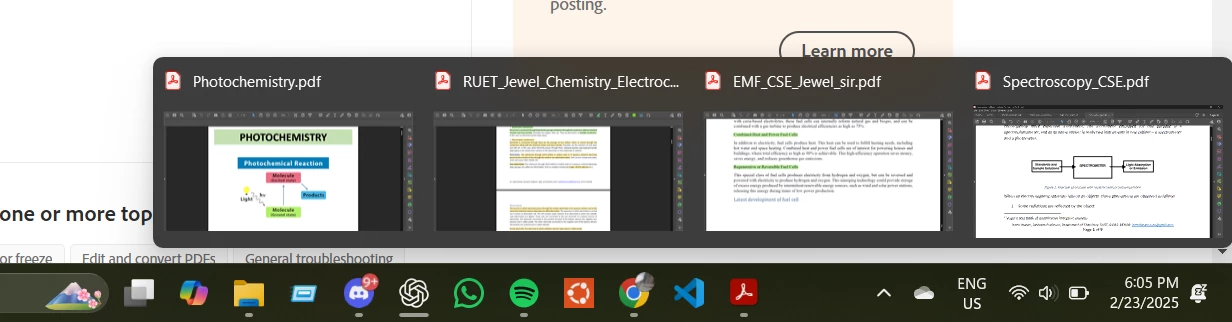
how to adjust Adobe Acrobat dc settings to open the last active tab with a single click instead of showing all open PDFs in the taskbar preview just like a web browser..

I know the way "Combine taskbar buttons and hide label-> never"
but it's not user friendly for me.


1 reply

AnandSri
Legend
March 6, 2025

Hello Abir!


I hope you are doing well.


Adobe Acrobat Reader does not currently offer a direct one-click option to reopen only the last active tab. However, you can achieve similar functionality using these methods:

  1. Reopen All Previous Tabs Automatically
    Enable Acrobat to restore your entire previous session (all tabs) upon relaunch:

    • Go to Edit > Preferences > Documents (Windows) or Acrobat > Settings > Documents (Mac).

    • Check "Reopen documents to last viewed page" and "Restore last view settings when reopening documents". Adobe article: https://adobe.ly/4brTwmM

  2. Access Recent Files via Taskbar/Dock (One-Click)

    • Right-click the Acrobat icon in your taskbar (Windows) or dock (Mac).

    • Select the most recent file from the list (top of the list) to open it directly.

  3. Reopen Closed Tabs with a Keyboard Shortcut
    Use Ctrl+Shift+T (Windows) or Cmd+Shift+T (Mac) to reopen the most recently closed tab within the same session.


I hope this helps.

Thanks,

Anand Sri.