
diegos60517519
Participant
October 24, 2018
Question

Outlook 15.0 Quick Print open Adobe Reader and remain open

  • October 24, 2018
  • 1 reply
  • 1103 views

Hi everyone,
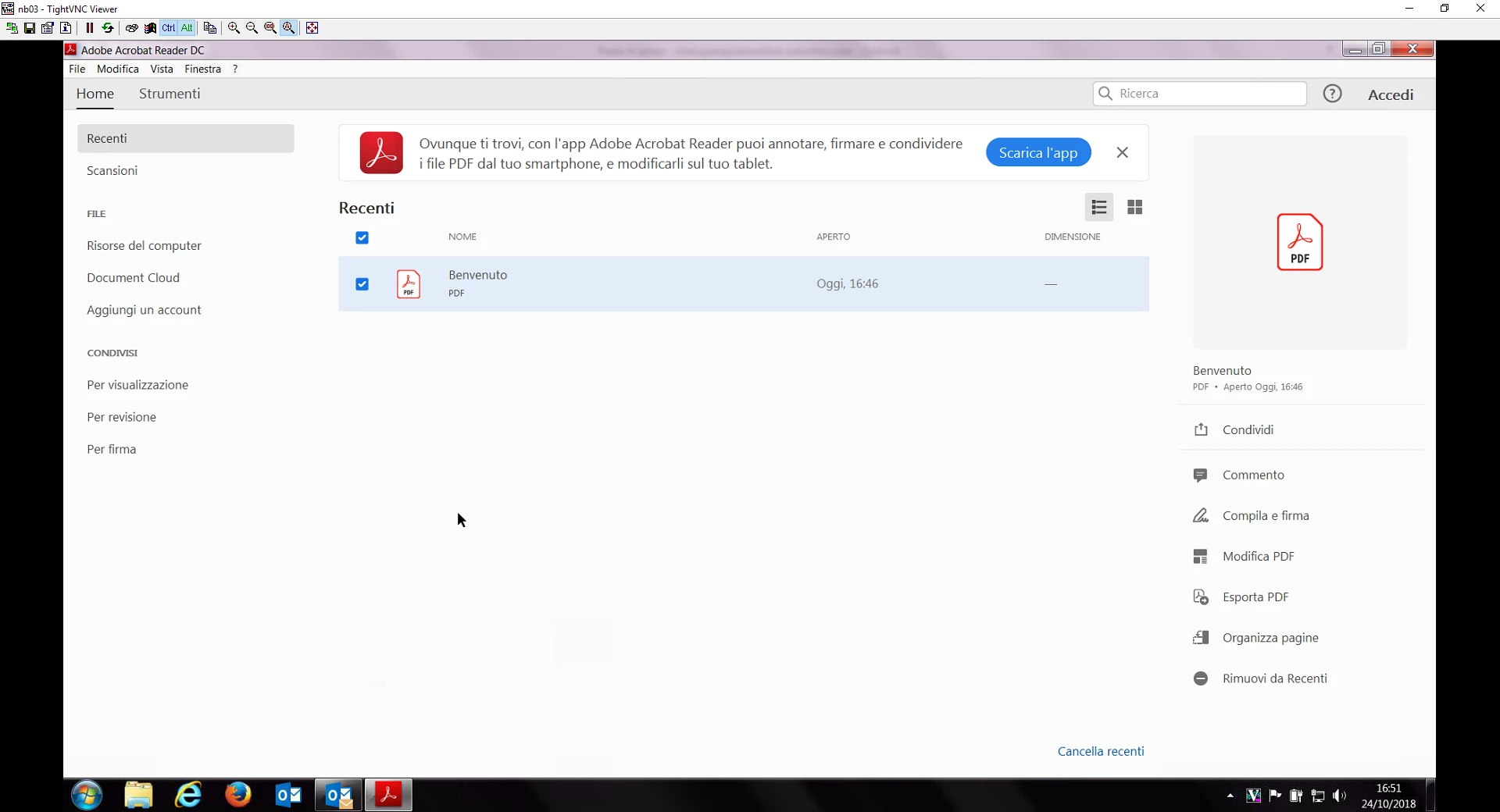
everytime I quick print an email in Outlook it opens up Adobe Reader in order to process the printing, but Adobe Reader stays open in the recent tab.
Do you have any suggestion in order to fix this issue ?

Office version: 15.0.5075.1001

Adobe version: 19.008.20071
This topic has been closed for replies.

1 reply

Adobe Employee
October 26, 2018

Adobe Acrobat and Reader official update (19.008.20080) containing the fix for this issue is now available. This update will be automatically pushed to all existing installations of Acrobat and Reader. If you want, you may also manually trigger the update by opening the application and going to Help > Check for Updates.

More information about this release is here: 19.008.20080 Optional update, October 22, 2018 — Release Notes for Acrobat DC Products

Please try it out and let us know your feedback.

Thanks for your patience and support!

-Vishal

diegos60517519
Participant
October 29, 2018

We tried to update Adobe (Outlook too) at the current version but the issue persist.