Participant
February 8, 2023
Question

Paid Acrobat Pro missing prepare form tool

  • February 8, 2023
  • 4 replies
  • 2584 views

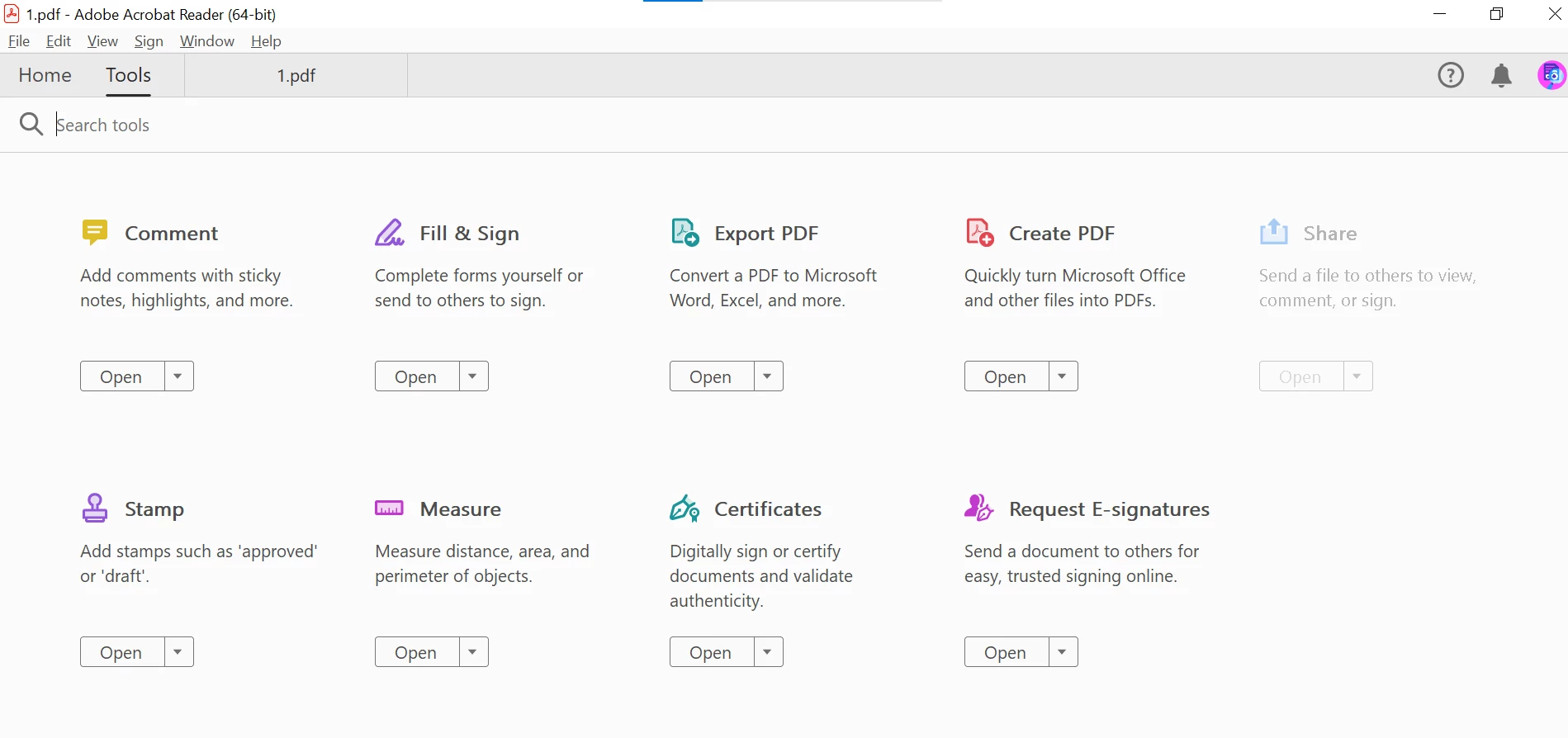
I have a paid subscription that includes Adobe Acrobat DC Pro. I am on the desktop app and do not have access to the "Prepare Form" tool. Overall, these are the only tools I have:



This topic has been closed for replies.

4 replies

AkanchhaS8194121
Legend
February 28, 2023

Hi @Abdul28314319kf0w 


++in addition to what experts have suggested above.

Looking at the screenshot, it seems you have the freeware Acrobat Reader downloaded. If you have a paid subscription, then you should download Acrobat Pro.

Adobe Reader is a free version that doesn't have the Prepare Form function in it.

To get everything back and working correctly, try these steps:

Run this cleaner tool to remove the existing installer and application’s file traces:

https://www.adobe.com/devnet-docs/acrobatetk/tools/Labs/cleaner.html

Download the Acrobat installer from here:

https://helpx.adobe.com/acrobat/kb/acrobat-dc-downloads.html


Hope this helps.

Got your issue resolved? Please label the response as 'Correct Answer' to help your fellow community members find a solution to similar problems.


Thanks,

Akanchha 


Legend
February 8, 2023

Use Acrobat Pro. We can see it's Acrobat Reader, it says so in your screen shot. 

The Reader/Acrobat app doesn't always pick up the subscription. You can try this: Uninstall Reader, then use the Creative Cloud app to install Acrobat.

Participant
February 8, 2023

i have these options in creative cloud app. is this acrobat will work?


Legend
February 8, 2023

Yes, "Acrobat" is also Acrobat Pro. But you must uninstall Reader first. (Be sure you understand the difference between Acrobat and Reader, and know how to tell the difference - read the title bar). Usually seems to fix it, but sometimes it is still messed up.

Participant
February 8, 2023

then how can i prepare forms? 


Bernd Alheit
Community Expert
Community Expert
February 8, 2023

You use Acrobat Reader. Acrobat Reader can't prepare forms.