


Participant
October 16, 2018
Answered

PDF Comments Causing Printing to Cut off on the Left Margin

  • October 16, 2018
  • 2 replies
  • 6034 views

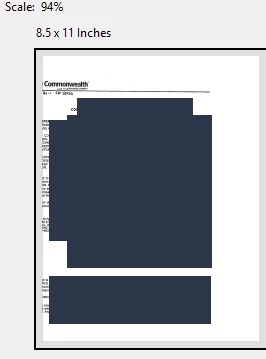
When I try to print a PDF that has comments on it and select "Summarize comments" it cuts the PDF off on the left hand side so you can't read it.

It didn't do this before and has only done it since the update.
    This topic has been closed for replies.
    Correct answer AkanchhaS8194121

    Hey Meganv,

    Adobe Acrobat official update (19.010.20064) containing the fix for this issue is now available. This update will be automatically pushed to all existing installations of Acrobat. If you want, you may also manually trigger the update early by opening the application and going to Help > Check for Updates.

    Or refer to DC Release Notes — Release Notes for Acrobat DC Products

    The issue should be fixed with the latest patch. Let us know if it still doesn't get resolved.

    Regards,

    Akanchha

    2 replies

    AkanchhaS8194121
    AkanchhaS8194121Correct answer
    Legend
    December 18, 2018

    Hey Meganv,

    Adobe Acrobat official update (19.010.20064) containing the fix for this issue is now available. This update will be automatically pushed to all existing installations of Acrobat. If you want, you may also manually trigger the update early by opening the application and going to Help > Check for Updates.

    Or refer to DC Release Notes — Release Notes for Acrobat DC Products

    The issue should be fixed with the latest patch. Let us know if it still doesn't get resolved.

    Regards,

    Akanchha

    Participant
    May 27, 2021

    This issue is happening again, and there are no available updates for Adobe.  Any resolution would be helpful.  

    Participant
    October 11, 2021

    Hello I had a similar problem. My original PDF source was not OCR readable after i did the OCR it printed properly.

    AnandSri
    Legend
    October 16, 2018

    Hello Meganv,

    We're sorry for the trouble you had with Adobe Reader, make sure that you have the latest version of Adobe Reader 19.008.20074 installed, check for any pending updates from help>check for update, reboot the machine after the update and try printing.

    Try printing the PDF as Print as Image and check, for steps, you may refer to Print PDF as image | Adobe Acrobat, Reader

    You may also refer and try the suggestions from the following help article Troubleshoot PDF printing in Acrobat and Reader

    Is it specific to one PDF or with all PDF files?

    Is it a Mac or Windows machine and what is the version.

    let us know how it goes and share your findings.

    Thanks,

    Anand Sri.

    Participant
    October 18, 2018

    I tried all of these without success. Adobe is fully updated.

    The image is fine until I hit "Summarize comments" and then it pushes everything to the left and cuts off the document.
