
taylahf68130234
Participant
October 1, 2018
Answered

PDF greyed out and only shows content when you click on that section

  • October 1, 2018
  • 1 reply
  • 10715 views

Hi All,

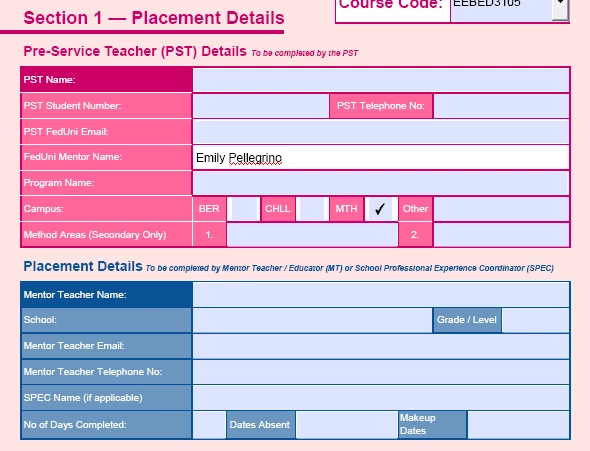
I have been emailed a PDF, which opens fine! But all the information that has been added into the PDF does not show. All areas where writing has been added is blued out. However, when you click on each section where I know writing has been added, it will appear, only at the time of clicking on it. This sounds confusing and is hard to explain but I hope someone can help!
I have emailed this to other people to open up on different computers etc but it still does the same thing. Can someone please help. This is a very important university document. Thanks!
    This topic has been closed for replies.
    Correct answer try67

    The file was probably corrupt when it was used in Apple Preview, or a similar non-compliant viewer.

    Fixing it in Reader is a bit tricky, though... See:

    Preview.app - Killer of PDF Files - KHKonsulting LLC

    The practicalPDF Fix Form Utility

    1 reply

    try67
    Community Expert
    try67Community ExpertCorrect answer
    Community Expert
    October 1, 2018

    The file was probably corrupt when it was used in Apple Preview, or a similar non-compliant viewer.

    Fixing it in Reader is a bit tricky, though... See:

    Preview.app - Killer of PDF Files - KHKonsulting LLC

    The practicalPDF Fix Form Utility

    taylahf68130234
    Participant
    October 1, 2018

    Thank you! This is helpful, however the person who sent this to me created the doc on a Mac, but I am opening it and on a PC. Is there a way I am able to fix this via my PC.

    try67
    Community Expert
    Community Expert
    October 2, 2018

    Do you have Acrobat or just the free Reader?