
Question
PDF in onenote
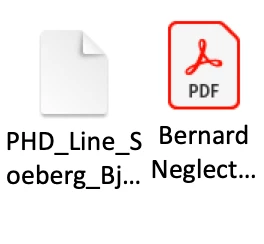
I have a problem when inserting a PDF file in onenote on my macbook. In the picture below, both files are PDF files but suddenly it stopped showing that the files were PDF files, now they're just blank.
I've already been in contact with Microsoft and I've tried everything they've told me to but they then told me to contact Adobe instead since it seems to be the problem.
I've tried inserting the PDFs in different ways and even deleted and downloaded Acrobat reader on my computer again and nothing works.


 AdChoices