Participating Frequently
September 2, 2025
Question

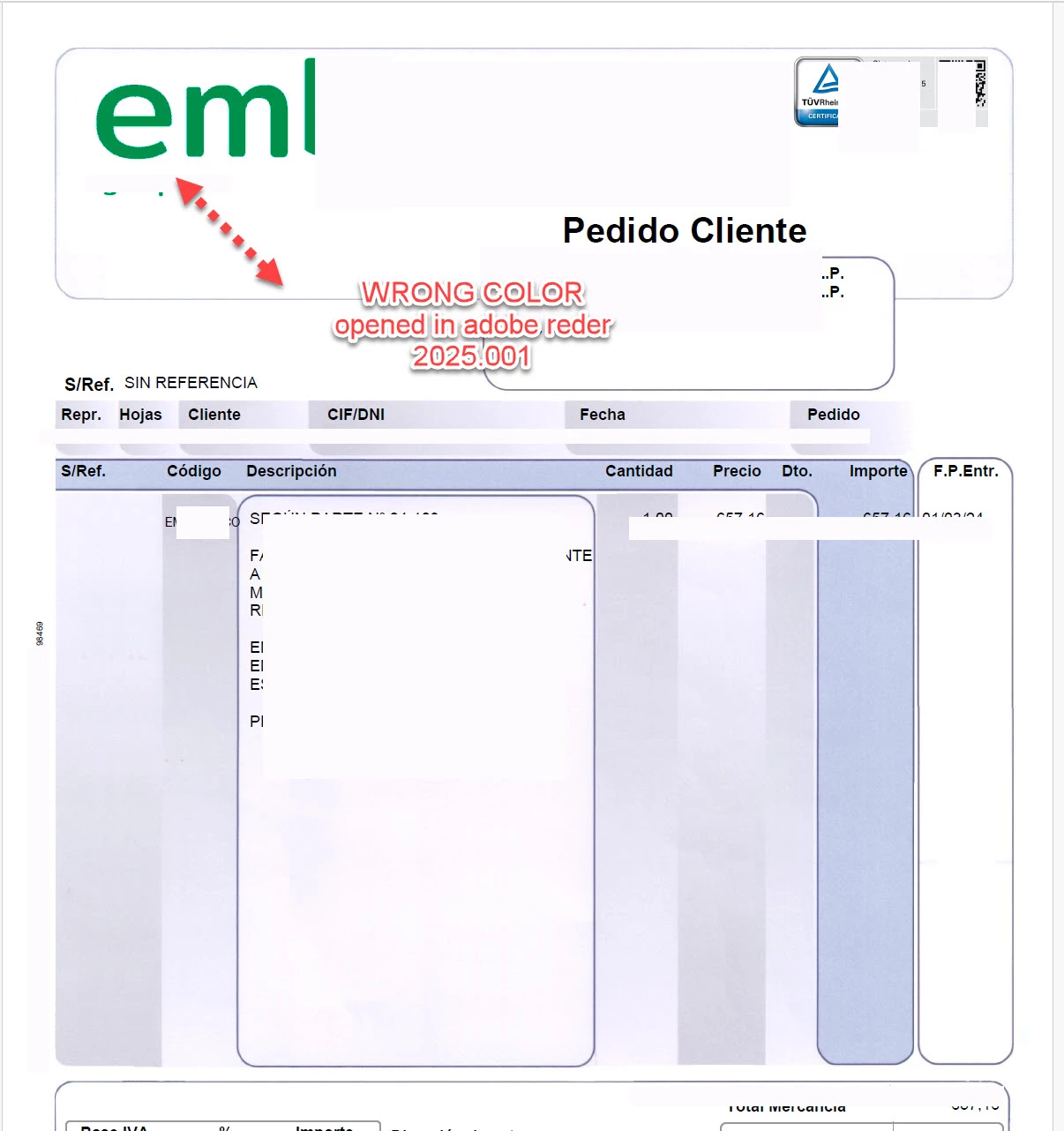
pdf invoice with blue color logo change color to green when I open it with adobe [Acrobat] reader

  • September 2, 2025
  • 1 reply
  • 491 views

I have a problem, several hours reading and testing with no luck

I have multiple invoices files in pdf format.
The original logo company is blue, when I open this pdf in any PC (tested with diferent pc), the result it's always the same:  
when I open the file with ADOBE [Acrobat] READER the logo change to green color (wrong color)
when I use adobe [Acrobat] reader, chrome, edge or other pdf viewers, I can see the file with the right color (blue)

I tested this in a lot of windows pc (i dont have any mac arround at this moment) the adobe [Acrobat] reader version is always the lastest (automátic updated)
thanks!


[ "Acrobat" added by moderator. Adobe is a company; Acrobat Reader is the application ]


1 reply

Legend
September 2, 2025

Hi @Charismatic_thinking6266,


Thanks for sharing the detailed description and screenshots. From what you describe, the color shift you’re seeing (blue turning to green in the logo) is related to how Acrobat/Reader 2025 handles color management for untagged RGB content. Earlier versions of Reader defaulted such content to sRGB, but the new release interprets it differently, which explains why the rendering doesn’t match what you see in browsers or other viewers.


Since you haven’t mentioned how these PDFs are being generated, that detail will be very important. If the PDFs are created without an embedded ICC color profile, Reader now applies stricter handling, and this can cause the difference you noticed.


You can try these checks:


1. Open Edit > Preferences > Page Display > Rendering in Reader and test disabling “Use 2D Graphics Acceleration.”

2. If possible, ask the person generating the PDFs to embed an sRGB ICC profile into the images or graphics. This usually ensures consistent rendering across apps.

3. Compare the same file in another PDF viewer — this helps confirm whether the issue is file-creation related or Reader-specific.


If you can share how the PDFs are produced (e.g., exported from Word, InDesign, ERP system, etc.), the community and product team can give you more specific guidance.


Best regards,
Tariq | Adobe Community Team | Meet Acrobat Studio

Participating Frequently
September 2, 2025

thanks for the reply

I can't find the opcion "use 2d graphics" (please see screenshoot)
I'v compared the file with diferent viewers, the problem it's only present in adobe reader
the pdf file are generated by an erp software (i wll try to get more info), but I think that the problem it's related to an adobe reader update because the erp system has not been change/updated/modified/upgraded in anyway so far, the only change it's the new adobe reader version