
Feb 11, 2021 6:25 PM UTC
Question

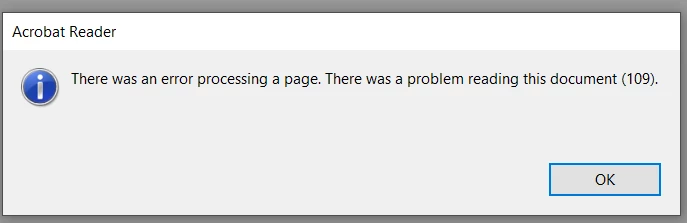
PDF opens in other softwares but in 21.001.20135 getting a 'problem reading this document(109)'

I'm able to open certain set of pdfs in all the softwares without error. It works even in previous versions of Acrobat reader. However, in Acrobat reader 21.001.20135, I'm getting the below error. (There was an error processing a page. There was a problem reading this document (109)).
 

This topic is closed to new replies. Start a new post to keep the conversation going.

12 replies

Adobe Employee
Feb 12, 2021 12:12 AM UTC

Hi,

Could you please let us know if:

  • This is specific to some PDF files or all files?
  • Please share the sample PDF file
  • Is it happening on Win or mac?
  • Are you accessing PDF files from local drive or network drive or cloud drives?
  • Does it work after disabling Protected Mode? (Disable Protected Mode by going to Edit > Preferences > General and deselecting Enable Protected Mode at startup. Then restart Reader to check again). Note: Do not keep your software at Disabled Protected Mode as it makes it vulnerable. Use this to just test and let us knowif it works.

We would definitely need sample PDF file where we can reproduce this.


Thanks,

Karan

Translate
Feb 12, 2021 3:45 AM UTC

Hello Karan,

  • Specific only to certain files
  • Is there any place I can send it privately?
  • It happens on Windows 10 machine.
  • Initially this happened when I accessed it from network drive. I copied it to my PC and tried opening and still got the same error.
  • I don't see the option in my preferences window. PLease check the screenshots.
  •  


    Appreciate your help. I'll share the pdf with you privately.

Thanks,

Prash

Translate
Adobe Employee
Feb 12, 2021 3:57 AM UTC

For protected Mode preference: Please check under Security (Enhanced) section in preferences.


-Karan

Translate