
Participant
December 2, 2021
Question

PDF preview handler is not working

  • December 2, 2021
  • 1 reply
  • 2717 views

Dear Community,


I hope you are doing well.


There is an issue on some of our machines - Pdf previews are not working in the Outlook.

The error is - this file cannot be previewed because of an  error with the following previewer: PDF preview handler.

There are 2 same machines with exactly the same policies, but on one it's working on the other it's not.
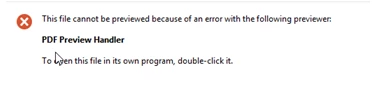
I've cheked all the possible troubleshooting guides, for example:


1)https://blog.nicholasrogoff.com/2017/03/22/fix-broken-adobe-acrobat-dc-pdf-preview-handler-in-outlook

2)https://social.technet.microsoft.com/wiki/contents/articles/53322.outlook-problem-with-pdf-preview-handler.aspx


I've even tried to collect the crash dumps, and no results, they are not appearing in the AppData\Local\CrashDumps folder when the PDF preview handler is giving an error.


https://helpx.adobe.com/in/acrobat/kb/collect-logs-crash-freeze.html


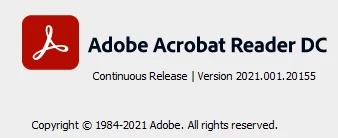
Adobe version on working machine:
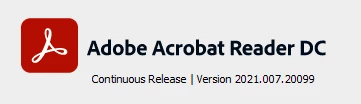
Adobe version on the machine where PDF preview is not working:
 

What else I can check?

Appreciate your support.


This topic has been closed for replies.

1 reply

Amal.
Legend
December 2, 2021

Hi there


Hope you doing well and sorry to hear that .


Please go through the correct answers marked in the similar discussion https://community.adobe.com/t5/acrobat-reader-discussions/pdf-preview-handler-missing-in-outlook-365-trust-center/m-p/12376084/page/2 and see if that helps


You may also go through the help page i have found on MS support page https://social.technet.microsoft.com/wiki/contents/articles/53322.outlook-problem-with-pdf-preview-handler.aspx and check if that works.


Regards

Amal

Red_krt8Author
Participant
December 6, 2021

Hi Amal,


Sorry, nothing helped.


Is there any option to create a support request or haev a remote support session with the Adobe support specialist?


We really need this to be fixed at the soonest.


Thanks!

Amal.
Legend
December 7, 2021

Hi there


I have shared more information with you in private message. Please check.


Regards

Amal