
Participant
November 21, 2016
Question

PDF text appears wrong on my computer but OK on another

  • November 21, 2016
  • 2 replies
  • 7241 views

I have received a PDF file from someone in an email and when I open the file from the email or after saving to hard disk, it appears like this in Acrobat Reader DC:
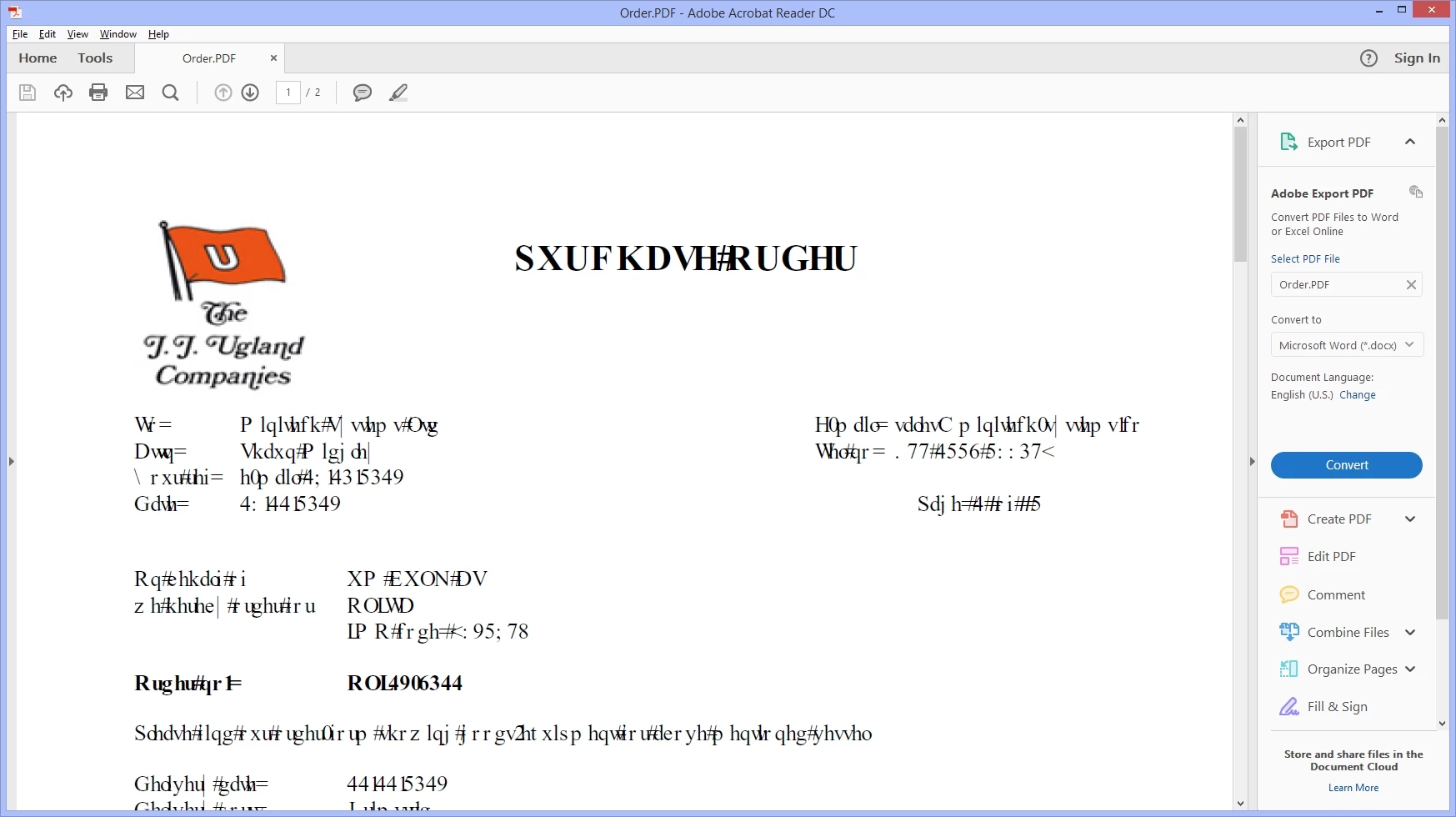
But if I open it on another computer in our office then it appears correctly in Acrobat Reader DC as:
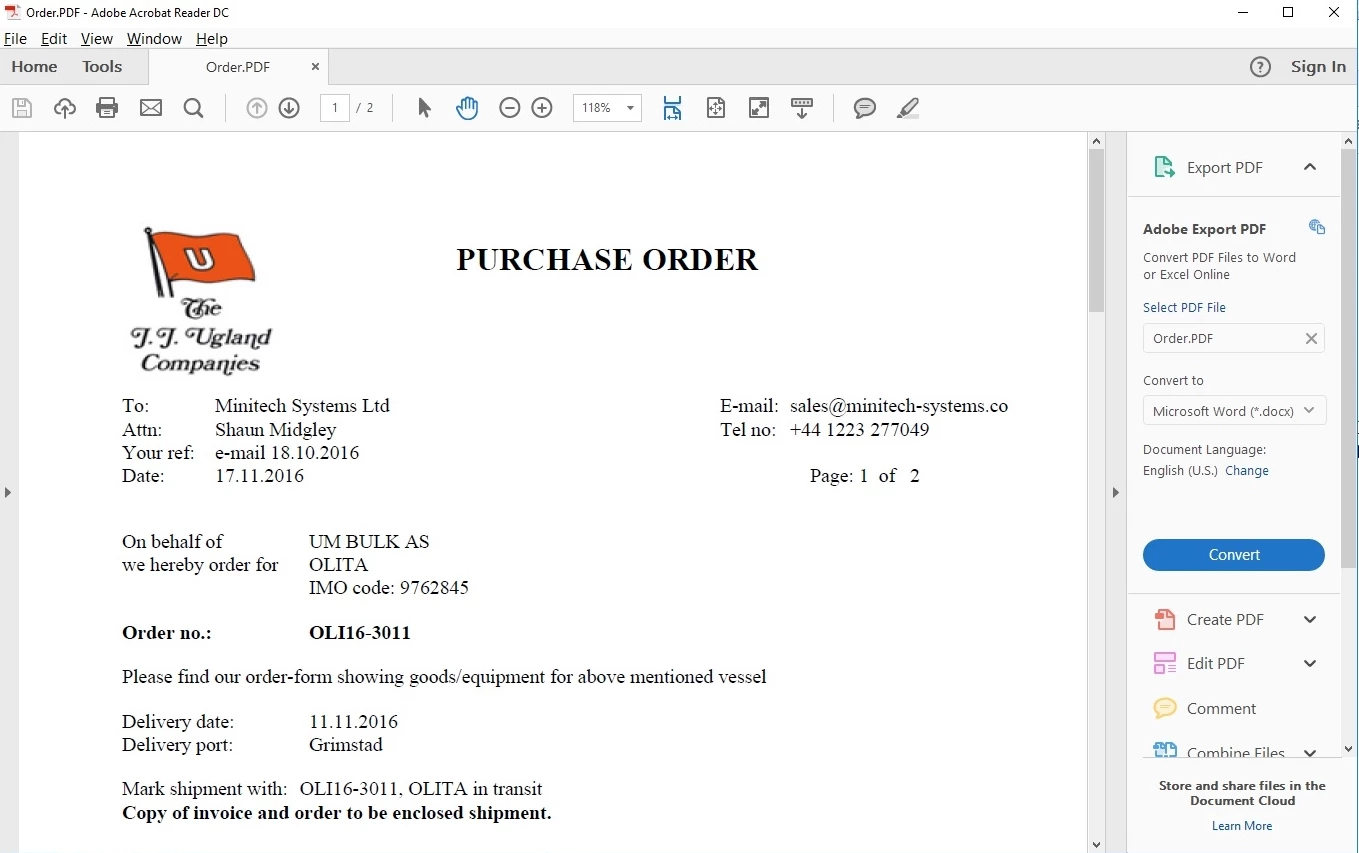
In my office two computers show as mine and three can open the file OK. The two computers also have "Acrobat X Pro" installed and so also have 'Adobe PDF' printer driver. One of these computers is Windows 8.1 and the other Windows 10.

The three that load the file OK, are using different versions of Acrobat Reader and different versions of Windows.

Any help in seeing what settings may cause this display error.

    This topic has been closed for replies.

    2 replies

    Participant
    November 27, 2017

    We have just discovered this identical issue at one of our detached offices at work.  Multiple computers with an issue viewing a PDF email attachment that, on other computers in the same or other offices, appear correctly 

    I will post more as I discover more.

    Participant
    November 27, 2017

    We also have the same issue here 20 users display gibberish and the other 20 show fine. All the same version and Rev of adobe Reader

    Bernd Alheit
    Community Expert
    Community Expert
    November 21, 2016

    Compare the page display settings in the preferences.

    shaunm007Author
    Participant
    November 24, 2016

    I have checked the page display settings and they are both the same. Both computers have the same default printer. But mine has Acrobat X Pro and I wonder if that is having an effect. Both are set to use local fonts.

    Bernd Alheit
    Community Expert
    Community Expert
    November 24, 2016

    What happens when you disable the use of local fonts?