
Participant
January 30, 2023
Question

Percentage zoom levels not working glitch bug

  • January 30, 2023
  • 1 reply
  • 1363 views

Not much to write about this bug / glitch that happens when I try to set a default zoom percent.

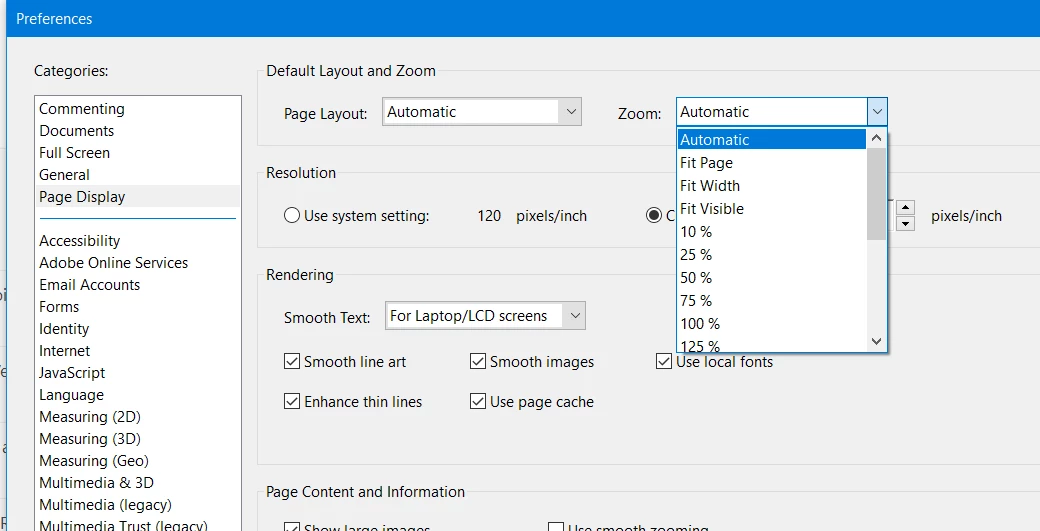
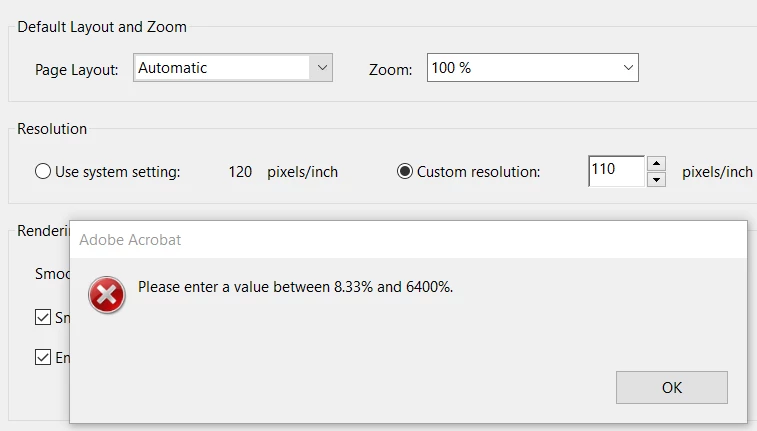
The bug is that if you set it to any percentage, the program has a space after the "%" and the programmers made a mistake where it only accepts the percentage zoom if it is right next to the number, example, it works if you set "100% vs doesn't work if the setting is "100 %", but the thing is, this is the predefined selections in the menu that was coded wrong.


This is when I try to select a default zoom level, notice the default numbers with their percentage next to it.
 

This is what happens when I select for example 100 % and click ok.
 

But, if I happen to remove the space between the 100 and %, it accepts it.
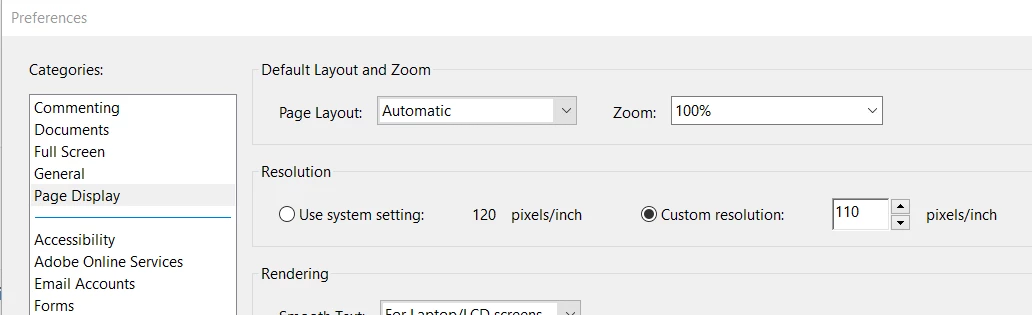
 

Clearly a developer/programmer bug.

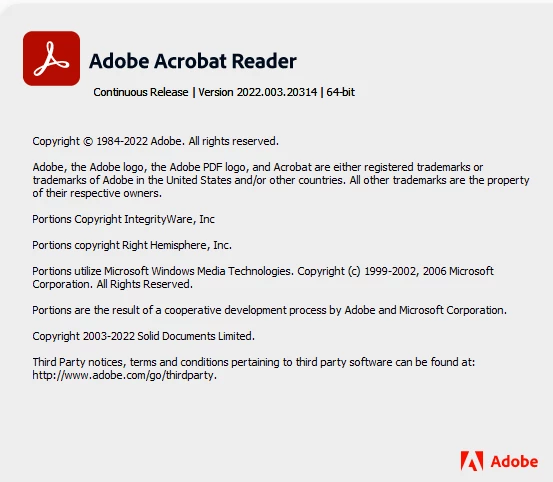
This is the version that I am experiencing this in:


This topic has been closed for replies.

1 reply

Meenakshi_Negi
Legend
January 31, 2023

Hi almontee3,


Thank you for reaching out and reporting this.


This seems to be weird behavior. Did you notice this behavior after the recent update?  

Please confirm the OS version on the machine.

It would be helpful if you share the screen recording of the complete workflow. 


Thanks,

Meenakshi

almontee3Author
Participant
January 31, 2023

Hi @Meenakshi Negi ,


Well, we were testing the latest version of both 32-bit and 64-bit and noticed it on a full install of the latest version obtained from the adobe URL, so it wasnt a recent update and more of a full install.

The OS of the computer is Windows 10 build 21H2, and the testing VM is version Windows 10 build 2004.

Not an issue of the OS version, if it is in fact incorrect code on the release, I am surprised this passed QA without being tested...


almontee3Author
Participant
February 16, 2023

Got an update just now.

Updated to version 2022.003.20322 | 64-bit

Tested and now the default zoom percentages work properly.