
Participant
April 30, 2023
Answered

Permanently close tool pane

  • April 30, 2023
  • 2 replies
  • 2369 views

Hi,

I used to be able to permanently close the tool pane. But recently, I bought a new laptop. After installing the Adobe Reader version 23.001.20143.0 I no longer can close the tool pane.


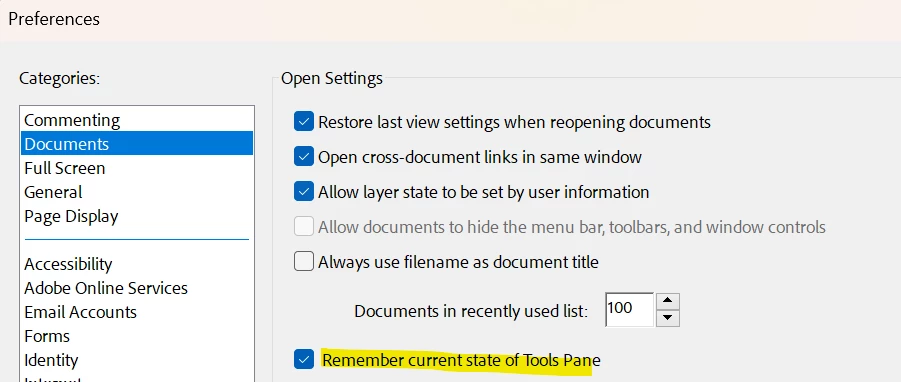
I tried the following setting. It is not working.
 

I tried to edit the registry but there is no there isn't any bExpandRHPinViewer.
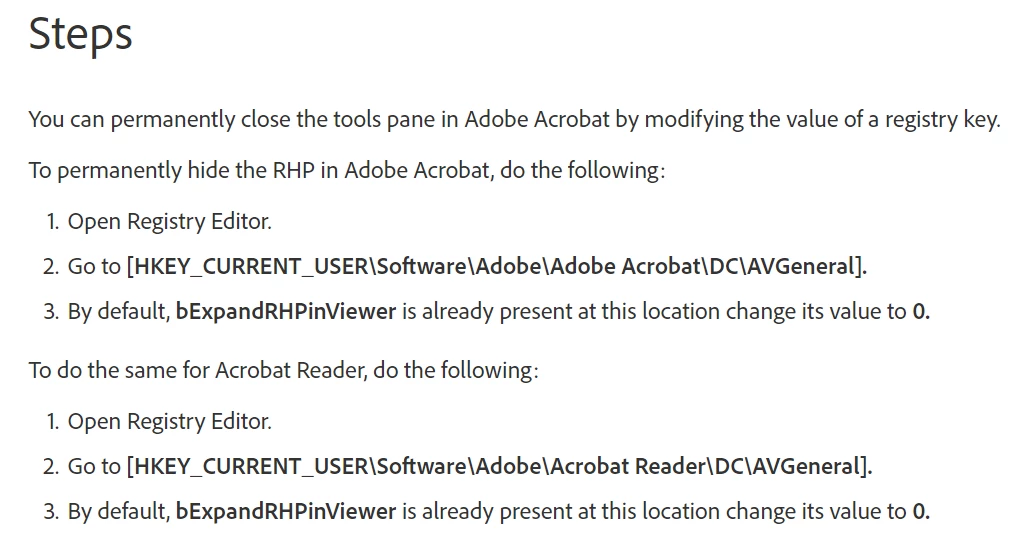
Please advise what else I can do. Thanks.

This topic has been closed for replies.
Correct answer snowy_wy

Hi,

Just to inform I found the solution, i.e. to disable new Adobe Reader.

2 replies

JR Boulay
Community Expert
Community Expert
May 2, 2023

[MOVED TO THE ACROBAT READER DISCUSSIONS]

Acrobate du PDF, InDesigner et Photoshopographe
ls_rbls
Community Expert
Community Expert
May 1, 2023

If you used to be able to do this on Microsoft Windows 10 registry editor and you recently bought a laptop that shipped with Windows 11, it is possible that the registry preferences have changed on Windows 11 or  are slightly different than the "bExpandRHPinViewer" entry.


In any case, from what you've described, it seems like that key may not exist on Windows 11.


In which case, you can try and manually create the "bExpandRHPinViewer" entry in its corresponding registry hive (together with its corresponding DWORD value) to see if that works, for example.

snowy_wyAuthor
Participant
May 2, 2023

Hi,

I tried the method suggested, i.e. manually creating a "bExpandRHPinViewer" entry. Still doesn't solve the issue.