



YarnTech
Inspiring
June 15, 2021
Answered

Pixelated overlay on pdfs

  • June 15, 2021
  • 3 replies
  • 2626 views

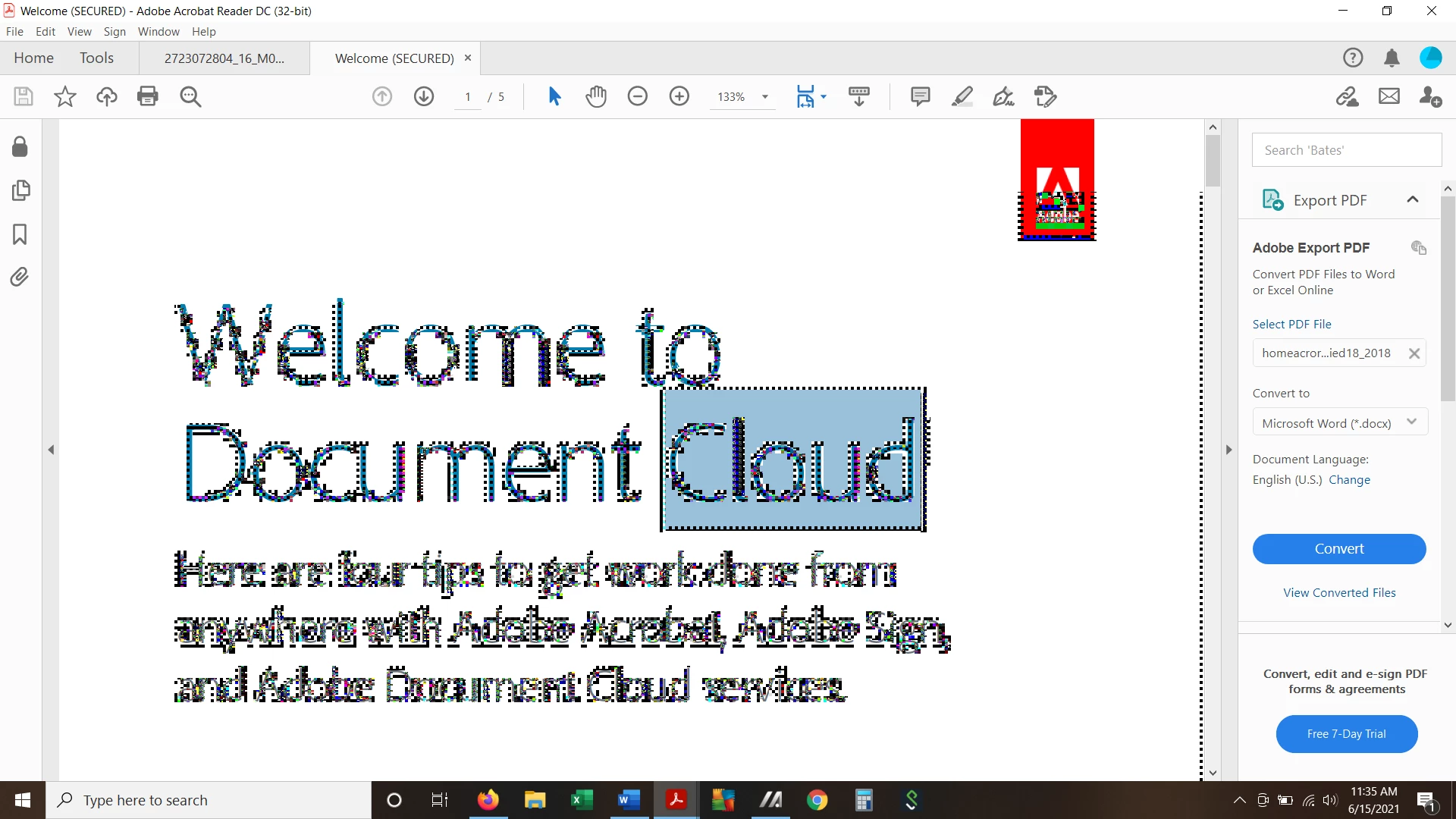
When I try to highlight a word or phrase on a pdf, I get a pixelated view that blots out most of the page. I'm able to highlight and work in comment box and by clicking around, I can get back to a clean copy but this is annoying and time consuming. Any advice on how to avoid this? I am having this problem on a new Asus VivoBook laptop.


    This topic has been closed for replies.
    Correct answer YarnTech

    Hi there


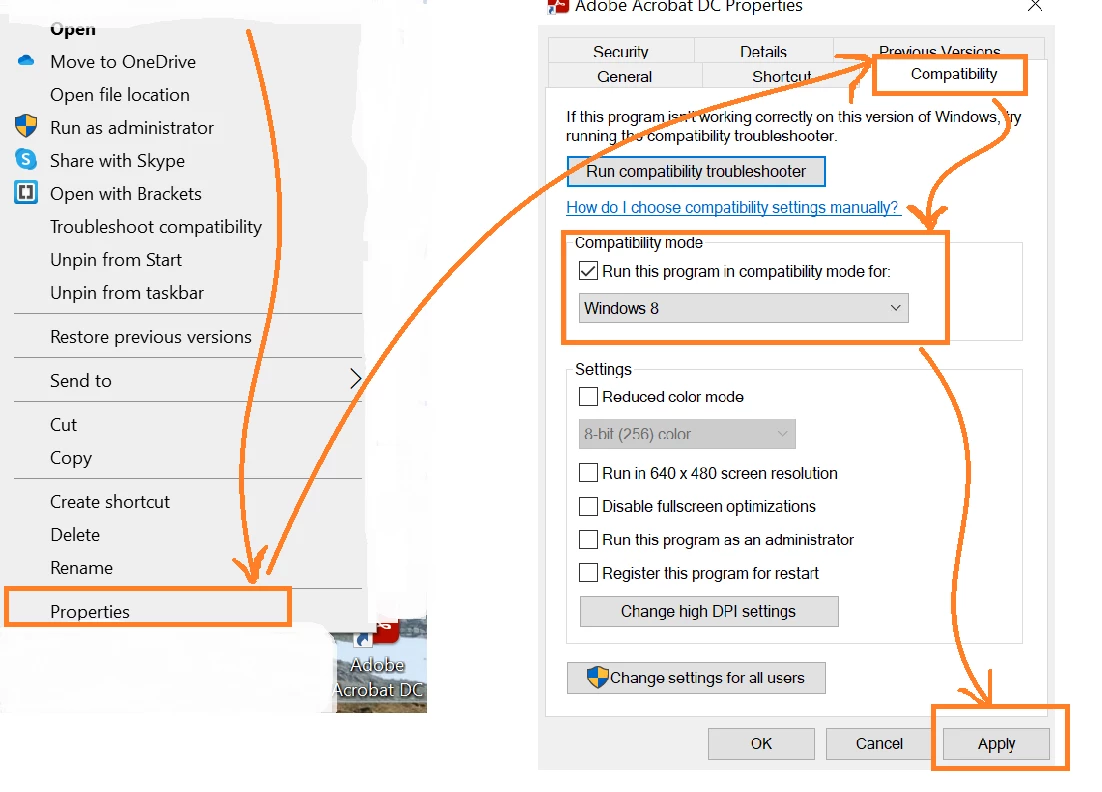
    Sorry for the delay in response, please right click on the Acrobat icon on your desktop and then follow the steps as shown in the screenshot below:


    Note: Change the compatibility to Windows 7


    Regards

    Amal


    Thank you for this advice. Unfortunately, I could not wait for your replay as I had to meet a deadline that involved working in a pdf. I took my laptop to a local IT company where the problem was fixed with the change of compatibility.

    3 replies

    Amal.
    Community Manager
    Community Manager
    June 16, 2021

    Hi there


    ++ Adding to the discussion


    Please try the steps suggested in the correct answers marked in a similar discussion - https://community.adobe.com/t5/acrobat-reader/screen-turns-to-black-and-white-dots-using-adobe-acrobat-reader-dc-19-21-20049/m-p/10750278 and see if that works for you.


    Regards

    Amal

    YarnTech
    YarnTechAuthor
    Inspiring
    June 16, 2021

    Thank you, Amal, for your reply. I saw this advice on another member's post. Here is a screen shot of the edited Preferences...if I did this correctly (restarting a number of times), it unfortunately, didn't resolve the problem. The pixelation is still present, do you have any other solution? I'm working on an Asus laptop that I set up on Saturday/ June 12 and it is up to date.


    Amal.
    Community Manager
    Community Manager
    June 17, 2021

    Hi there


    Thanks for trying out the suggestion and sorrt to hear that the issue still exists. PLease try the following steps shared below and see if that helps.


    Right-click on your Acrobat Reader DC icon on the desktop or navigate to the AcroRd32.exe file in this folder
    C:\Program Files (x86)\Adobe\Acrobat Reader DC\Reader

    Choose "Troubleshoot Compatibility." Tell the troubleshooter to run this program in Windows 7 compatability mode.


    Regards

    Amal

    YarnTech
    YarnTechAuthor
    Inspiring
    June 15, 2021

    Oops! My first time posting, so I appreciate your note...I'm working with Adobe Acrobat Reader DC. I followed instructions to remove enhanced security but that didn't resolve the pixel problem. Thank you for replying to me.

    John T Smith
    Community Expert
    Community Expert
    June 15, 2021

    Please post the exact name of the Adobe program you use so a Moderator may move this message to that forum

    YarnTech
    YarnTechAuthor
    Inspiring
    June 15, 2021

    Working with Adobe Acrobat Reader DC