


Participating Frequently
November 27, 2020
Question

Playing build in MediaContent in PDF with Reader - no cntrol elements aviable

  • November 27, 2020
  • 1 reply
  • 476 views

I have installed Adobe Acrobat DC 2020 on a local PC. It is an Education-Version.

When I build an PDF-Dokument and I want to include MediaContent, then I have an Document with the included Content. When I want to play this Content with my Programm, I see the Microsoft Mediaplayer WITH Start/Stop, Forward and TimeLine...

Now I can save my PDF...

On my other Computer (there are only Adobe Reader DC installed) can I open my PDF.

I have to accept 3D-Content and I can start my included Content.

BUT: There are no control elements displayed. I can't pause, fast-forward, or adjust the volume.
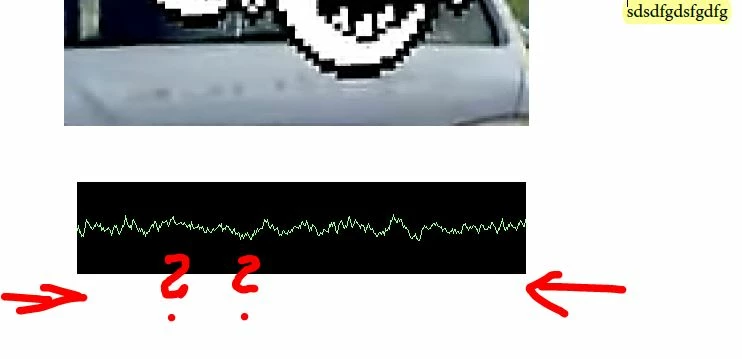
What I have to do in Acrobat Pro, so I can see the control elements in Reader????

This topic has been closed for replies.

1 reply

AkanchhaS8194121
Legend
November 30, 2020

Hi,


sorry to hear about the trouble caused.

The media file that you have added into the PDF, is it a Flash media (*.flv and *.swf) content?

If yes, then for testing, try adding a different/other media supported format and see if you have all the required options available or not.


Meanwhile, you may try changing the following preferences setting within Acrobat and Reader DC-

Acrobat/Reader DC>Edit>Preferences>3D & Multimedia> Uncheck "Use flash player for playing 3D and multimedia content">OK>close and re-open Acrobat/Reader DC


Thanks,

Akanchha

Participating Frequently
November 30, 2020

Thanks for answering...

I have included a *.mp3 Mediafile.

This picture show you my settings;


The following picture show you, that I havn´t any control elements.


Participating Frequently
December 6, 2020

No Ideas there ????