Participant
January 30, 2024
Question

Pop Up Issue

  • January 30, 2024
  • 3 replies
  • 7795 views

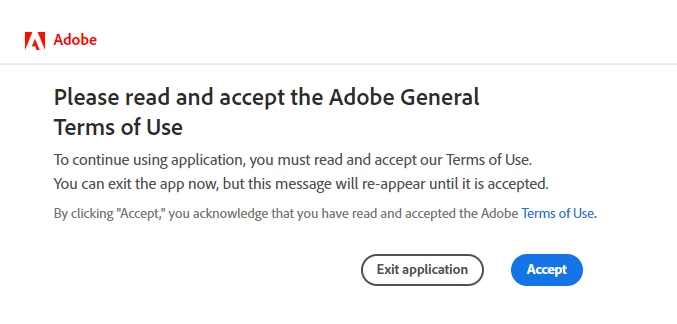
Hi, everytime i open a pdf using Adobe Acrobat , a pop up saying "Please read and accept the Adobe General Terms Of Use" comes up and it never closes even if i click "Accept" multiple times.

 

3 replies

Participant
October 7, 2025

hello Adobe Team ! 

The same issue on my Adobe Acrobat also . This error comes once i open the PDF. 

AnandSri
Community Manager
Community Manager
October 8, 2025

Hello @prince_9407


I hope you are doing well, and thank you for reaching out.


Please ensure you have the latest version of Acrobat installed on the machine: 25.001.20756 Planned update, Oct 01, 2025. Check for any pending updates by navigating to Menu > Help> Check for Updates. Install the updates, restart the app and the machine, and try again.


Have you tried the suggestions from this article: https://adobe.ly/46SLEcg

If not, please try again and let us know if the issue persists.


Thanks,

Anand Sri.

Participant
May 2, 2024

The same thing happens to me on my personal laptop, office laptop and office PC. This is a big bug. but I noticed it's only for specific files not for all.

Community Manager
January 31, 2024

Hi @Sterlin29888055cwpt ,


Sorry for the trouble. 

If you are comfortable using Windows Registry Editor, please try the "Advanced Solutions" section from this Help page: https://helpx.adobe.com/acrobat/kb/cant-click-accept-acrobat-reader.html
Otherwise, try the cleaner tool: https://www.adobe.com/devnet-docs/acrobatetk/tools/Labs/cleaner.html, and uninstall the application from the machine. Try restarting your machine once you are done. 
You can download the Adobe Acrobat Reader using this link: https://get.adobe.com/reader/. Let us know how it works for you. 

Regards,
Tariq Ahmad


Participant
February 27, 2024

I have same problem, i try all solutions, but it doesn't work. Please help.

Meenakshi Negi
Community Manager
Community Manager
February 28, 2024

Hi Huy35713072s78g,


Thank you for reaching out. 


Could you please share the Acrobat and OS version on your machine? It would be helpful if you could share the screen recording of the workflow so we can share it with the team.

Also, share the logs using the steps suggested in the following help document: https://adobe.ly/3Tf06FH

We will get this checked.


Thanks,

Meenakshi