
Answered
´Preparing the Document for Reading´?? iT WONT STOP!
Hi,
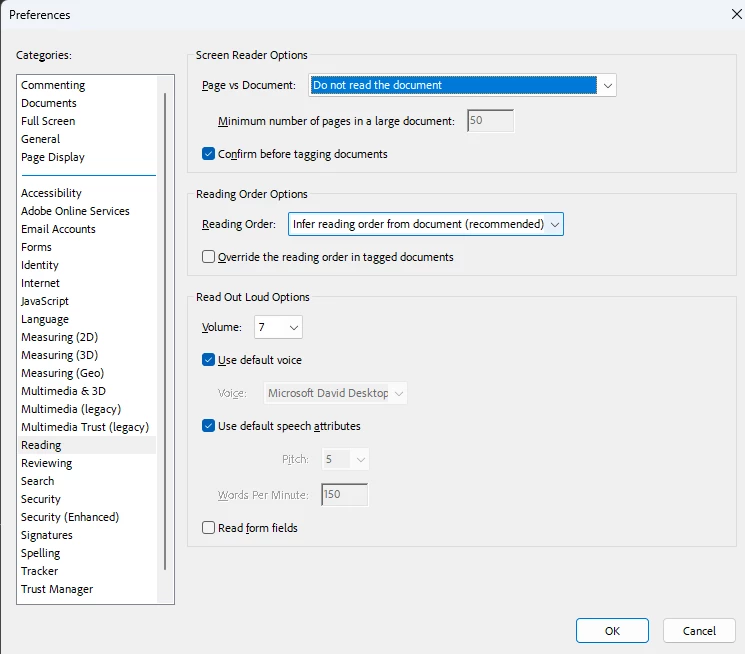
Everytime I open a PDF I get the message saying ´Preparing the Document for Reading´ and it freezes my screen. The files arent even that big. 500kb to 3mb. Ive goolged the fix and all I can find is the following:
1. Go to Edit > Preferences > Reading.
2. Under "Screen Reader Options" select "Only read the currently visible pages".
This only for that one document and as soon as I open another email with an attachmeent the same thing happens??? It doesnt seem to save it as default?
I´ve opened Acrobat Reader and I have the latest version, (2023. 008. 20458) no updates available, continuous release and using a new Lenovo laptop with Windows 10.
What can I do?
[Moderator moved the thread to the correct forum]


 AdChoices