

Preview errors in Outlook 2013
Hello, I'm also asking on the Microsoft forums, but thought I'd check here too.
Office 2013 user reported that suddenly this week she cannot preview or open PDF files.
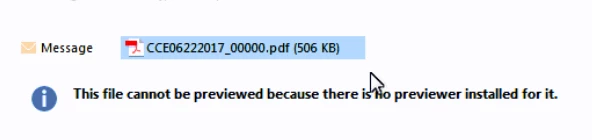
1. If she clicks on a PDF file, she gets the error, 'This file cannot be previewed because there is no previewer installed for it.'
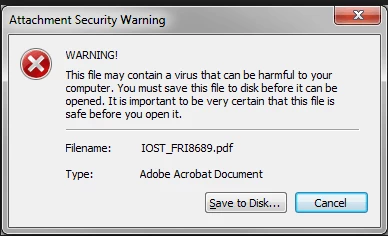
2. If she double-clicks the PDF to attempt to open it, she gets the warning, "WARNING! This file may contain a virus that can be harmful to your computer. You must save this file to disk before it can be opened. It is important to be very certain that this file is safe before you open it."
For the preview message, here's what I have tried:
1. I read somewhere that an Office patch may have caused this, so I rolled her Click-to-Run installation back to a version from January.
2. I uninstalled and reinstall Acrobat Reader. I also tried another reader, and ensured each program was registered as the default handler. Neither one fixed the issue.
For the virus message:
1. The virus message does not appear if she starts Outlook in safe mode. So we have the user working in Safe Mode right now as a workaround. There are no Outlook add-ins enabled, though.
Any assistance is appreciated.


 AdChoices