
Print Comments Option Missing in Adobe Reader 9.4.0
Using a PDF I downloaded online, I inserted comments using both Adobe Acrobat Pro and Nuance PDF Converter Pro.
In both the Acrobat and Nuance applications I can print the PDF with the comments just fine.
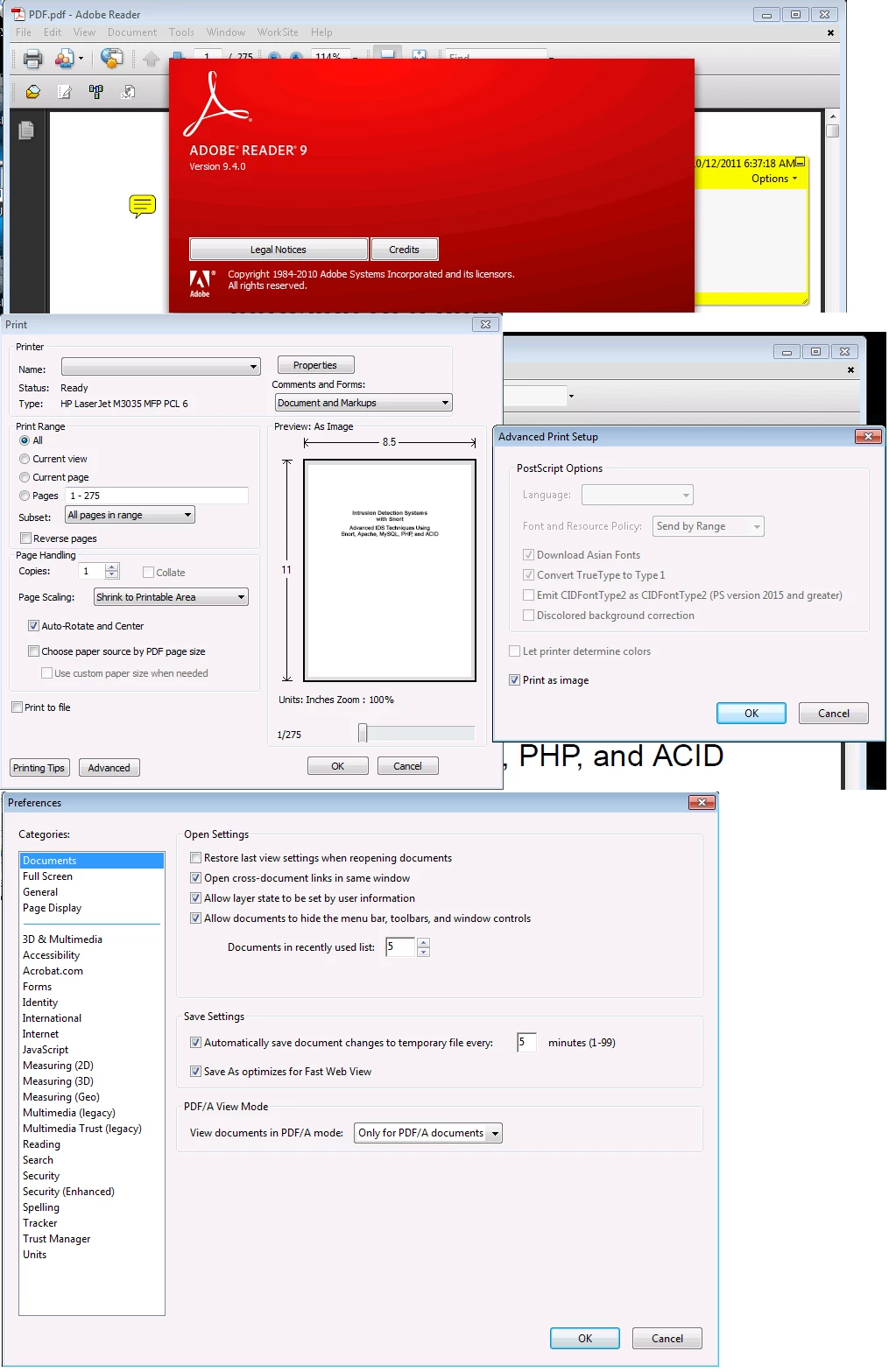
When I opened the document in Adobe Reader 9.4.0 it would not print the comments by default.
I hunted around the File > Print & Edit > Preferences dialog boxes but found no such option in Reader 9.4. It either does not exist, or I'm not looking in the proper place(s).
I opened the same document in Adobe Reader X and I did have the option to print the comments as outlined in the instructions here (http://kb2.adobe.com/cps/897/cpsid_89733.html).
On that same page however it says a comment printing options should be on both the Edit > Preferences and File > Print dialog boxed in Reader 9 but it is not. The instructions above appear to be inaccurate.
I've tested this on multiple systems (same base OS & configuration) but the problem persists: How does one print comments in Adobe Reader 9.4.0? (Upgrading is not an option at this time.)
 AdChoices