
Participant
July 31, 2024
Question

print properties button missing

  • July 31, 2024
  • 2 replies
  • 1436 views

Hi all.

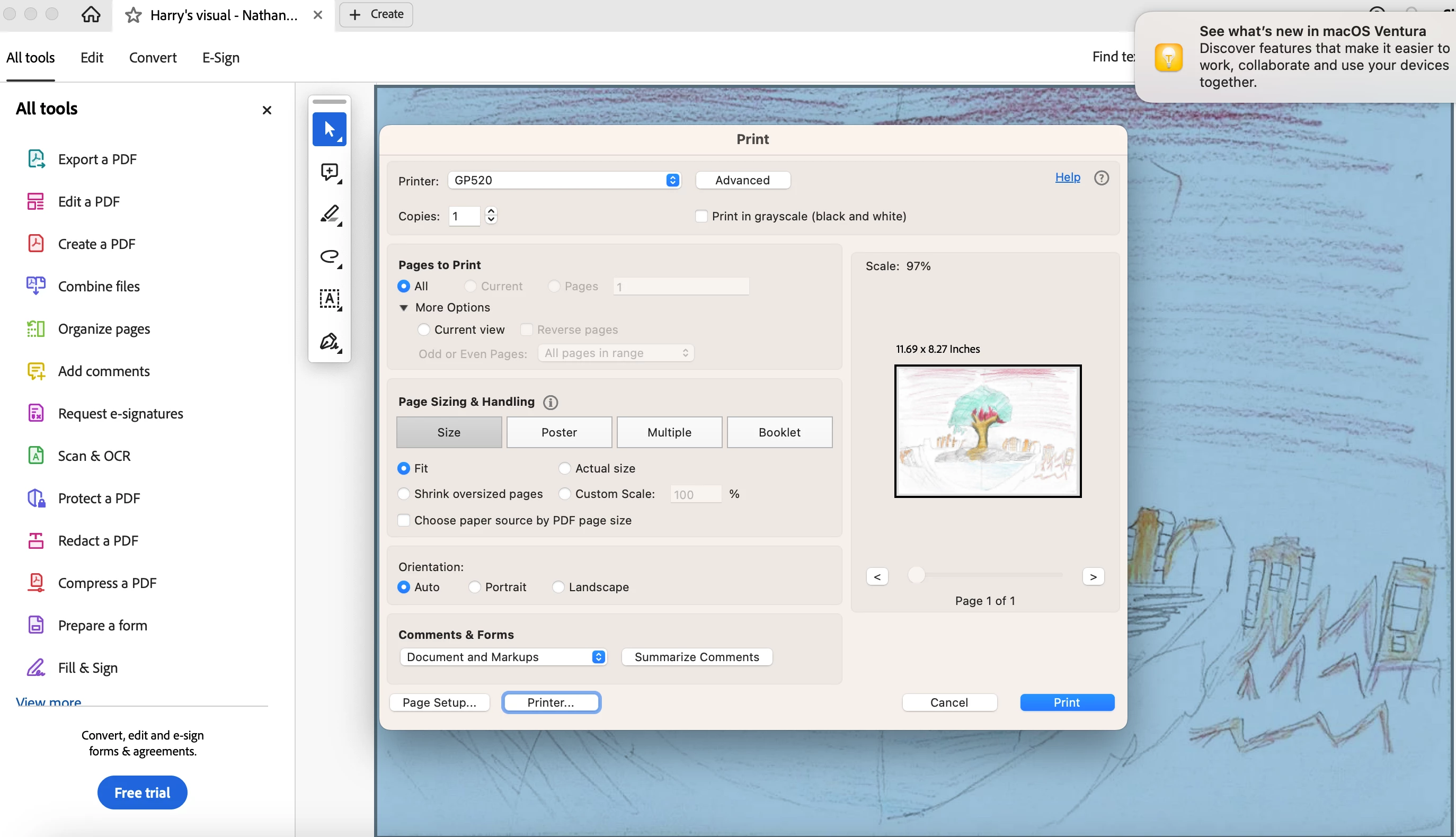
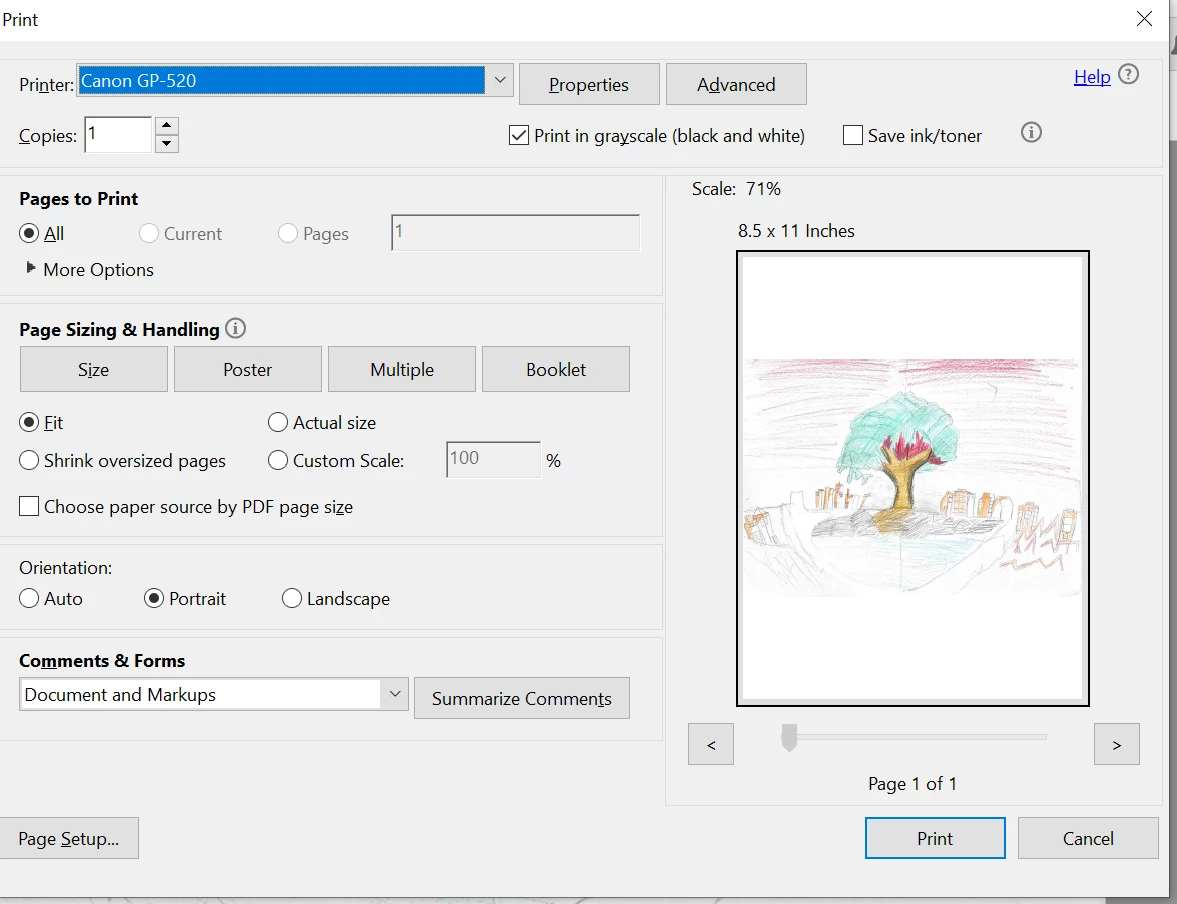
i hope any one can help me out. just install leatest version of acrobat reader mac version. when i click print. the print properties is missing? , i tested windows is fine , any idea?  thanks for help


Mac version Print Properties missing
windows version, Print Properties is there.
2 replies

JR Boulay
Community Expert
Community Expert
August 16, 2024

[MOVED TO THE ACROBAT READER DISCUSSIONS]

Acrobate du PDF, InDesigner et Photoshopographe
Participant
November 25, 2024

The properties manager is still missing from the latest version of macOS Adobe Acrobat Reader. I cannot fold, staple, etc. I have not yet been able to access the IP address to add the printer manually, but as the OP notes, that's irrelevant.


I am on macOS Sequoia (updated to 15.1 but not to 15.1.1 when I was messing around with this). I am on a personal machine where I can connect via WiFi and therefore macOS Airprint in an office environment where I print from a Toshiba eStudio 4525 machine. So I'll try, when someone is in who can get me this info, to update the driver, but I believe that this is an Adobe issue. I felt like I was going crazy looking for the properties button.

quoteIf you click the "Printer" button on the bottom left beside "Page Setup," what do you see in the next window?

Come on now, an Adobe employee doesn't know that this takes you to the system dialogue?

creative explorer
Community Expert
Community Expert
July 31, 2024

@Eric3158849761ep you may need to install the new printer driver and firmware for the Canon GP-520 as it was recently u 17-Jul-2024 https://asia.canon/en/support/0101120602

m
Participant
August 1, 2024

thanks your recommendation, still no luck, i already update the firmware of canon GP520, and using clean system download latest version of acrobat, and download the latest vestion of canon gp-520 driver for mac, still having issue. 

creative explorer
Community Expert
Community Expert
August 1, 2024

@Eric3158849761ep try in safe mode on the Mac. 

m