

Participant
April 14, 2021
Question

Print to PDF from Jpeg leaving big white area

  • April 14, 2021
  • 1 reply
  • 314 views

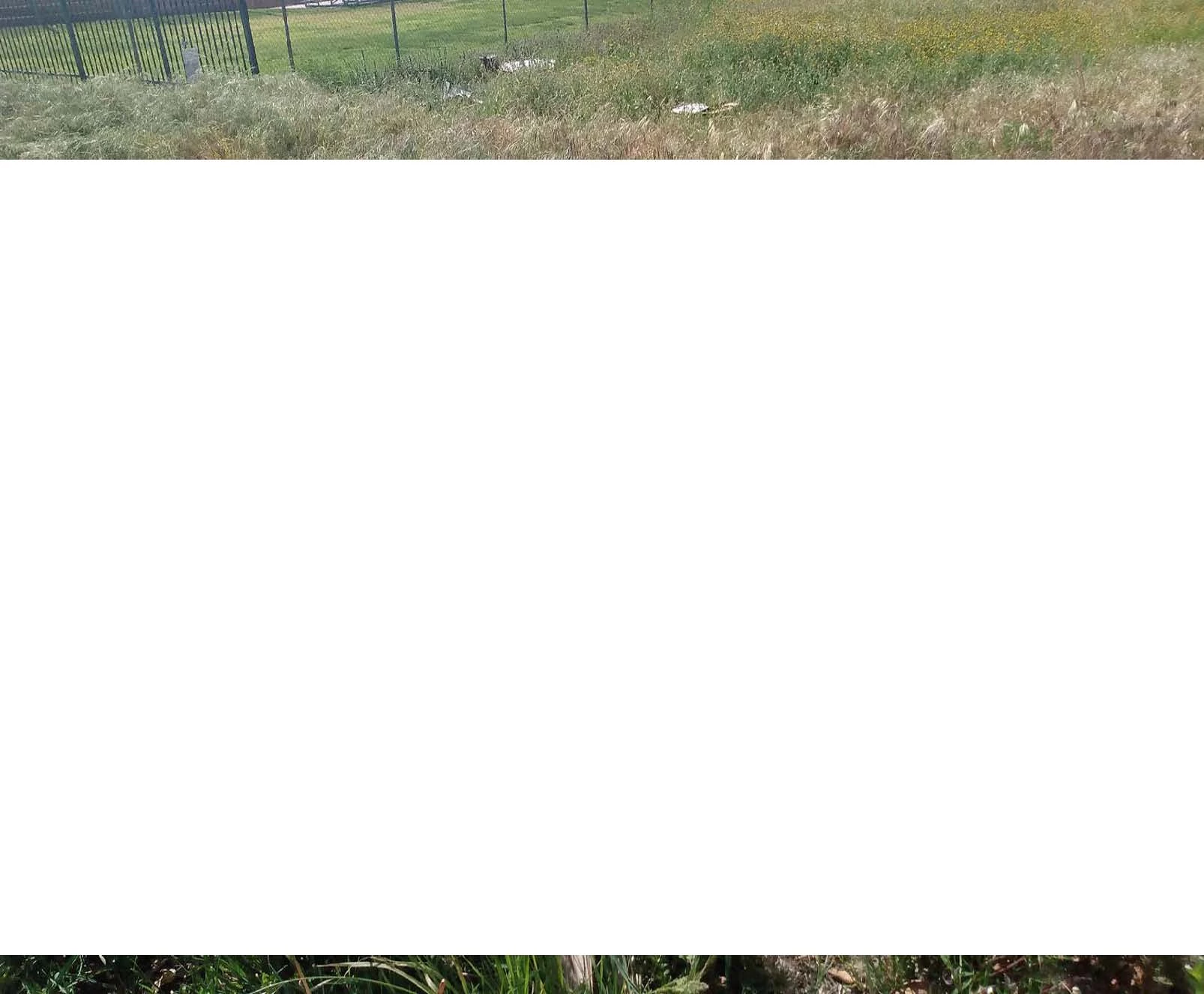
After a recent windows update, I can't print a jpeg to PDF without 3/4 of the middle printing white.  Help please

This topic is closed to new replies. Start a new post to keep the conversation going.

1 reply

Amal.
Legend
April 14, 2021

Hi there


Hope you are doing well and sorry for the trouble. As described, After a recent windows update, you can't print a jpeg to PDF without 3/4 of the middle printing white.


- Is this a behavior with a particular file or with all the files? Please try with a different file and check also please reboot the computer once and see if that helps.


- Would you mind sharing the workflow/steps you are doing to print to PDF ?  Are you printing to PDF or Printing to Adobe PDF?

Please try to print to Adobe PDF and see it that helps. Open the file > Print > Select 'Adobe PDF' and see if that helps.
Note: Print to PDF option is available in Adobe Acrobat DC Only


Also make sure that you have the latest version of Adobe Acrobat DC installed. Go to Help > Check for Updates.


Regards

Amal