
Participant
May 4, 2023
Answered

"Print to PDF" from PDF turns black lines grey

  • May 4, 2023
  • 1 reply
  • 1003 views

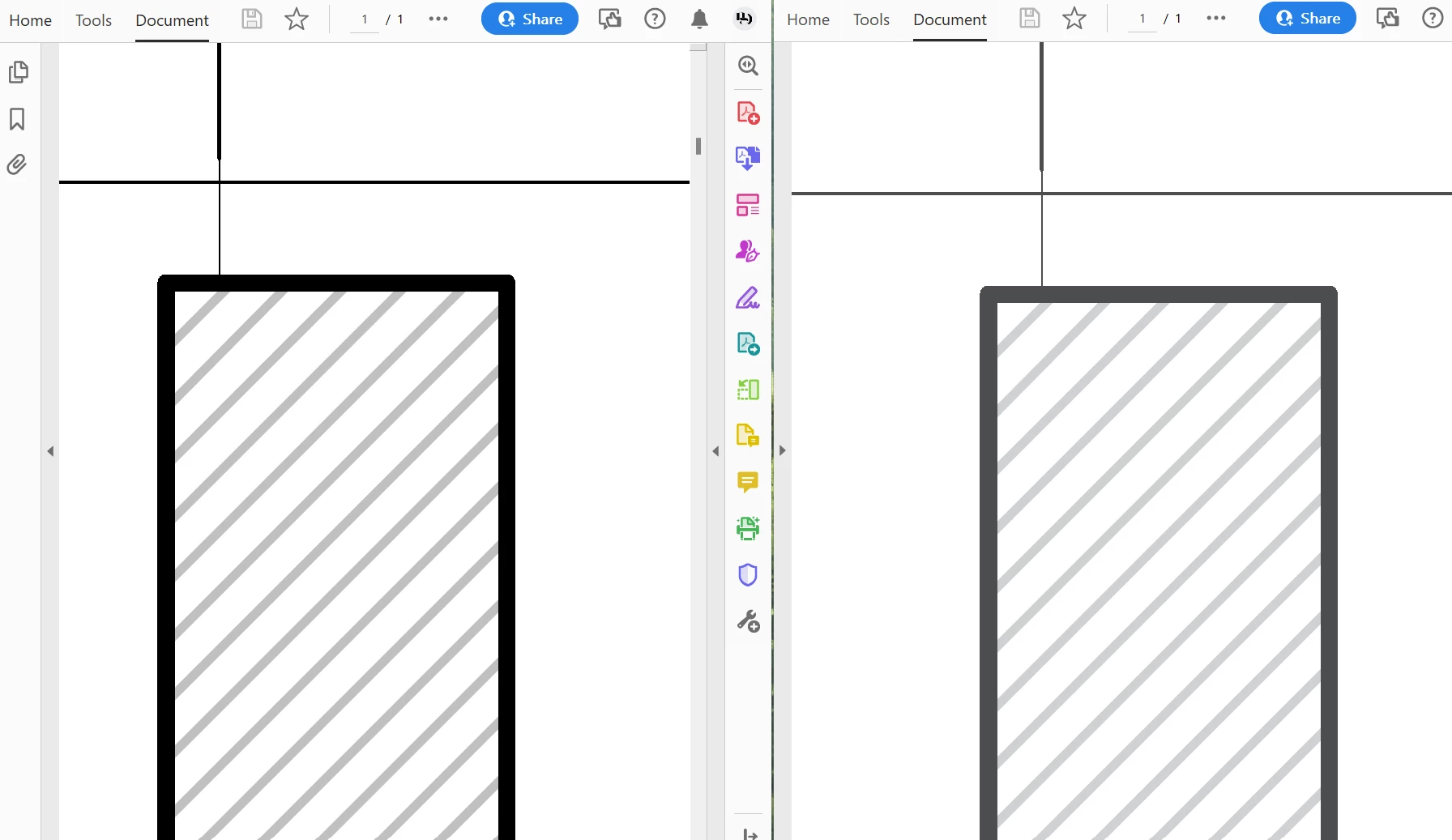
When batch plotting multiple drawing pages from AutoCAD on my Windows 11 PC, the resulting PDF displays poorly on screen. Until recently I've been able to solve this by simply "printing to PDF" from Acrobat. For some reason, now when I print to PDF from Acrobat all black lines show up as grey (see below). I can't find any settings related to preserving the same level of black when printing to PDF.


This topic has been closed for replies.
Correct answer AkanchhaS8194121

Hi @nicholas22426143v4ln 


Hope you are doing well.

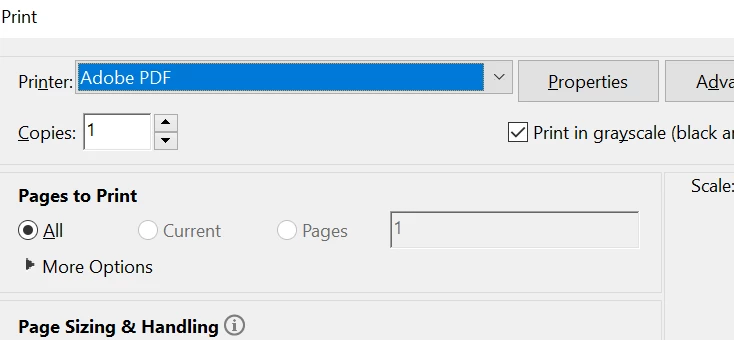
While Printing to PDF from Acrobat, just check once if you have accidentally checked this option "Print to greyscale" or probably check your printer's setting whether print in greyscale has been enabled from there.


For testing, give it a try with another file and see if that gives the same output or not.


Thanks,

Akanchha

1 reply

AkanchhaS8194121
AkanchhaS8194121Correct answer
Legend
June 1, 2023

Hi @nicholas22426143v4ln 


Hope you are doing well.

While Printing to PDF from Acrobat, just check once if you have accidentally checked this option "Print to greyscale" or probably check your printer's setting whether print in greyscale has been enabled from there.


For testing, give it a try with another file and see if that gives the same output or not.


Thanks,

Akanchha