I’m trying to print one page from a PDF file which only will load in Acrobat; although each time I try to print, I get an error that it’s a manual feeder even though my printer settings are set to automatic ?
Correct answer justlearnskills
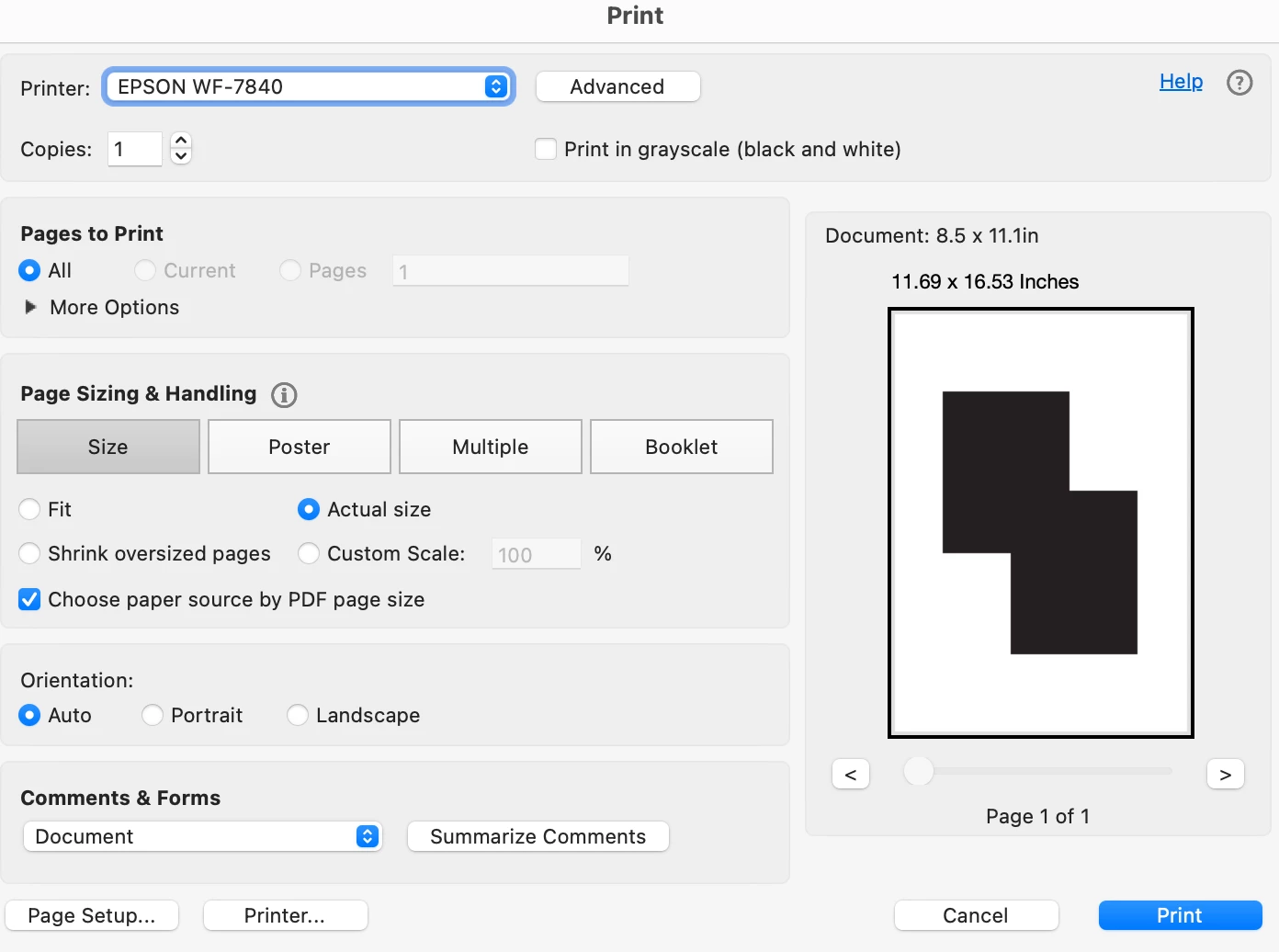
@StrongBeaver When you send your PDF to print, there is a box if checked, Acrobat tells the printer to ignore your default tray and find a tray that matches the exact dimensions of the PDF page (for example, on my printer, it says 'Choose paper source by PDF page size'. If the PDF page is even slightly off (8.5 x 11.01 instead of "8.5 x 11"), the printer WILL default to the manual feeder. (my document is 8.5 x 11.1 but since I select it to choose paper source by PDF size, it going to try to print at 11.69” x 16.53”)
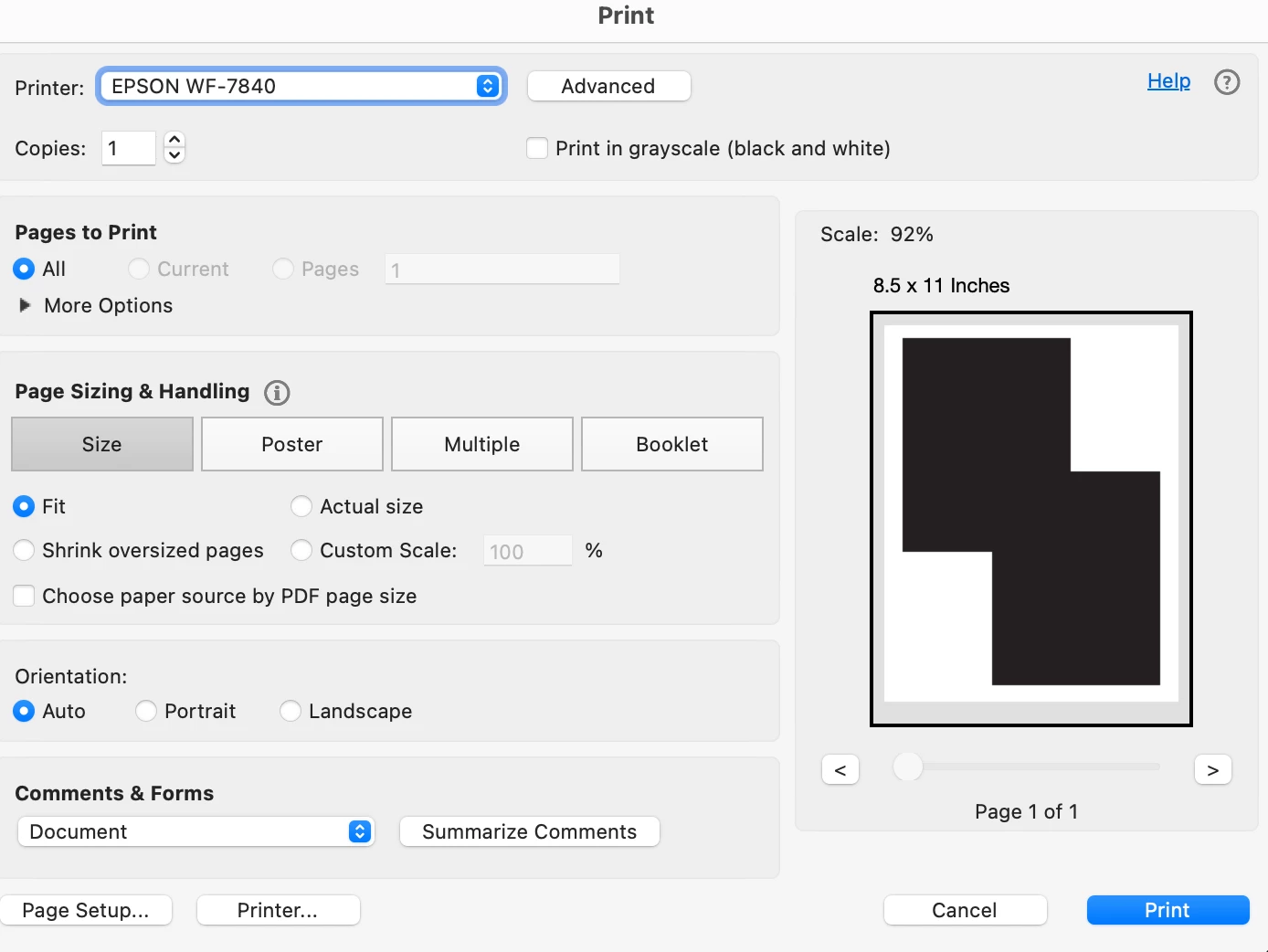
So, instead, don't check that box and select "Fit" or "Shrink oversized pages"
@StrongBeaver When you send your PDF to print, there is a box if checked, Acrobat tells the printer to ignore your default tray and find a tray that matches the exact dimensions of the PDF page (for example, on my printer, it says 'Choose paper source by PDF page size'. If the PDF page is even slightly off (8.5 x 11.01 instead of "8.5 x 11"), the printer WILL default to the manual feeder. (my document is 8.5 x 11.1 but since I select it to choose paper source by PDF size, it going to try to print at 11.69” x 16.53”)
So, instead, don't check that box and select "Fit" or "Shrink oversized pages"




 AdChoices