Problem in displaying Japanese characters
Hi, I am having a problem on Adobe Acrobat Reader DC, as said on the title.
I made a document on Apache OpenOffice 4.1.5 which contains a few Japanese characters. When convert it into PDF and open the file the Japanese characters are shown as boxes or garbled characters.
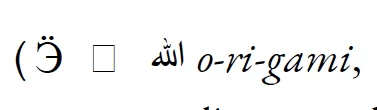
I used a downloaded font called EB Garamond (downloaded form Google Fonts), but I don't think that is the problem because I tried to convert the document with the Japanese characters in a different font, like Times New Roman and Arial, with everything else in EB Garamond, but the problem is still there.
I also tried to play with the settings for the PDF conversion in OpenOffice (sorry for the Italian options in the screenshot), but nothing worked.
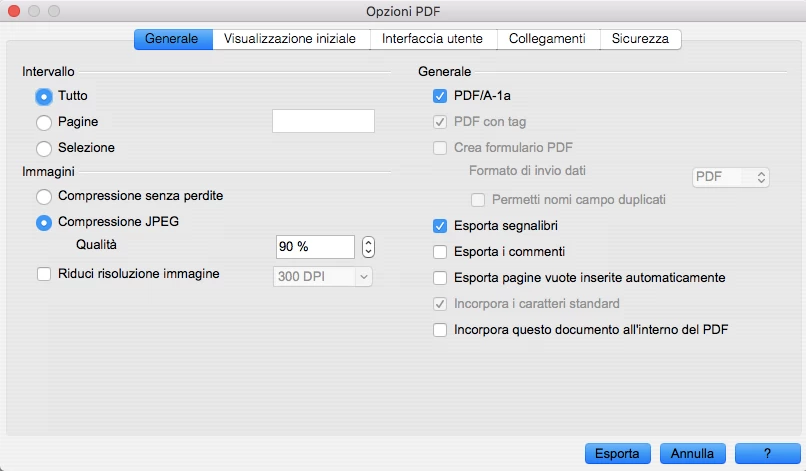
Does anyone know what the problem is?
I use macOS High Sierra (version 10.13.4) and Adobe Acrobat Reader DC (version 2018.011.20040).
 AdChoices