
Participant
November 28, 2022
Answered

Problem opening PDF files from URL trusted location (Sharepoint)

  • November 28, 2022
  • 2 replies
  • 2238 views

Trying to open a PDF in our Sharepoint enviroment with Adobe Reader (not Adobe Cloud) i get an error.


If i deactivate the Sandbox protection in Adobe Reader i'm able to open the file with no error. With sandbox protection on and even with sharepoint added to the privilleged locations it fails to open the file.


Continious Release version 2022.003.20258 of Acrobat Reader


Any ideas?
This topic has been closed for replies.
Correct answer AkanchhaS8194121

Hi @henrikh48029402 


Thanks for sharing the insights. 

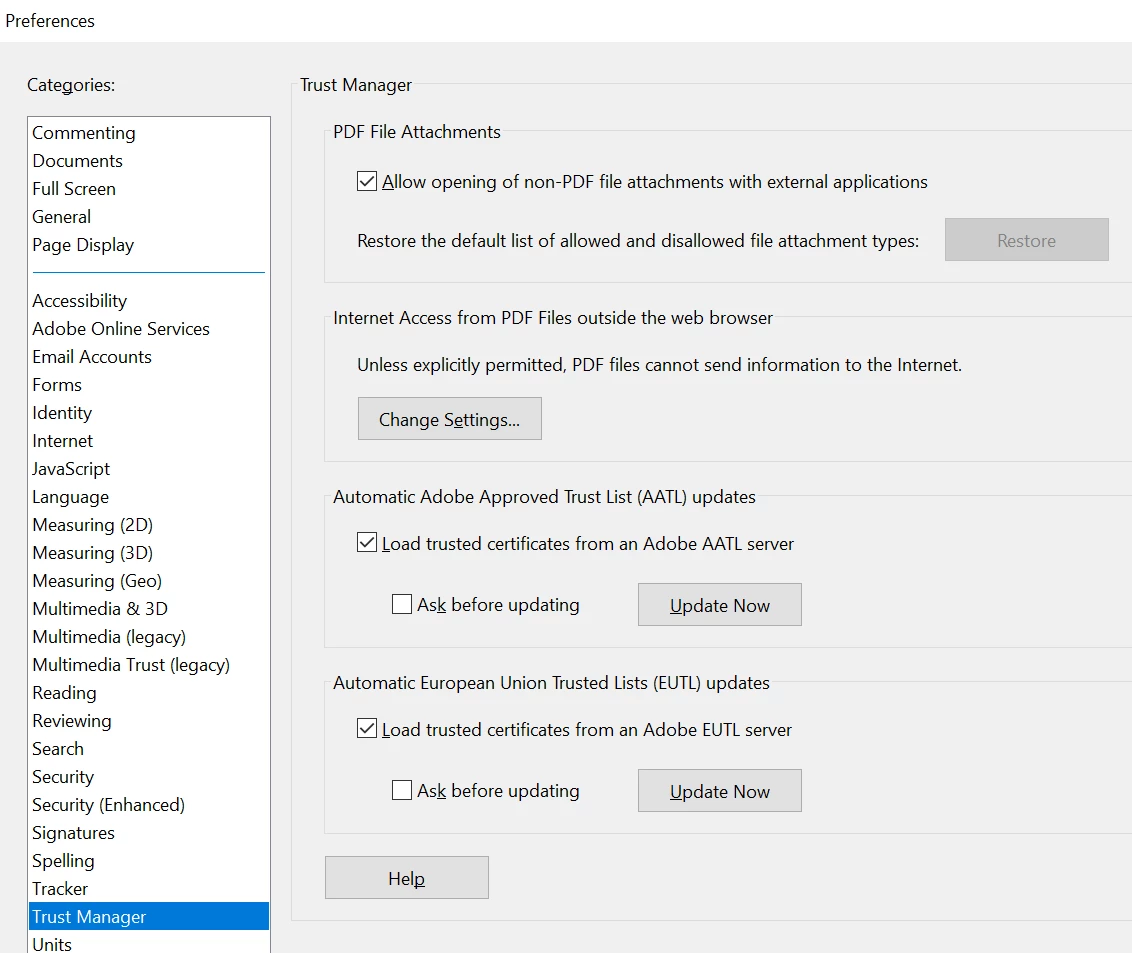
You did change the security preferences, and it seems to work. Did you also check the settings under Trust Manager?

If not, then please have a look and give the required permission. 


* If it still doesn't work, share a sample file with us to reproduce the issue at our end. 


Thanks,

Akanchha 

2 replies

AkanchhaS8194121
AkanchhaS8194121Correct answer
Legend
December 1, 2022

Hi @henrikh48029402 


Thanks for sharing the insights. 

You did change the security preferences, and it seems to work. Did you also check the settings under Trust Manager?

If not, then please have a look and give the required permission. 


* If it still doesn't work, share a sample file with us to reproduce the issue at our end. 


Thanks,

Akanchha 

Participant
December 7, 2022

Thanks

I needed to change permissions under Change settings and thereby "whitelist" out sharepoint site.

My next problem however is, that the user is prompted for login (probably from our Sharepoint site) everytime the user opens a PDF.


JR Boulay
Community Expert
Community Expert
November 28, 2022

[MOVED TO THE ACROBAT READER DISCUSSIONS]

Acrobate du PDF, InDesigner et Photoshopographe