matthewo29607317
Participant
October 5, 2018
Answered

Problem printing PDF's since Adobe update

  • October 5, 2018
  • 1 reply
  • 977 views

Hi,

I am experiencing problems with PDF's not printing correctly to a Zebra 220Xi4 label printer. Since the latest update to Adobe Acrobat Reader DC (version 2019.008.20071) images in the PDF do not print correctly.

I've updated the Zebra drivers but this has not fixed this issue.

The only work around is to select 'Print as Image' in the advanced printing options but this has a significant impact on print quality.
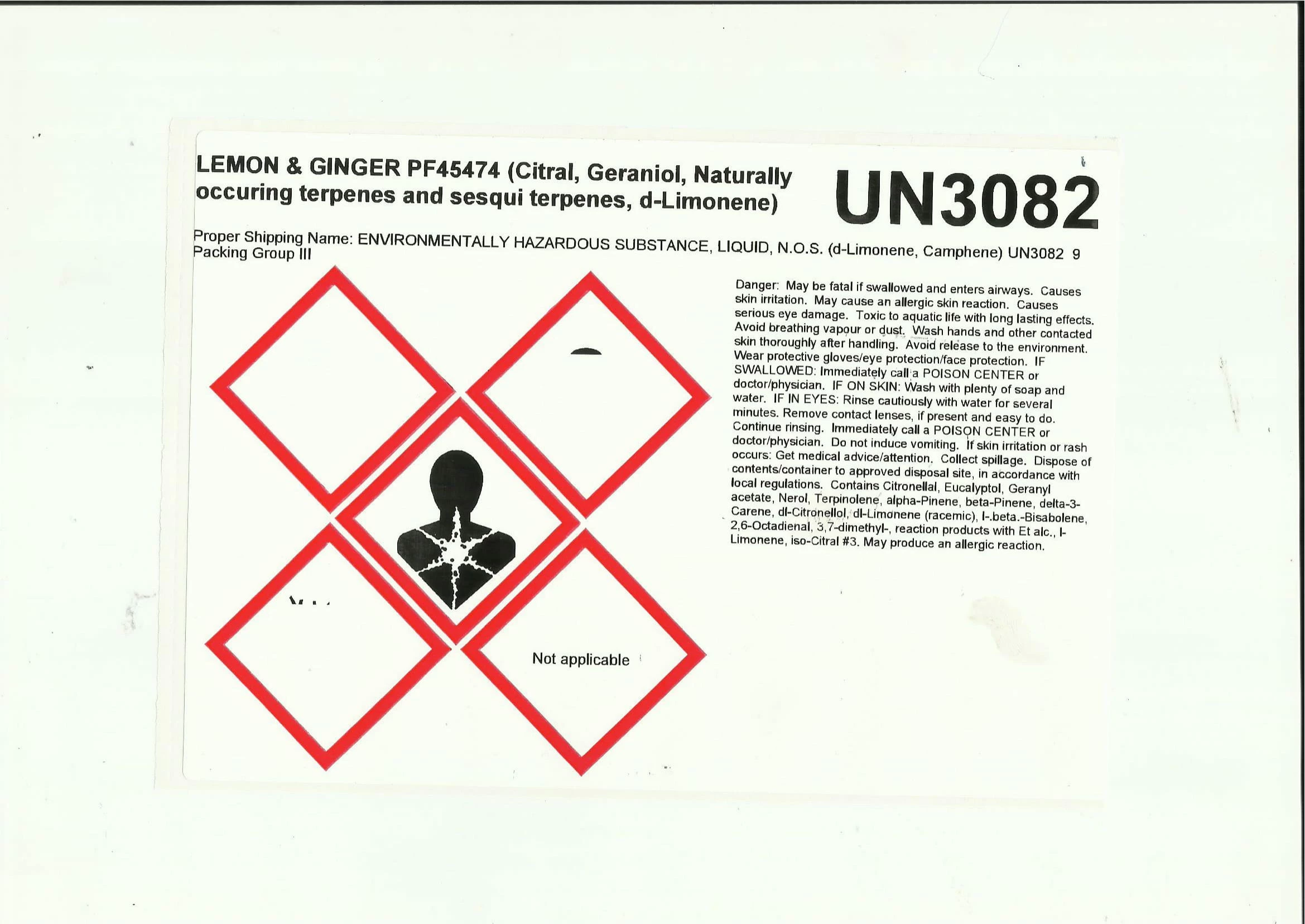
Image 1 - label printed with images missing
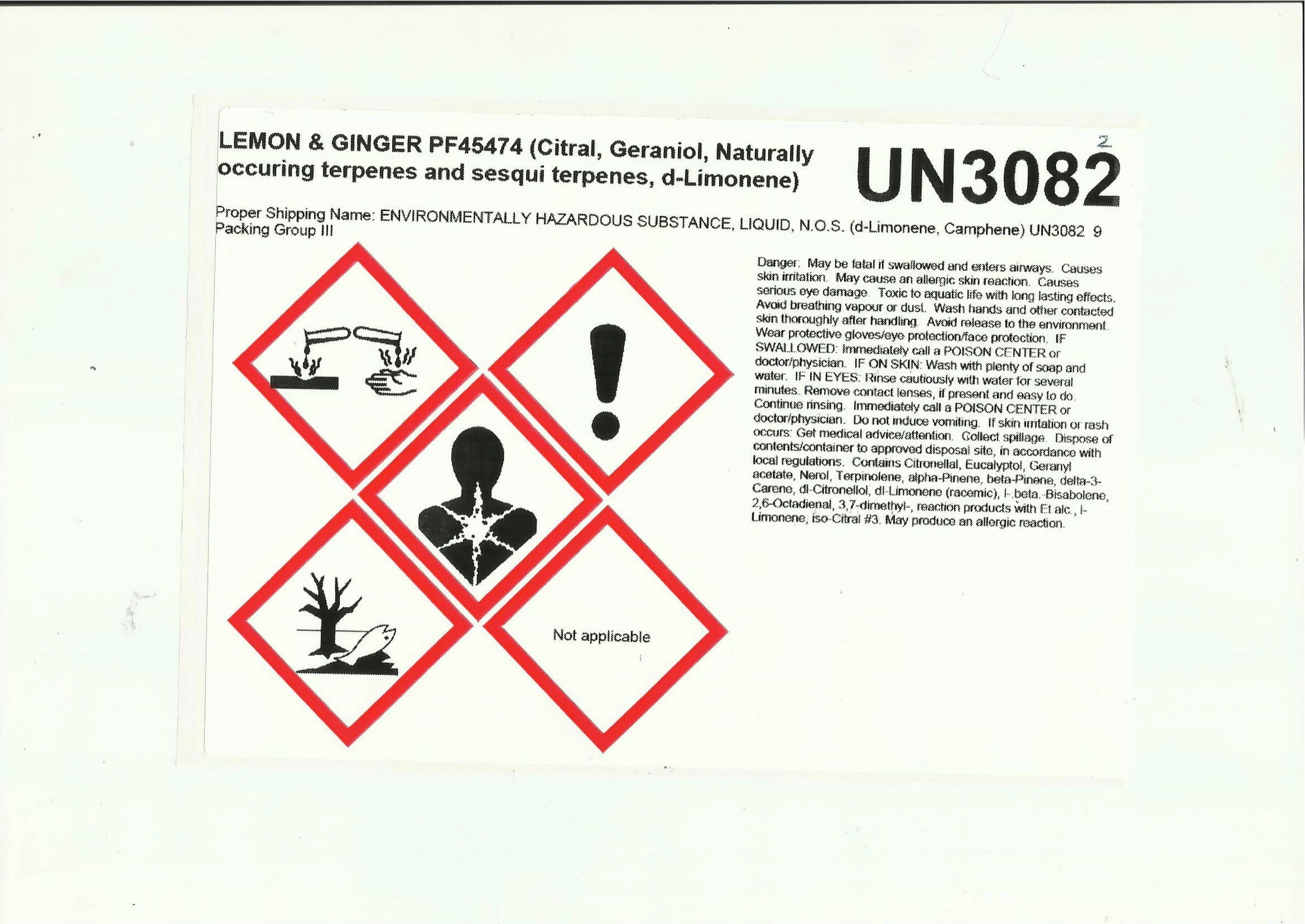
Image 2 - label printed using setting 'Print as Image'

    This topic has been closed for replies.
    Correct answer Vishal@PDF

    matthewo29607317

    Adobe Acrobat and Reader official update (19.008.20074) containing the fix for this issue is now available. This update will be automatically pushed to all existing installations of Acrobat and Reader. If you want, you may also manually trigger the update early by opening the application and going to Help > Check for Updates.

    More information about this release is here: 19.008.20074 Optional update, October 08, 2018 — Release Notes for Acrobat DC Products

    Please try it out and let us know your feedback.

    Thanks for your patience and support!

    -Vishal

    1 reply

    Vishal@PDFCorrect answer
    Adobe Employee
    October 8, 2018

    matthewo29607317

    Adobe Acrobat and Reader official update (19.008.20074) containing the fix for this issue is now available. This update will be automatically pushed to all existing installations of Acrobat and Reader. If you want, you may also manually trigger the update early by opening the application and going to Help > Check for Updates.

    More information about this release is here: 19.008.20074 Optional update, October 08, 2018 — Release Notes for Acrobat DC Products

    Please try it out and let us know your feedback.

    Thanks for your patience and support!

    -Vishal