
mohamedhm
Participant
November 28, 2016
Question

Problem when priniting Arabic PDF file

  • November 28, 2016
  • 1 reply
  • 4532 views

I am running Windows 7 and I print on an HP officeJet Pro 8610.

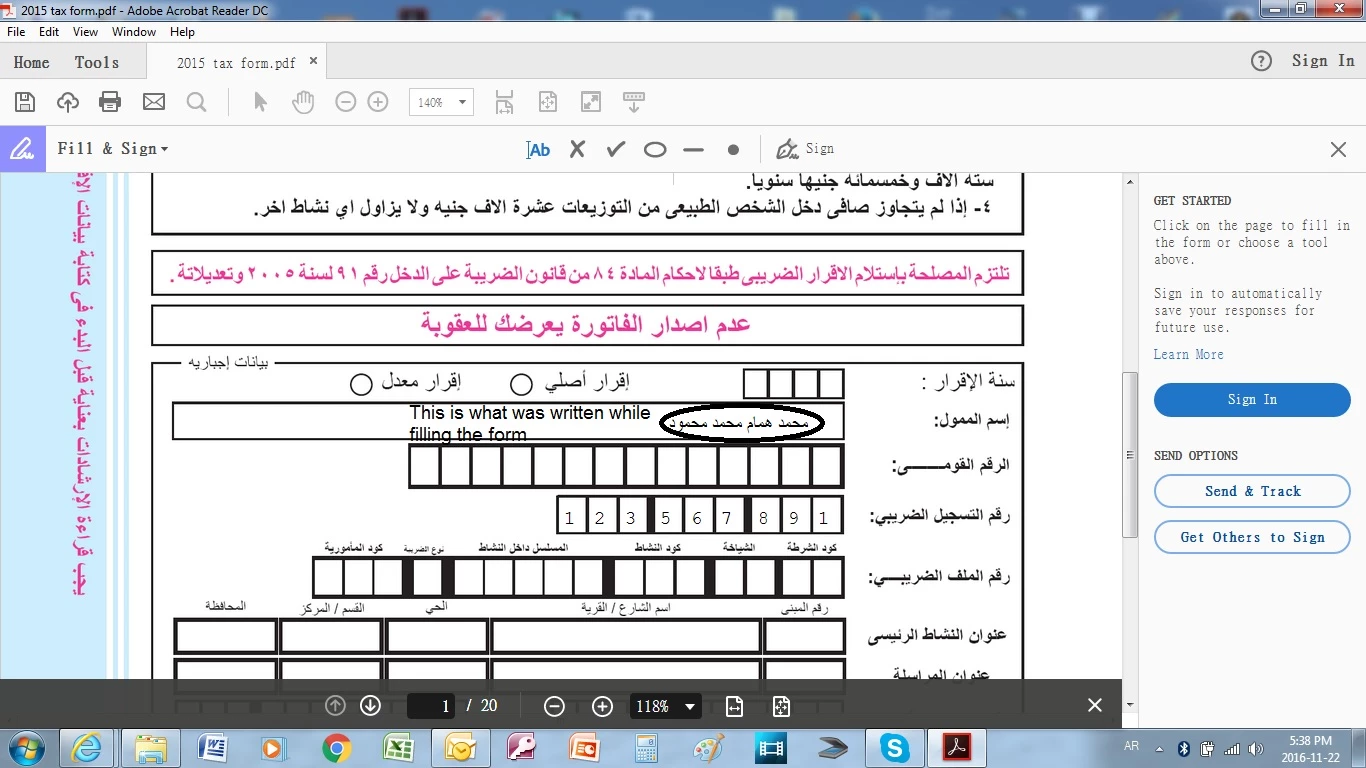
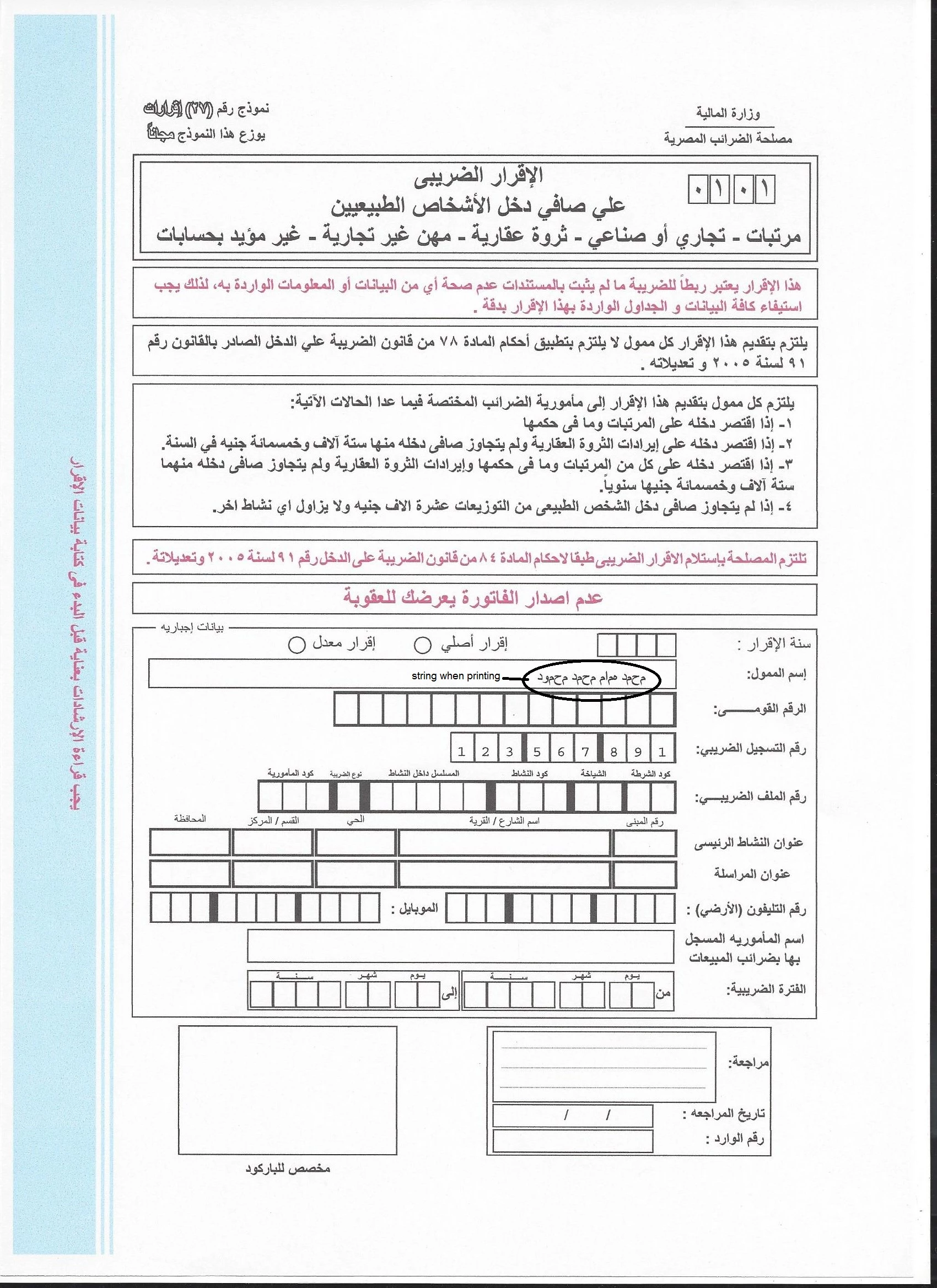
When I fill an arabic PDF form with Acrobat reader DC what is displayed on screen is correct. But when I print the context analysis is lost.

This is a snapshot of the screen display when I fill the form
This is a scan of the printed page
Will appreciate anybody's Help

Mohamed Hammam

    This topic has been closed for replies.

    1 reply

    AkanchhaS8194121
    Legend
    November 28, 2016

    Hi Mohamedhm,

    Fill and sign features doesn't support the Arabic language.

    its a known issue which has already been reported and the bug has been logged.

    we will keep you updated as soon as it will be fixed.

    Thanks,

    Akanchha

    abdulaziza3224352
    Participant
    August 16, 2017

    Any update to this ?

    Zaid Al Hilali
    Community Expert
    Community Expert
    August 17, 2017

    Marhaba Abdulaziz,

    Though I don't work for Adobe, I can tell you that Adobe Acrobat team are working on this matter, they just cannot tell us when Fill & Sign will be Arabic-ready. I had two telephone conversation with Acrobat team, they basically wanted to see how Fill & Sign should behave with Arabic script, or general Right-to-Left behaviour should be, so apparently this is promising that it will be fixed.

    Currently, we can type Arabic in the Fill & Sign environment and all appears to be working fine as long as we don't leave the environment. But once you exit Fill & Sign environment all Arabic text will disperse.

    What you all can do is go to report this bug on the Feature request / Bug report where you can see the progress of your case.