Participant
August 14, 2023
Answered

Problem with the new version - Hebrew

  • August 14, 2023
  • 3 replies
  • 953 views

Hey,

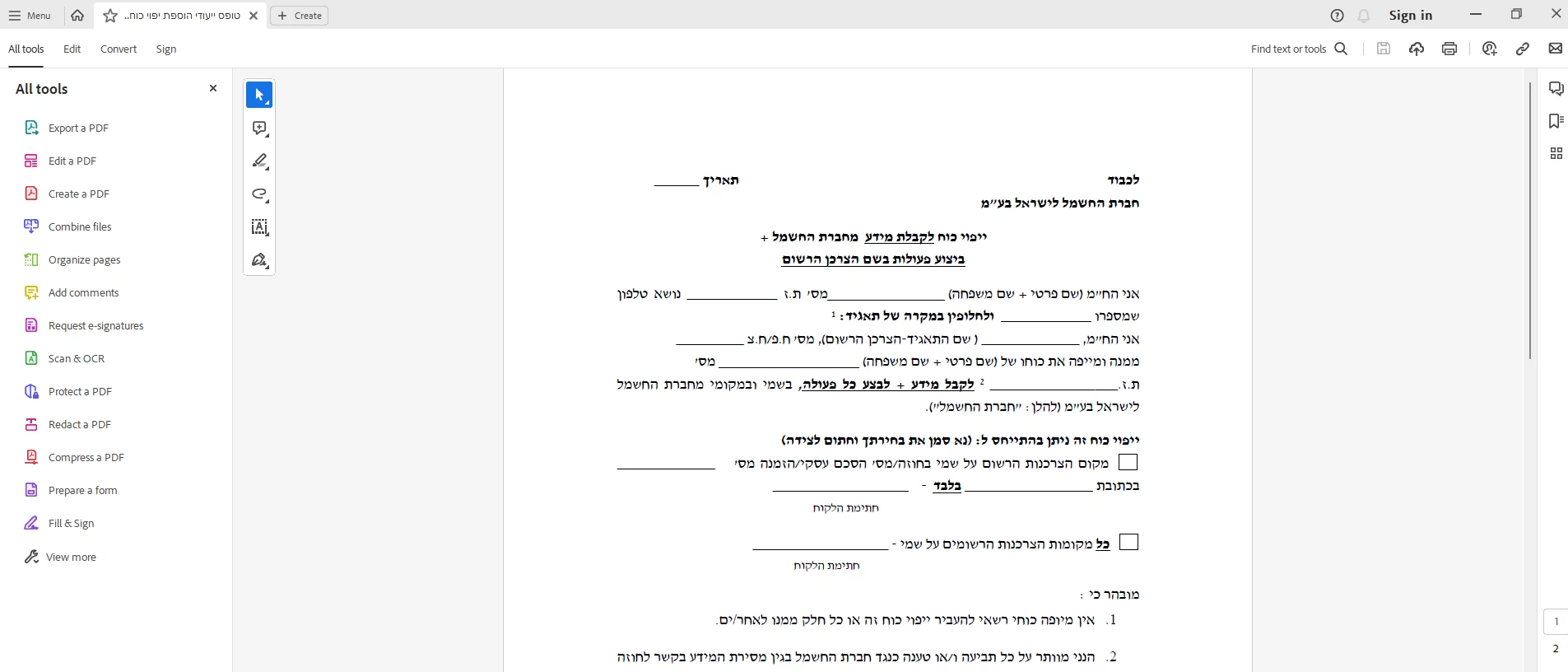
Recently, my Adobe Acrobat Reader got updated into a different look then it used to be.

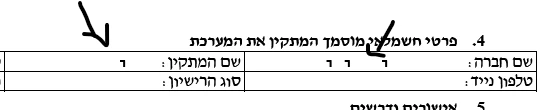
Every since that happened, when i used the 'Fill&Sign' tool to add texts, the saved documents new text get partly erased.

I write a full sentense properly, saving the document, and instead of the full sentense it only saves several leters.


how can i fix this bug?


This topic has been closed for replies.
Correct answer Vinod Dobhal

Hi All,


The font corruption issue has been fixed in the latest update of Adobe Acrobat 23.003.20284.2636a55. Please try updating the application to the latest version.


Thanks,

Vinod

3 replies

Vinod DobhalCorrect answer
Adobe Employee
August 24, 2023

Hi All,


The font corruption issue has been fixed in the latest update of Adobe Acrobat 23.003.20284.2636a55. Please try updating the application to the latest version.


Thanks,

Vinod

Participant
August 20, 2023

Eran,

Did you find a solution or workaround?

Thank you.

Participant
August 20, 2023
Hey,
no i did not, currently the acrobat reader is not really useable to edit
docs.
waiting for an update on the matter.
AkanchhaS8194121
Legend
August 20, 2023

Hi @ערן31655537sxti 


Thank you for reporting this to us.

This issue has been reported with the latest version of Acrobat/Reader.

It has already been escalated, and it is under discussion. Our engineering team is working on the fix and a bug has been logged.

As soon as we hear an update from them will keep you posted.


Thanks,

Akanchha