Participating Frequently
October 22, 2012
Question

Problems displaying russian characters in Adobe Reader

  • October 22, 2012
  • 1 reply
  • 32437 views

Good afternoon.

There is a file pdf, received from the customer. Most of it contains Russian letters. As a result, the latest version of Adobe Reader in Windows Vista and Mac OS (10.5.8 and 10.8.2), these characters do not display properly.
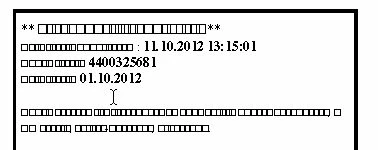
In Windows XP, 7 and 8 display problems are observed.
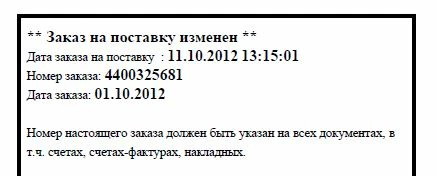
Ironically, Windows Vista and Mac OS that file correctly displays the program Foxit Reader and NeoOffice. MacOS also tried to open the file, adobe acrobat, but it is also not display the characters of the Russian alphabet. In what could be the problem?

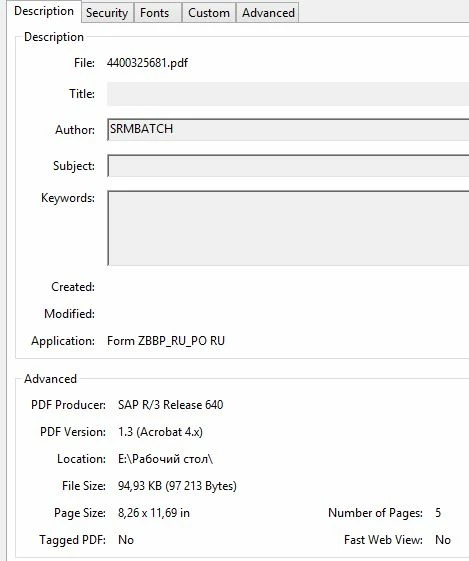
Properties problem file:
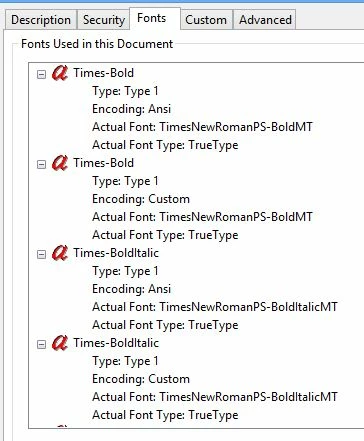
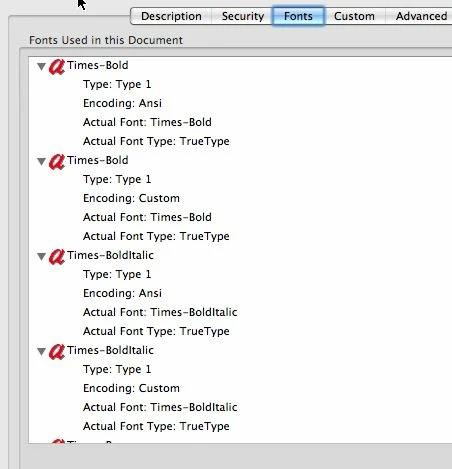
Here is the Fonts tab in Mac OS:
This topic has been closed for replies.

1 reply

Mylenium
Legend
October 22, 2012

Your fonts are listed as Ansi, meaning they will use the system's default language to display their encoding. In Windows set the "Default encoding for non-Unicode" to something that is compliant in your Region and Language control panel. There's a similar option on your Mac panel somewhere, but I keeep forgetting what exactly it is called...

Mylenium

rus-onixAuthor
Participating Frequently
October 22, 2012

I can't set the default encoding for non-Unicode programs on Mac. https://discussions.apple.com/thread/2134043?start=0&tstart=0 This must be done directly in the Reader.

Just don't understand what to change

Jeffrey_A_Wright
Community Manager
Community Manager
October 22, 2012

Moving this discussion to the Adobe Reader forum.