


Participant
April 9, 2021
Question

Problems of correct visualization of pdf files

  • April 9, 2021
  • 2 replies
  • 527 views

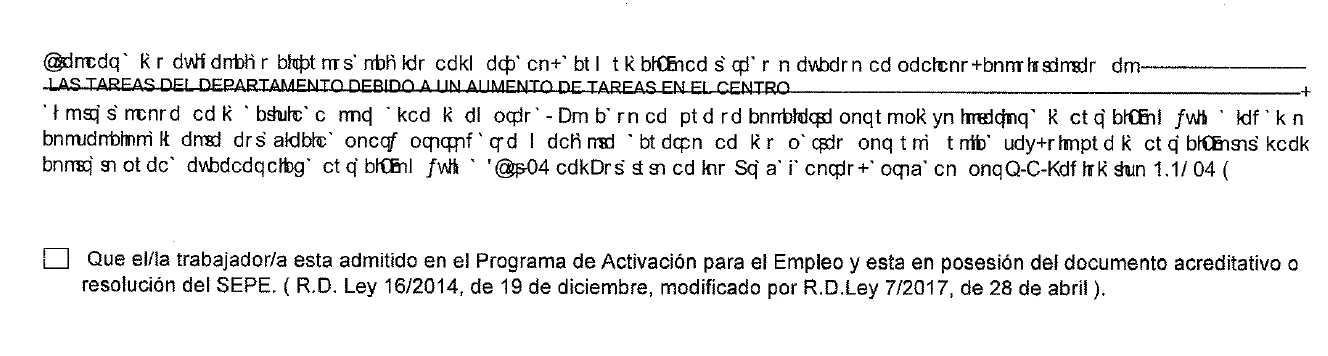
I have installed Adobe Reader DC ver. 2021.001.20145, strangely and randomly when viewing pdf documents, some pages appear fine and others with illegible characters, these are letters without any meaning.
This topic has been closed for replies.

2 replies

Amal.
Community Manager
Community Manager
April 12, 2021

Hi Aralia


Hope you are doing well and sorry for the trouble. As described, you are unable to read as some text appears with illegible characters.


Have you created this PDF file or have you got it from a different user? It looks to be the fonts not embedded in to the PDF file or the fonts are not present on your computer. Please go to Edit (Win) Adobe Acrobat (Mac) > Preference > Page Display > Under Rendering > Select 'Use local fonts' > Click OK and reboot the computer once.


Regards

Amal

Meenakshi Negi
Community Manager
Community Manager
April 12, 2021

Hi Aralia,


Thank you for reaching out and sorry for the trouble,


As per the screenshot shared above, it seems to be a font issue. It happens when the font used is not embedded with the PDF and also not available on your machine.

Please check the document properties of the document. Open the PDF and go to File > Properties > Fonts and check if all the fonts are embedded or not.

If possible share the PDF with us so we can check it on our end.


Let us know if you need any help.


Thanks,

Meenakshi