


Question
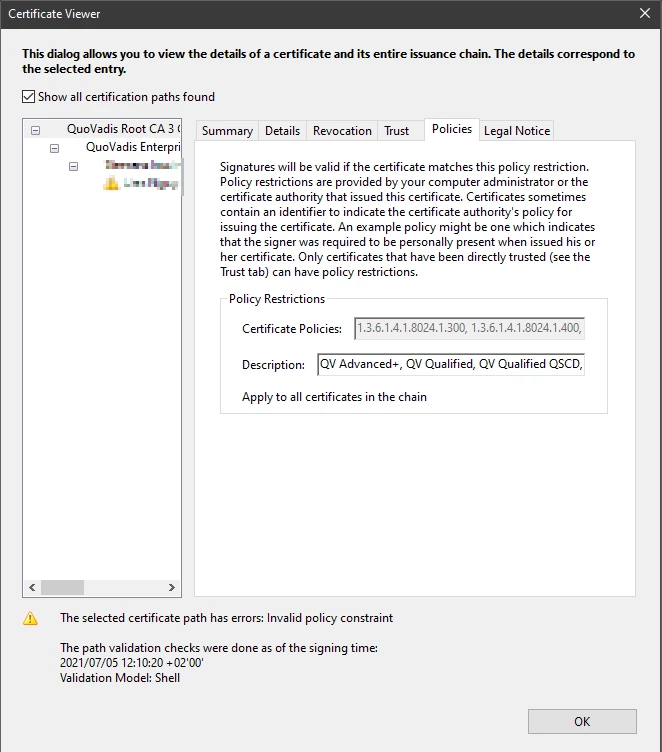
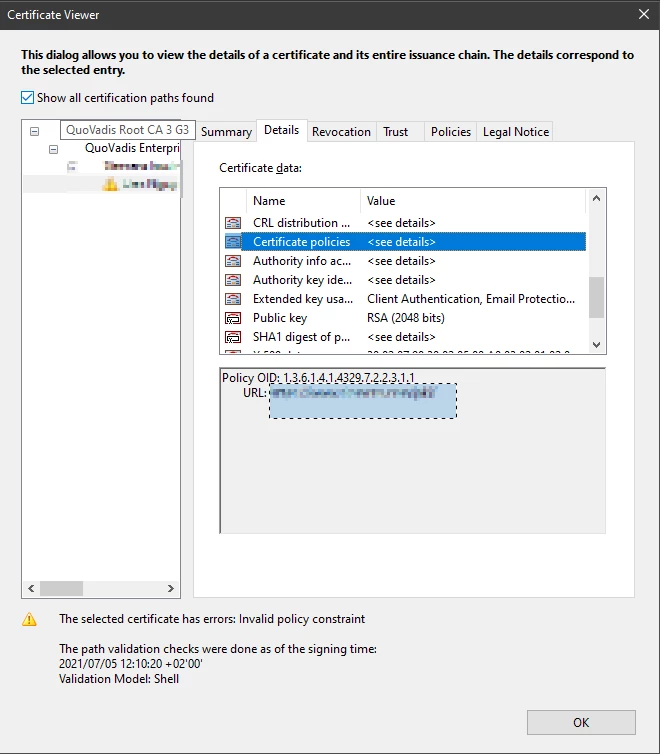
QuoVadis The selected Certificate has errors: Invalid policy constraint
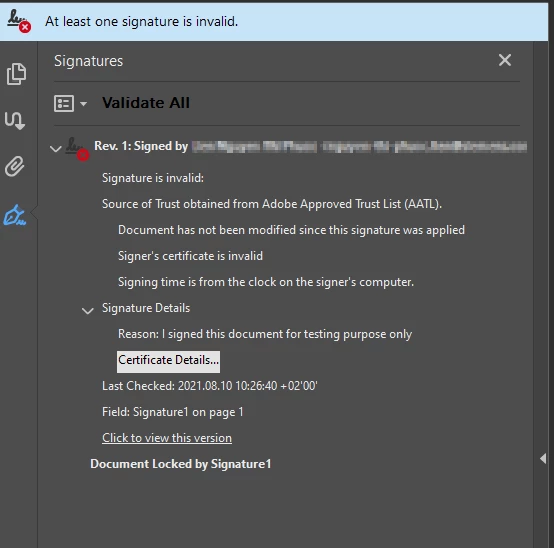
In advance: unfortunately, the existing posts on the forum have not necessarily helped me, so I'm looking for help. At Deutsche Bank we are in the process of accepting signatures from a business partner. However, lately the message "the slected certificate has errors: Invalid Policy constraint" appears in Adobe Acorbat Reader.
In the following screenshot you can see the details. The root certificate is from QuoVadis Root CA 3 G3. I see that the OID of the Root CA and the intermediates certificate do not match, is that correct? Is that the reason why the error message is displayed? How can I solve the problem or what exactly do I have to do?
 AdChoices