January 6, 2026
Answered

Règlement

  • January 6, 2026
  • 1 reply
  • 105 views

Bonjour,

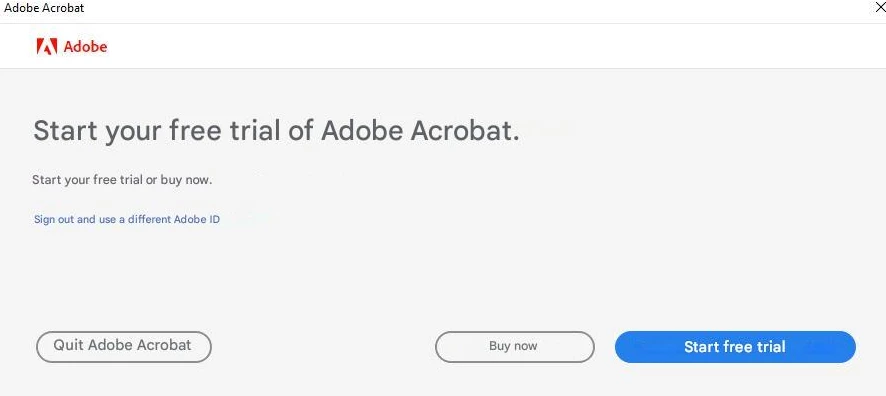
Nous avons un abonnement ADOBE valable jusqu'en Avril 2026, cependant dès que je veux ouvrir un PDF, cela me demande de payer.... Si je ferme ce message, mon PDF se ferme également.

Que faut-il faire?

Merci

Correct answer creative explorer

@I3C by any chance did you download a trial version in the past?
creativeexplorer_0-1767753764025.png


I would uninstall Acrobat first. Then quit out of Adobe online and the desktop Creative Cloud. Use the Adobe Cleaner from Adobe's website, to fix common issues or remaining traces of the trial versions (just purge it!), such as removing outdated Adobe software. Follow the instructions and remove Acrobat. After you have clean Acrobat with Adobe Cleaner, make sure to empty the trash as well then restart your computer. 

If you feel comfortable and confident, you could veen manually remove the preferences as well. On a Mac, it's much easier:

~/Library/Application Support/Adobe/Acrobat

Find and delete any files starting with com.adobe.Acrobat:

such as. com.adobe.Acrobat.Pro.plist
make sure to empty the trash as well then restart your computer. 

On a PC, honestly, I am a bit leery on doing this. So, I won't give details on that. 


Then use the Creative Cloud Desktop, app and this is crucial, download a fresh Acrobat, don't use the one you used in the past, that could be the issue and to reinstall the latest version of Acrobat. 


1 reply

creative explorer
Community Expert
creative explorerCommunity ExpertCorrect answer
Community Expert
January 7, 2026

@I3C by any chance did you download a trial version in the past?

creativeexplorer_0-1767753764025.png


I would uninstall Acrobat first. Then quit out of Adobe online and the desktop Creative Cloud. Use the Adobe Cleaner from Adobe's website, to fix common issues or remaining traces of the trial versions (just purge it!), such as removing outdated Adobe software. Follow the instructions and remove Acrobat. After you have clean Acrobat with Adobe Cleaner, make sure to empty the trash as well then restart your computer. 

If you feel comfortable and confident, you could veen manually remove the preferences as well. On a Mac, it's much easier:

~/Library/Application Support/Adobe/Acrobat

Find and delete any files starting with com.adobe.Acrobat:

such as. com.adobe.Acrobat.Pro.plist
make sure to empty the trash as well then restart your computer. 

On a PC, honestly, I am a bit leery on doing this. So, I won't give details on that. 


Then use the Creative Cloud Desktop, app and this is crucial, download a fresh Acrobat, don't use the one you used in the past, that could be the issue and to reinstall the latest version of Acrobat. 


m
