selaview
Participant
September 19, 2019
Answered

RTL twin-pages display issue

  • September 19, 2019
  • 3 replies
  • 2596 views

Good day,

The issue (Adobe Acrobat):

A PDF file which have right-to-left (RTL) texts (e.g. Arabic, Hebrew, etc.), viewing pages side-by-side, its pages display order came out as:

Page1 | Page2

Page3 | Page4

However, it should be displayed from right to left, i.e.:

Page2 | Page1

Page4 | Page3


My solution:

Within the open PDF document;

 Edit  ->  Preferences

     Page Display

                 Page Layout -> Two-Up Continuous

                 Accessibility -> Always … ->  Two-Up Continuous

     Language

            Default Reading dir   -> RTL

            Enable RTL Language option

            Main paragraph direction -> RTL

It is OK for me, problem solved on my desktop.

Sharing the file by email, the receiving PC disregards my solution, displaying the document according to the receiving PC different Preferences.

Any idea for sharing the file to includes my displays preferences?

Thanx

    This topic has been closed for replies.
    Correct answer Zaid Al Hilali

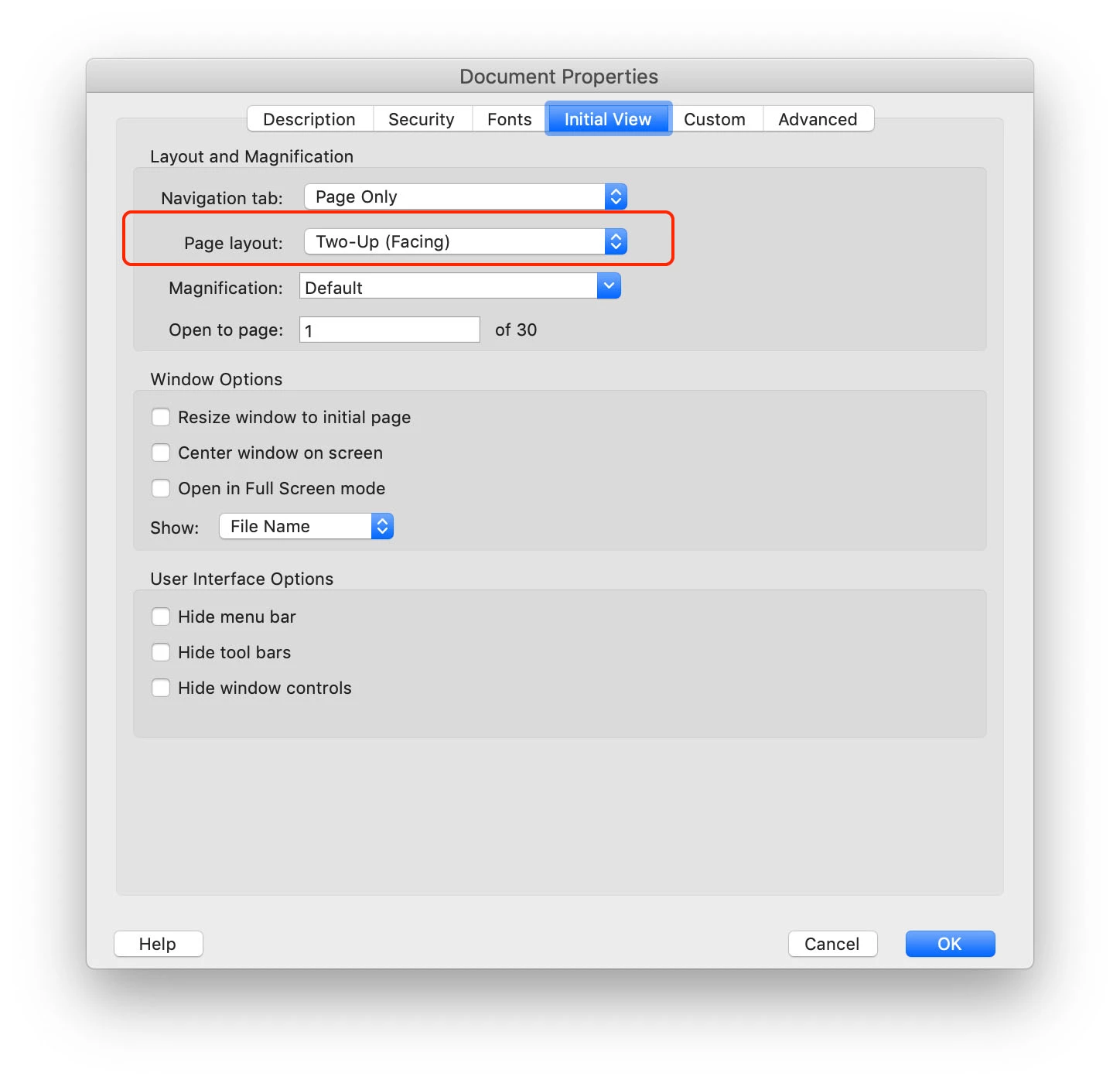
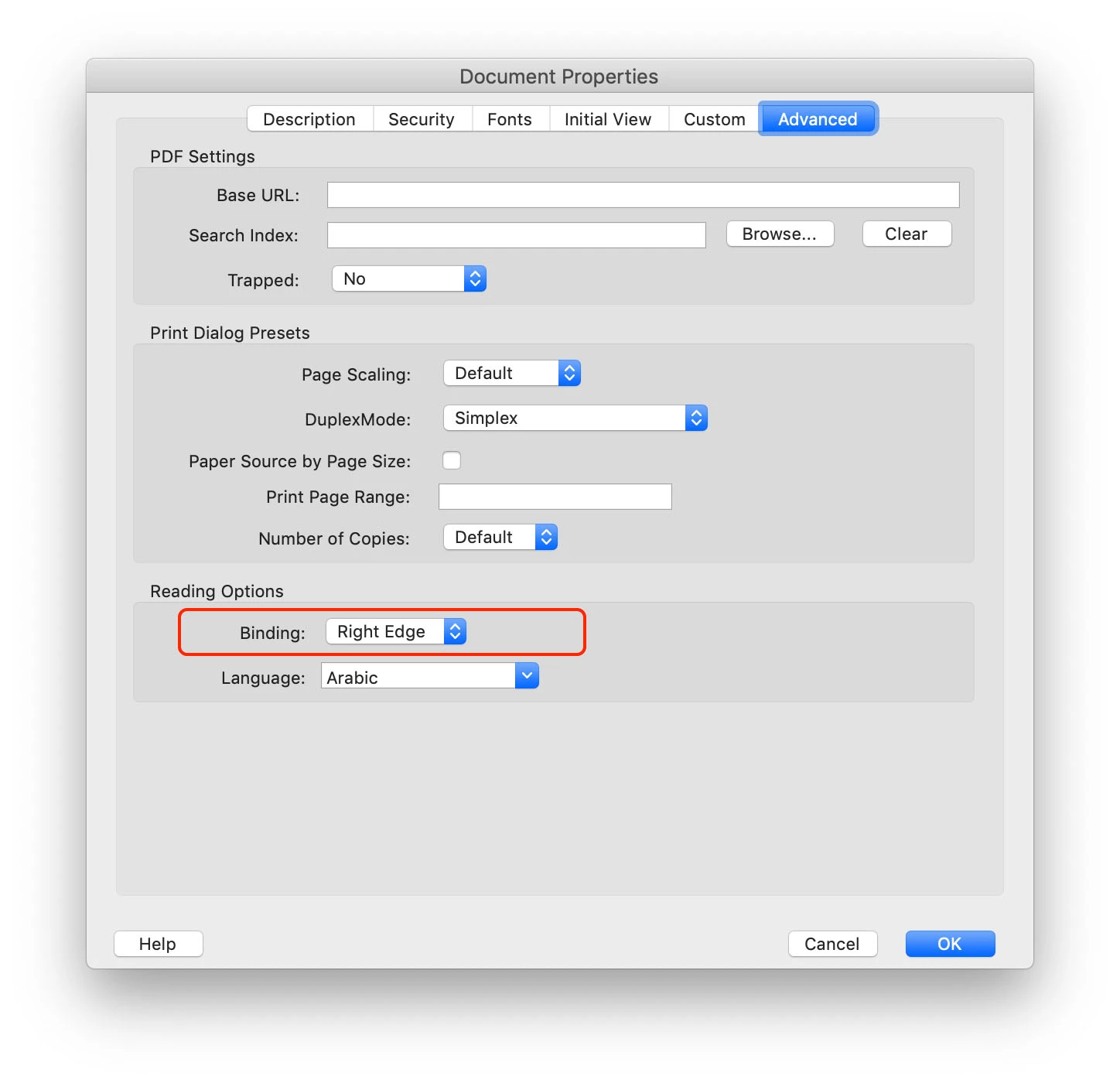
    What you may do is the following: Open the PDF in question, from the menu File > Properties, click on the "Initial View" tab on top and choose Tow Up Facing, then click on "Advanced" tab and select "Right Edge" from the Binding drop menu.

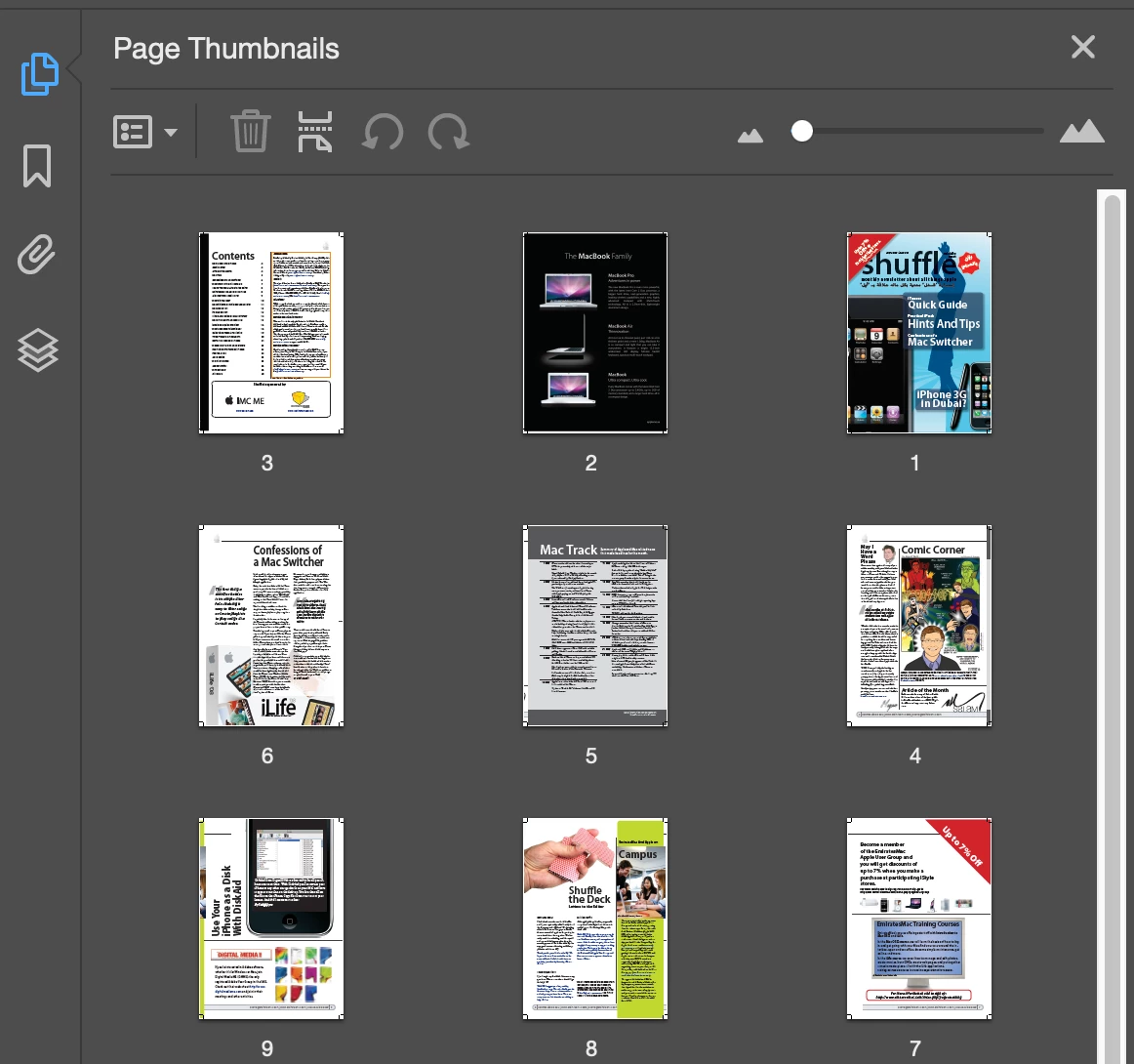
    Save a copy of your PDF, then open the new PDF,  open Page panel thumbnail panel and make sure that page one now is on the top right of the pages list.


    3 replies

    Participant
    April 20, 2021

    Thanks a lot mate 🙂

    Zaid Al Hilali
    Community Expert
    Zaid Al HilaliCommunity ExpertCorrect answer
    Community Expert
    September 22, 2019

    What you may do is the following: Open the PDF in question, from the menu File > Properties, click on the "Initial View" tab on top and choose Tow Up Facing, then click on "Advanced" tab and select "Right Edge" from the Binding drop menu.

    Save a copy of your PDF, then open the new PDF,  open Page panel thumbnail panel and make sure that page one now is on the top right of the pages list.


    selaview
    selaviewAuthor
    Participant
    September 22, 2019
    Many thanks, Amal and Zaid,
    Amal.
    Community Manager
    Community Manager
    September 19, 2019

    Hi Selaview,


    Thank you for reaching out and sharing the solution to the problem. 


    The initial view settings are defined by the author/creator of the PDF, so only the author can change the default view settings of the document. However, the receiver can adjust the display settings on his/her computer as shared by you.


    Regards,

    Amal