
IT-enheten Sala
Participant
December 10, 2018
Answered

Save dialogue bugged?

  • December 10, 2018
  • 1 reply
  • 737 views

Hi, recently when trying to save a PDF file in Adobe Acrobat Reader DC the save dialogue looks like this
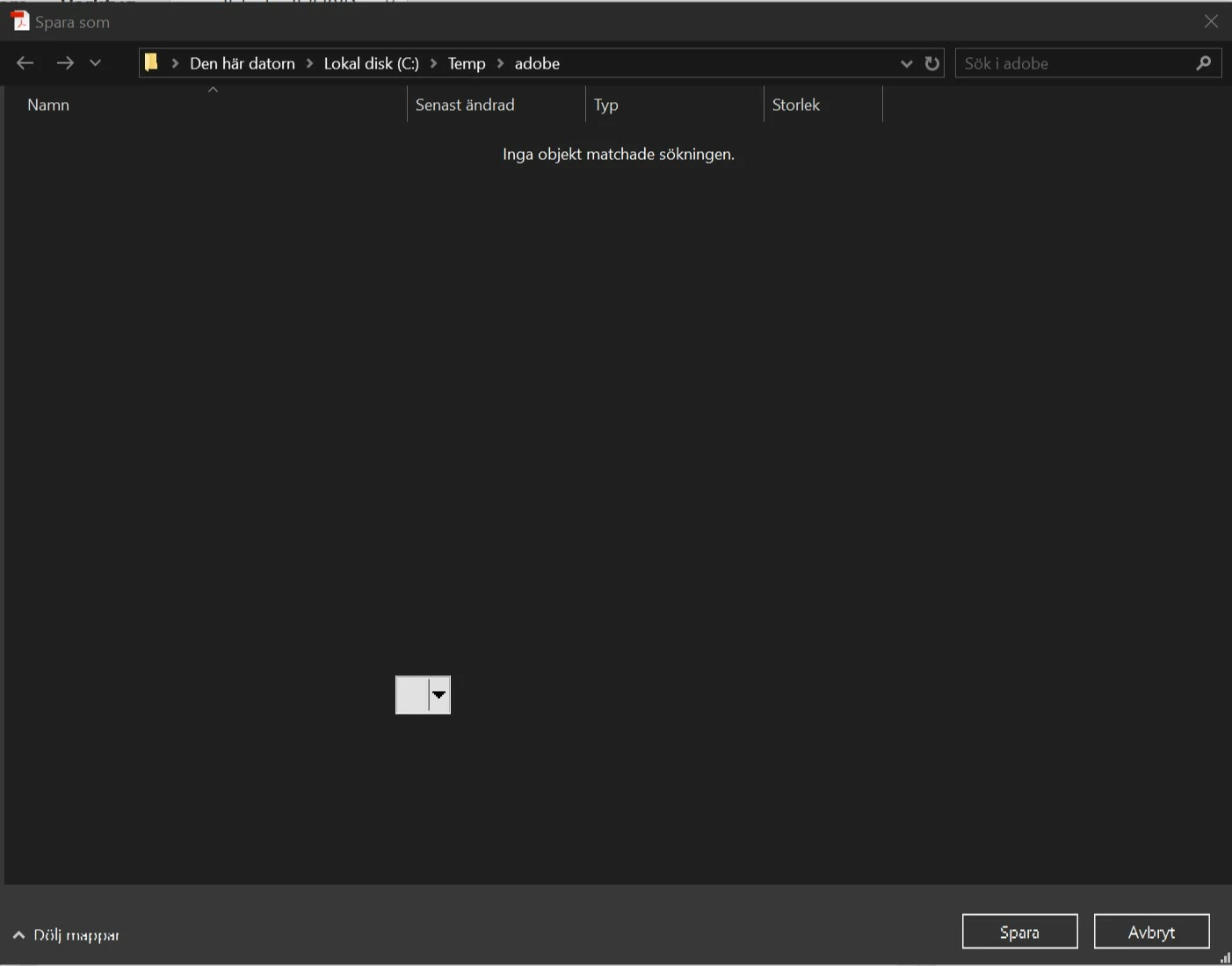
I cant see the tree view of folders and i cant enter a filename.

I´m running Windows 10 1809. Ive tested both the latest Adobe Reader DC and version 2017.012.20093.

"Show online storage when saving files" is turned off in the settings.

Any suggestions how to fix this would be appreciated.

    This topic has been closed for replies.
    Correct answer Tariq Dar

    Hello,

    You may try the suggestions from this help page: Blank Save As dialog box in Acrobat DC on Mac it should be helpful.

    The solution is applicable to Windows and Mac both.

    -Tariq Dar

    1 reply

    Participant
    December 11, 2018

    I have the same issue. I tried removing and reinstalling adobe with no change.

    Tariq DarCorrect answer
    Legend
    February 7, 2019

    Hello,

    You may try the suggestions from this help page: Blank Save As dialog box in Acrobat DC on Mac it should be helpful.

    The solution is applicable to Windows and Mac both.

    -Tariq Dar