
michaelm2019
Participant
July 10, 2019
Question

Security message for EVERY link in a PDF

  • July 10, 2019
  • 1 reply
  • 382 views

We have a PDF file that is hosted on a server and is accessed by our users in various different ways.  When they open the original PDF file, it opens just fine, without any issue, but when they click on the link within the first PDF, they get this message:
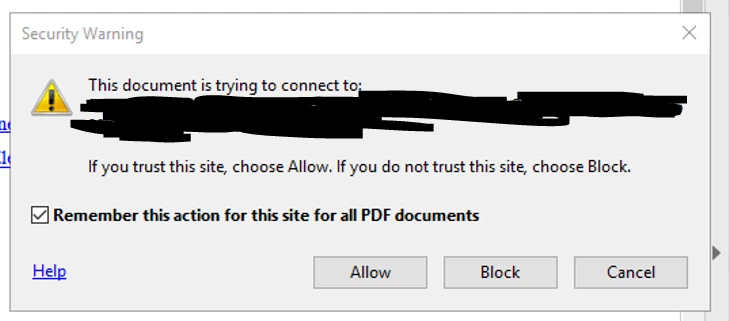
They make sure that the "Remember" box is checked and click Allow, then they get the following message:
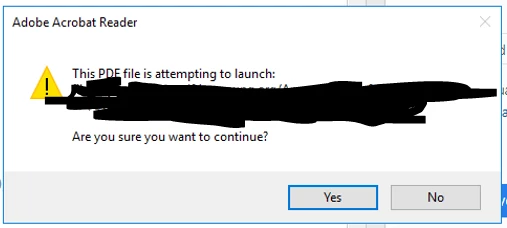
They get these message for every single link, no matter how many times they've clicked on it.  I've done my google searches and tried uninstalling, reinstalling, changing the trust settings, adding the file location to the trusted sites, and none of it has worked.

Anyone have anything else that I can try?

    This topic has been closed for replies.

    1 reply

    AkanchhaS8194121
    Legend
    July 11, 2019

    Hey Michaelm,

    Sorry to hear about the trouble and thanks for trying all those troubleshooting steps.

    As per the description given above, I see that you have been experiencing issue with the security messages keep coming up while accessing any hyperlink embedded in the PDF.

    Please refer to the troubleshooting steps suggested in the similar discussion given here: Security Warning: This document is trying to connect... 

    And Security warnings when a PDF opens

    Let us know if it still doesn't let you open the link.

    Thanks,

    Akanchha

    michaelm2019
    Participant
    July 11, 2019

    Thanks for the reply, I did try those steps, and the message still occurs.  Our users connect to that PDF file through various ways, some through a remote desktop connection, some directly through another application, and it doesn't matter, those messages always come up.

    Any other help would be greatly appreciated.