Participant
August 27, 2021
Answered

Set dufalut page sizing and handling in Adobe Acrobat Reader

  • August 27, 2021
  • 2 replies
  • 1582 views

Hello,


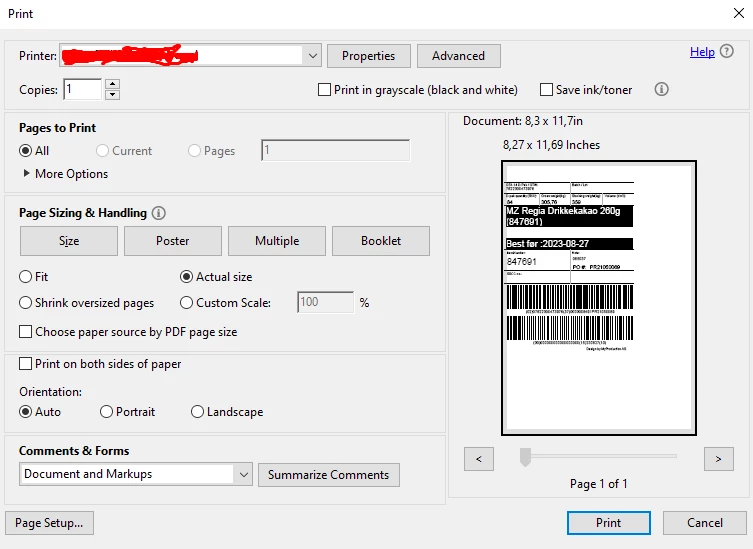
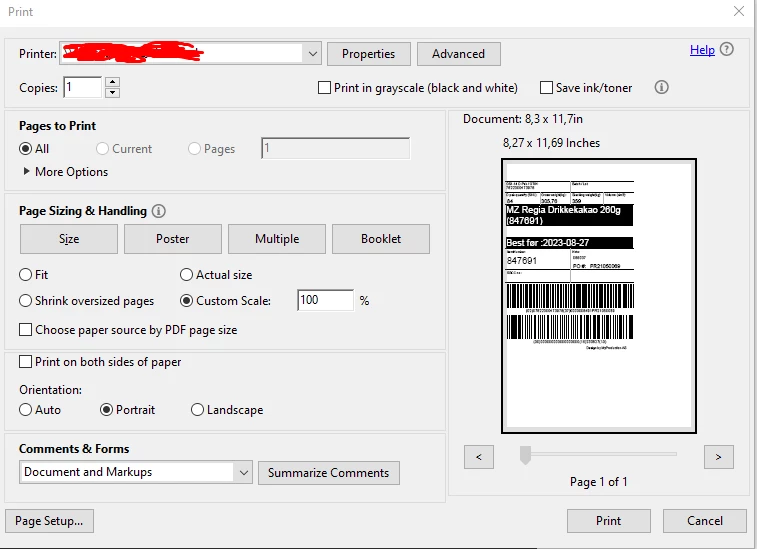
Is there any way your can change the page sizing so its like the picture 2? Picture 1 is the default Oage sizing and handling 


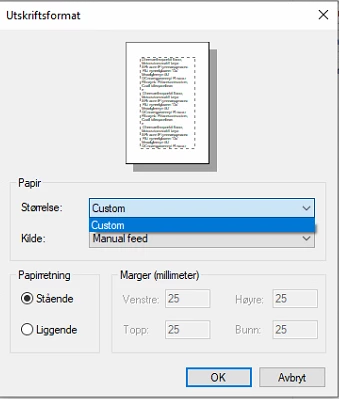
The Default printer is a Label printer who has custom configuration in mm. see picture 3
This topic has been closed for replies.
Correct answer Henrik IT consultant

The solution for the problem was regedit. i used these keys to set mye own default settings to Adobe 


Portait as default 

HKEY_CURRENT_USER\Software\Adobe\>PRODUCT<\>VERSION<\AVGeneral

bprintAutoRotate REG_DWORD (0) 


Custom Scales as default

HKEY_CURRENT_USER\Software\Adobe\>PRODUCT<\>VERSION<\AVGeneral
iprintScaling : REG_DWORD (8)

2 replies

Henrik IT consultantAuthorCorrect answer
Participant
September 6, 2021

The solution for the problem was regedit. i used these keys to set mye own default settings to Adobe 


Portait as default 

HKEY_CURRENT_USER\Software\Adobe\>PRODUCT<\>VERSION<\AVGeneral

bprintAutoRotate REG_DWORD (0) 


Custom Scales as default

HKEY_CURRENT_USER\Software\Adobe\>PRODUCT<\>VERSION<\AVGeneral
iprintScaling : REG_DWORD (8)

try67
Community Expert
Community Expert
August 27, 2021

You can't change the default settings, but once you print a file the settings you selected should be used as the defaults the next time you open the Print dialog.