
Since update, Reader menu bar and toolbar are empty
A few days ago, Reader automatically updated to DC. Since then, the spaces for the menu bar and the toolbar are empty. Hovering the cursor over either spot produces a blue bar (running the length of the window), but nothing else. Using F8 or F9 merely eliminates the spaces where the two bars should be, or puts the spaces back. I used the Control Panel "remove program" feature to uninstall DC, went to the Adobe site and downloaded and installed XI, but no joy; it looks exactly the same, altho it now says Adobe XI. Here is a shot of how the window appears, with the cursor hovering where the menu bar ought to be: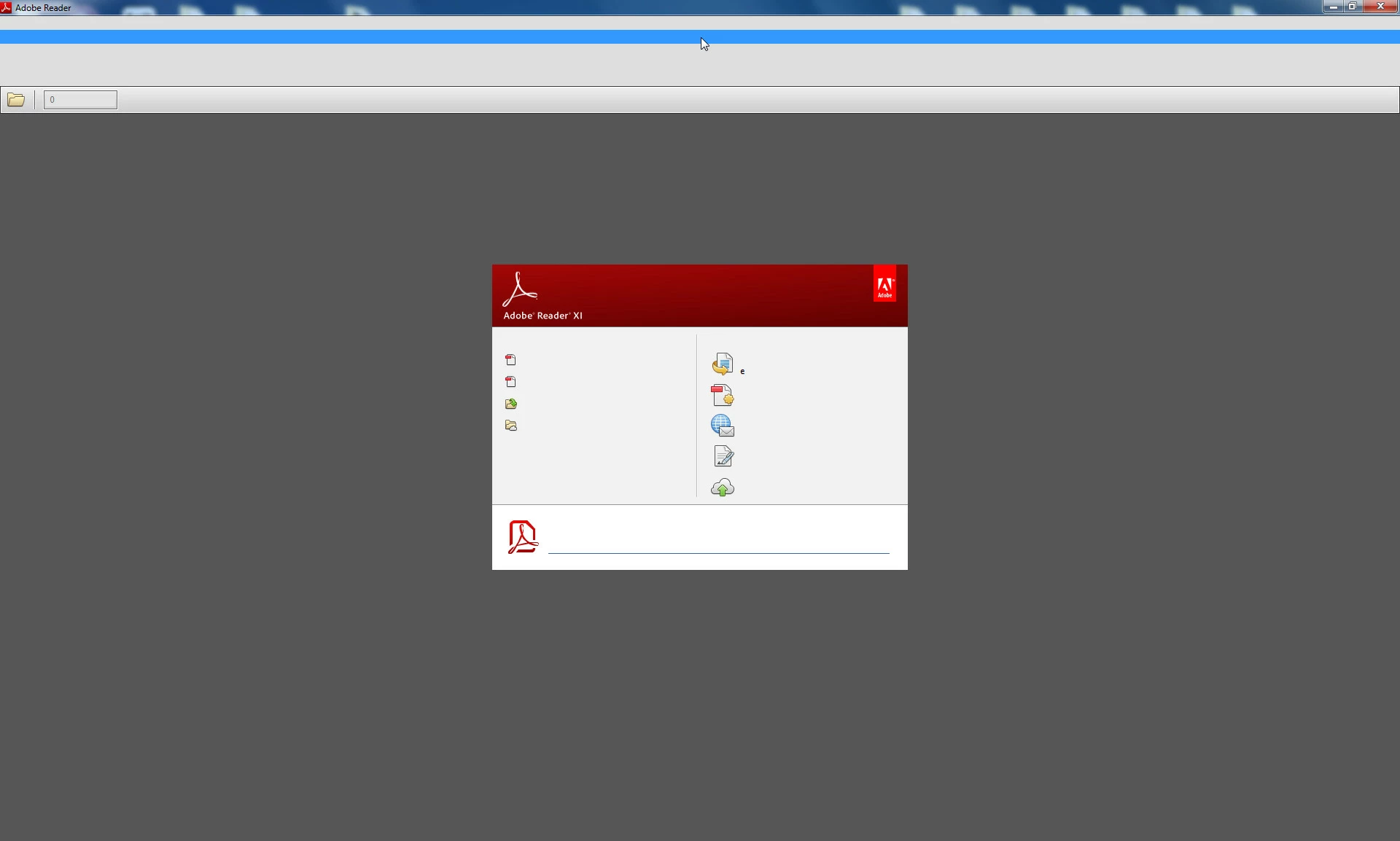 I am running WIndows 7 64-bit, and had NO problems with Reader until the most recent update a few days ago. Can anyone help me? I have very little functionality as things stand. (Incidentally, this looks like the posted picture whether the program is opened from Windows or inside a browser). Thanks.
 AdChoices