
Participating Frequently
May 1, 2024
Answered

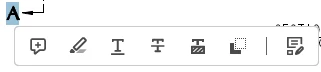
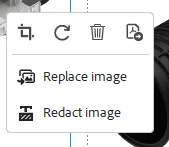
Small popups open whenever I highlight text or click on an image. How do I remove this?

  • May 1, 2024
  • 1 reply
  • 1459 views

Hello, as the title says, every time I highlight text in Adobe Acrobat or click on an image I've added, it opens up a little popup that blocks part of the screen and prevents me from working efficiently. How can I stop this from showing up? I have posted images of the 2 popups in question. Thanks!
 

This topic has been closed for replies.
Correct answer Amal.

Hi there


Hope you are doing well and thanks for reaching out.


Please go to the Acrobat Preferences (Ctrl,Cmd+K) > General > Uncheck  'Show quick actions on text selection' > click OK and reboot the application.


~Amal

1 reply

Amal.
Community Manager
Amal.Community ManagerCorrect answer
Community Manager
May 27, 2024

Hi there


Hope you are doing well and thanks for reaching out.


Please go to the Acrobat Preferences (Ctrl,Cmd+K) > General > Uncheck  'Show quick actions on text selection' > click OK and reboot the application.


~Amal

Nate5E73Author
Participating Frequently
June 7, 2024

Thanks so much!!

Amal.
Community Manager
Community Manager
June 7, 2024

Hi there


We are glad to hear that.


Marking a reply or response “Correct” will help future users with the same issue quickly identify the correct answer.


~Amal