


Question
Sticky notes only show half of text, with big margin at bottom
Recently, whenever I make a sticky note, after finishing typing, the note has a large empty margin at the bottom, and the text itself is severely cropped. When I click on the note, I can read the text again, but if I (or a student I cam giving feedback to) am just scrolling down the doc, I can't read the whole note.
Sometimes, when I mouse over the note, it suddenly shows the whole message and stays that way.
I'm on Windows 10 and get the problem with Acrobat Pro DC and Acrobat Reader DC.
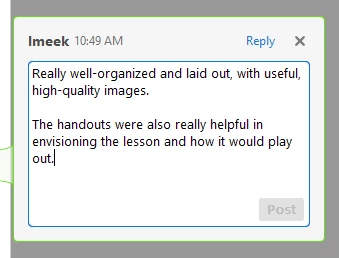
Here is what it looks like when typing a comment:
And after clicking off:
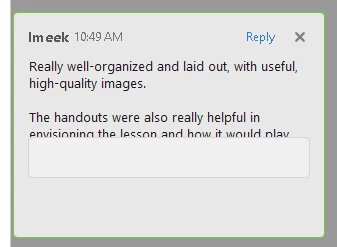
The effect is more pronounced on longer comments, hiding roughly half the text.
Are others having this issue? How do you address it or work around it?


 AdChoices