
Text selection background color bug when using customized color scheme
Here I am just talking about text selection, not highlighting using comment tools.
Please see the attached images.
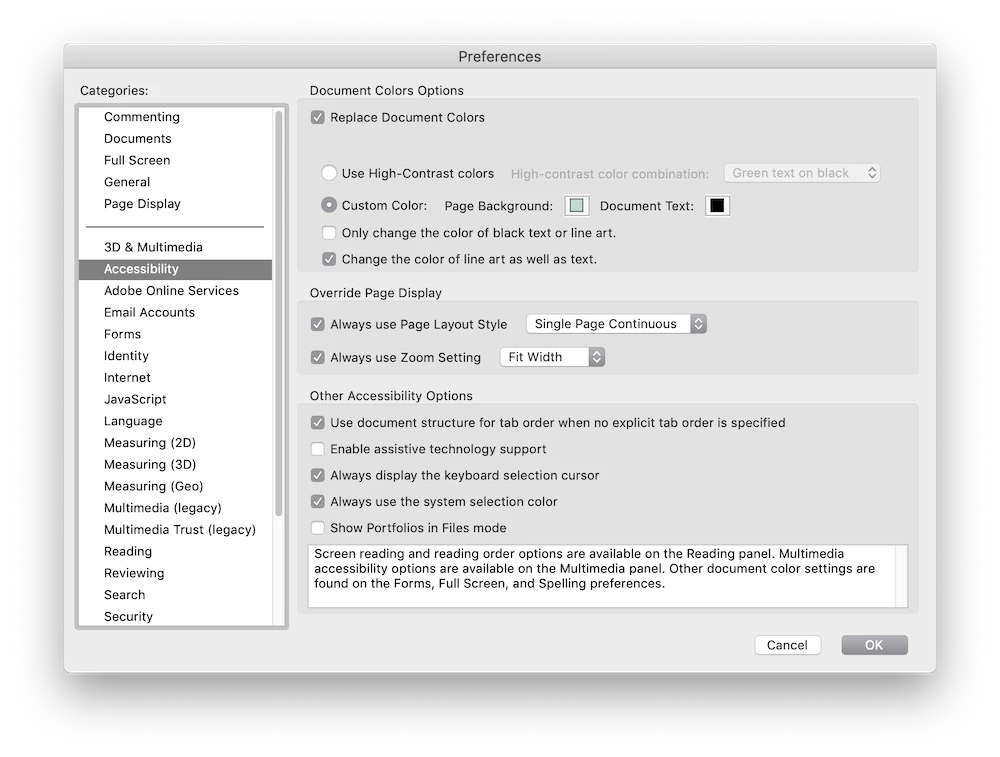
First I use a customized color replacement scheme, light green background similar to one of the theme on Kindle:
1. Correct background overlay, text changes to white, background black.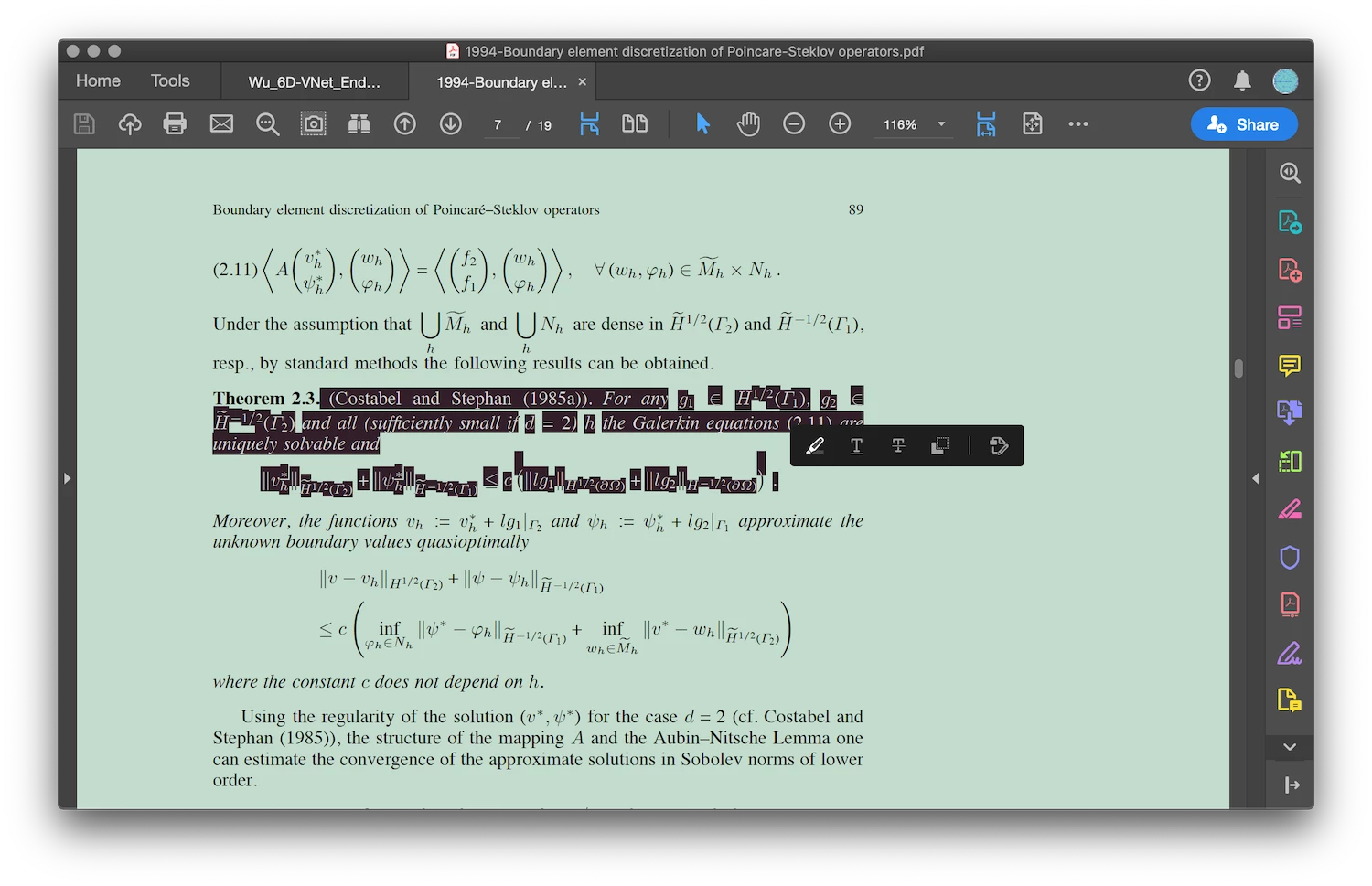
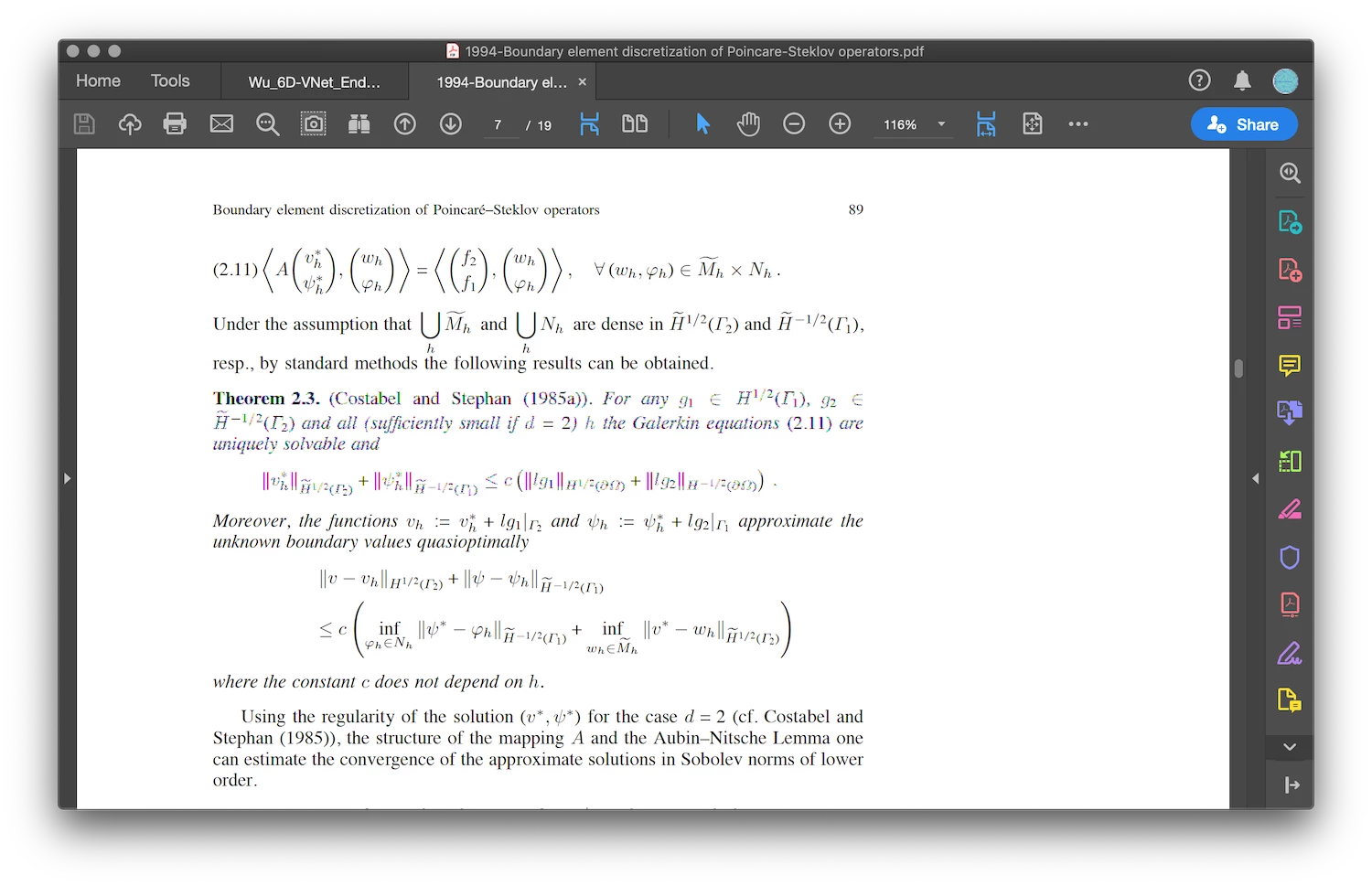
2. If the document color is changed back to default, then something buggy will happen: same texts are being selected, yet the background overlay is wrong.
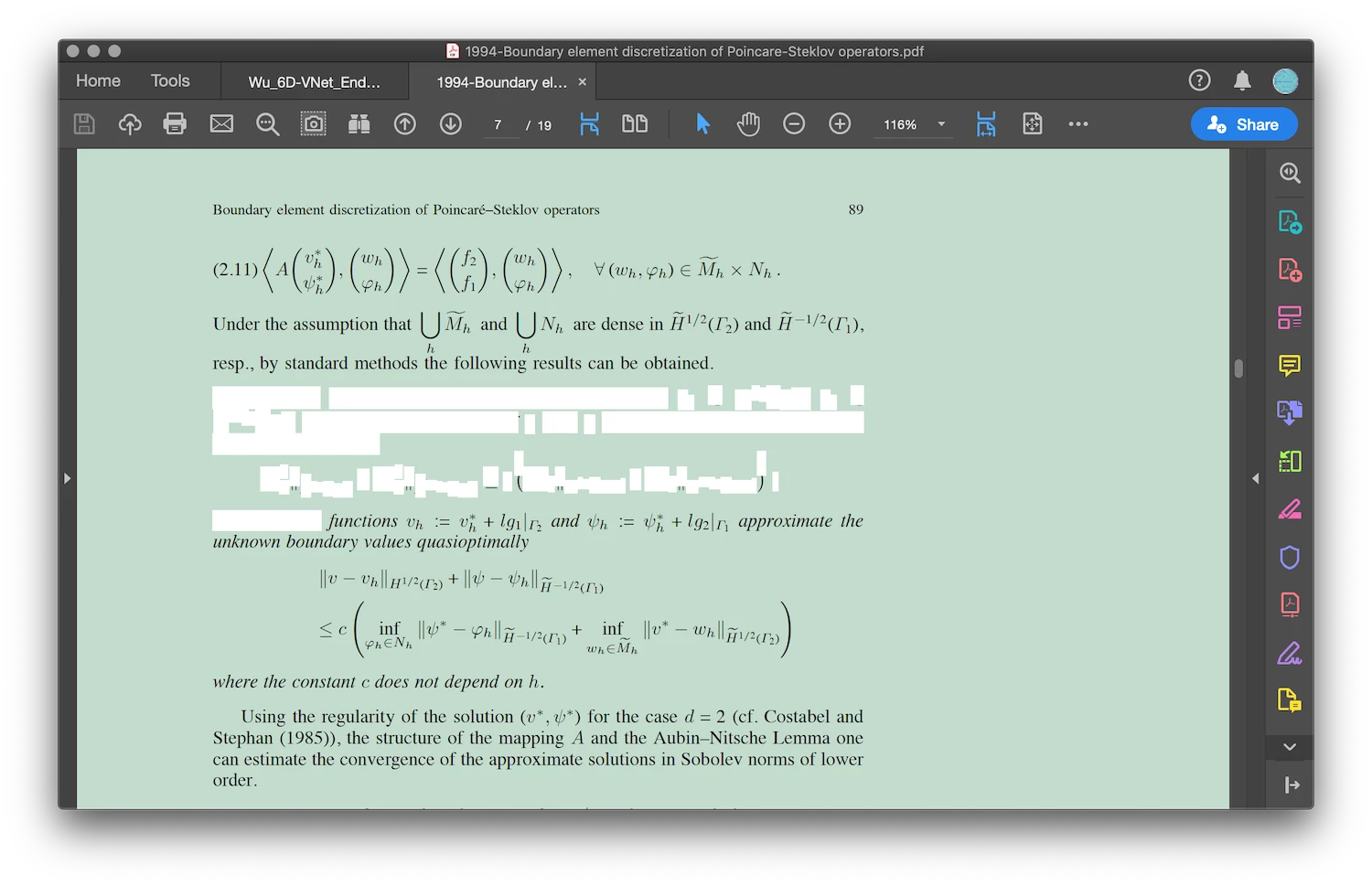
3. If again the document is switched back to the customized color, this will happen (in fact I first encountered Case 3 upon a restart after Adobe reader DC updated):
My current solution (apparently not a true solution to this bug) is to toggle View->Display Theme between System, Light, Dark, then after several changes the background color becomes normal.
 AdChoices