Participating Frequently
June 27, 2017
Answered

There was a problem reading this document (14)

  • June 27, 2017
  • 17 replies
  • 269870 views

Hello,

I'm trying to open document in adobe acrobat professional or reader it gives me this error
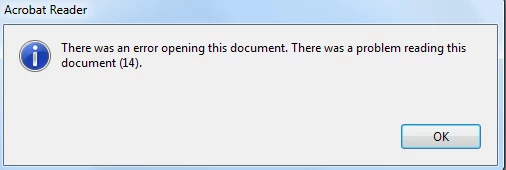
however it work good with in chrome

is there any fix for this

Correct answer Karl Heinz Kremer

This is an indication for a corrupt PDF file. When you hold down the CTRL key when you click on the OK button, you will get a more technical explanation of the error. Chrome - being a much more basic PDF viewer - may not even look at that section of the PDF document because it may be related to information it cannot even display.

17 replies

New Participant
November 12, 2020

We had a PDF which would open in every viewer (Mac, iOS and Android) but would get stuck with Adobe Reader on Windows.

The solution I found was to open it in Xodo (free on Android) then do the below:

  1. Menu (...)
  2. Edit Pages
  3. Rearrange/import/export
  4. Tap on all pages
  5. Menu (...)
  6. Export

The exported file can now be opened in Adobe Reader.

April 28, 2020

I was actually able to fix it, by exporting it to a Word Document - then saving the word document as a PDF. Once the new PDF opened, I was able to redact it normally. 

matts40184791
New Participant
July 14, 2020

I know this is an old thread, but this just happened to me. I resolved it by opening the pdf with chrome and printed it using the Adobe PDF printer. After that the document opened fine with Acrobat Reader and Acrobat Pro. 

New Participant
July 23, 2020

This solution worked for me. Thanks!

New Participant
April 21, 2020

The issue with the solutions of exporting to tiff or printing as PDF is all bookmarks are lost and the PDF document becomes a PDF image, quaility is deminished and file size multiples.  I found opening the PDF in Acrobat and inserting a page in the thumbnail section will clear the issue.  No thumbnail images will show, but the image numbers will.  Just right-click the blank space where the thumbnail should be and choose Insert Pages...A Blank Page and boom, the PDF is "fixed".  The blank page can be deleted afterwards.  I discovered this about a few months back and I have fixed five "corrupt" PDFs since.  Good luck

Inspiring
October 8, 2020

great - that  fixed it for me as well!

New Participant
February 26, 2021

Thanks! This is the quickest and best solution. Just insert a blank page and all pages are shown immediately.

Participating Frequently
February 14, 2020

The same problem (error opening this document (14) occurs when editing a file in MAC preview. The file is not corrupt and opens fine i all pdf-read-programs except acrobat. It is a acrobat bug.

My workaround i:

1. open the file in Preview.

2. export as pdf (in "files"). 

3. open this new file in acrobat.

4. No problems.

(5. Some files shows the pages in a wrong direction. Acrobat will not save the file after turning the pages.

6. open the file in preview, turn the pages and save. After that the problem is solved. The file opens correctly in Acrobat.)


Would be nice if Acrobat fixes the bug.

New Participant
February 27, 2020

Thank you for this great tip, uasully when I scan a document it shows no error, but when I used MAC preview to delete  two pages, the error happens and I was viewing white pages in Acrobat Reader.


I do the above procedure often but this is the first time it happens.


All the mensioned applications and are up to date using macOS Catalina 10.15.3 (19D76)


Anyways, your tip solve my problem, Many Thanks again 🙂 

New Participant
August 1, 2019

An easy workaround is to save the PDF as .tiff images, then combine those .tiffs into a new PDF. Be sure to save the .tiffs to a separate folder; each page of the PDF is exported as it's own file.

Workaround:

1. File --> Save as other... --> TIFF

2. Select all TIFFs --> Combine files in Acrobat

3. Save newly created PDF.

New Participant
June 23, 2023

I know this is an old solution but I just came across this problem with a corrupt file and this is the only thing that worked for me. Thank you! 

New Participant
March 4, 2019

Karl heinz kremer is right in some way, however it is not true, that it cannot be fixed. The file can have the initial of a pdf file and still not be a pdf, because it might be corrupted in some way.

SOLUTION!:

To deal with this problem, you can simply open the file, then export it as a pdf. When this is done you should be able to open the file.

STEPS:

1. Open file in its primary form not with the adobe tool!

2. Export it as an PDF formatted file

3. Now open it on adobes desktop app

Karl Heinz  Kremer
Community Expert
March 4, 2019

Actually, it is true that it cannot be fixed (or only with great difficulty if you know what the incorrect information is supposed to be because e.g. you analyzed a large number of files with the same problem from the same PDF generator or files that were processed by the same workflow). The error message is very specific, and suggests that Acrobat found enough information in the file to recogn it as a PDF document. However, while processing it, it ran into a problem from which it cannot recover: it is expecting a dictionary object and found nothing, or the wrong object type. And, even if you knew exactly what was wrong you still would need very specific tools to fix this problem. And,  you would need to know how to use these tools. So to reiterate, once you get an error like that, there usually is nothing the end user can do to fix the problem.

Participating Frequently
November 12, 2019

I was able to make this work by exporting the file to PostScript and redistilling it, which took a while on a 242pp book.

Karl Heinz  Kremer
Karl Heinz KremerCorrect answer
Community Expert
June 27, 2017

This is an indication for a corrupt PDF file. When you hold down the CTRL key when you click on the OK button, you will get a more technical explanation of the error. Chrome - being a much more basic PDF viewer - may not even look at that section of the PDF document because it may be related to information it cannot even display.

Participating Frequently
June 27, 2017

hello Karl,

thanks for your reply

I hold down CTRL and I got this message

Karl Heinz  Kremer
Community Expert
June 27, 2017

PDF is a pretty complex format (the specification is about 1000 pages long), and if you don't know what you are doing when you write a PDF generator, it's pretty easy to get things wrong. In this case, the specification is expecting a dictionary object (which is one of the containers that are used in the PDF file to group other "stuff"), but it's not finding that. We don't know if there is another type of object there instead or if there is nothing at all in the location where the dictionary is supposed to be. This again shows that the PDF file in question is corrupt. You can complain to the author or distributor of the file and see if they can provide you with a version that does not have this problem. Again, just because Chrome seems to display the PDF file without complaints (we don't know if it is not silently ignoring parts of the PDF file), does not mean that the file is good. In Acrobat Pro, you could run the "check for syntax errors" profile in Preflight to get more information about what's wrong, but you very likely would not be able to fix the problem.