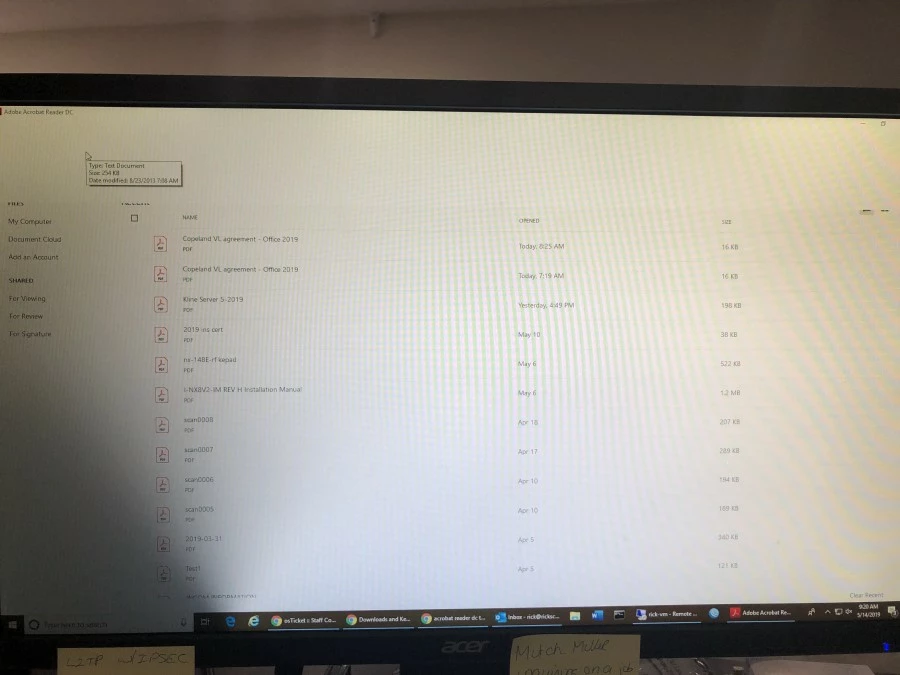
top of window is blank
When I open Adobe Reader DC, the top of the window is white and I can click in it and it clicks whatever is under the window.
Thoughts?
ETA: Windows 10, current version of DC

When I open Adobe Reader DC, the top of the window is white and I can click in it and it clicks whatever is under the window.
Thoughts?
ETA: Windows 10, current version of DC
Hey Ricke,
I am sorry for the trouble, press F9 key from the keyboard once and check if this brings the Menu bar.
Press CTRL + K from the keyboard to bring the Adobe Reader's preferences window and in 'Documents' section uncheck Allow documents to hide menu bar, toolbars, & window controls>Click OK, restart the application and the machine and check.
If the issue persists, use Acrobat cleaner tool to remove Adobe Reader Download Adobe Reader and Acrobat Cleaner Tool - Adobe Labs
Reboot the machine and install Adobe Reader from Adobe - Adobe Acrobat Reader DC Distribution
Let us know if you experience any issue.
Thanks,
Anand Sri.
Already have an account? Login
Enter your E-mail address. We'll send you an e-mail with instructions to reset your password.