


Trouble with displaying Tools panel
I use Adobe Acrobat Reader DC in 2020.013.20064 version (update 2015.007.20033 version in Russian only via Release Notes - updating inside a program didn't let me install the latest program version). Version is free. And Tools panel in Russian version has visual disadvantages:
1) Localised names is not quite accurate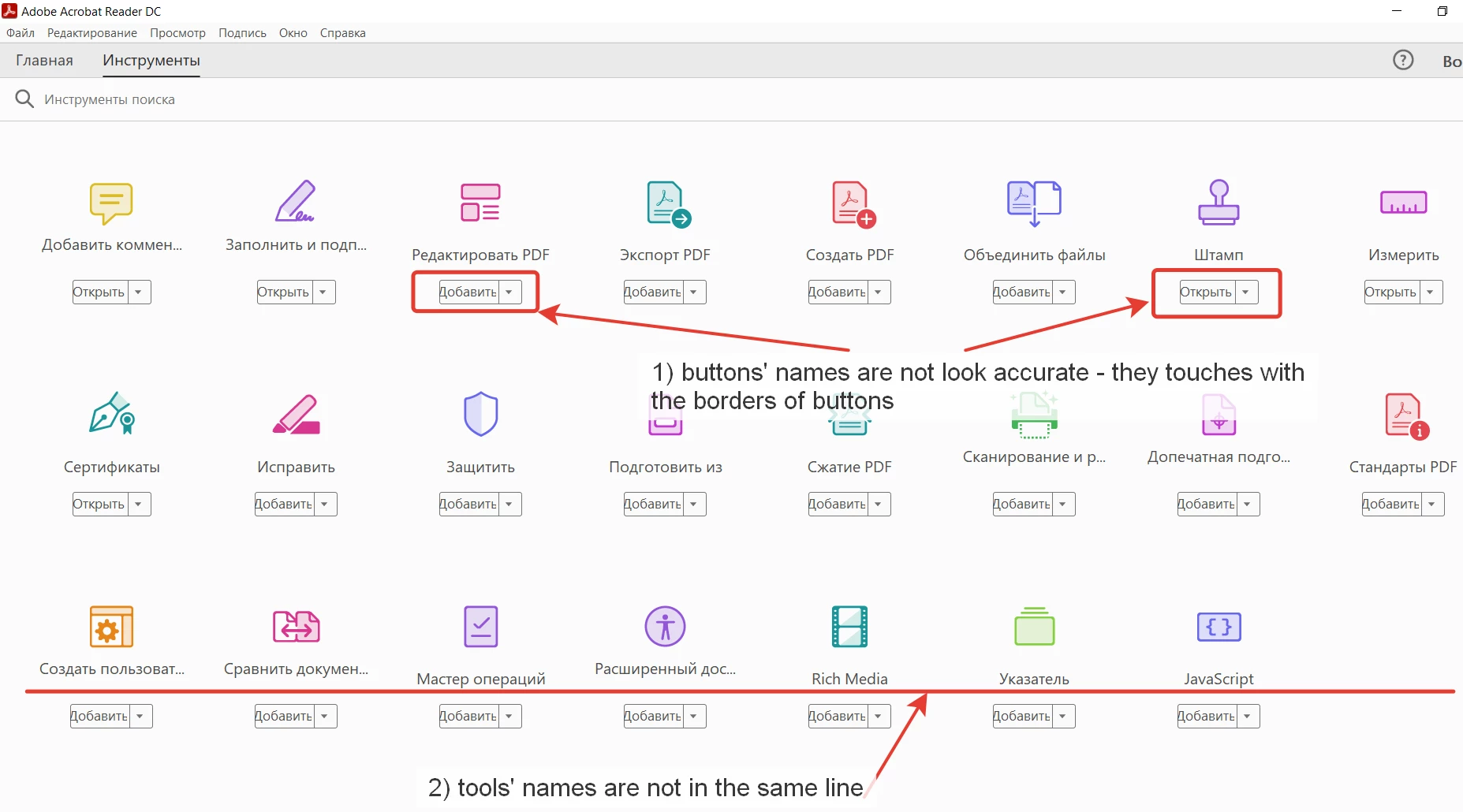
2) Menu has got View -> Show/Hide and this item isn't translated correctly into Russian: Просмотр -> Показать/Скрыт. I think that variant Показать/Скрыть will be much better in Russian version of Reader.
3) And i think that ReadOut Loud works strange - when i choose Russian language in Preferences (Preferences -> Language -> Choose at applicaion startup), russian ReadOut Loud module reads both English and Russian texts, but when i choose English, English ReadOut Loud modules can't read texts in Russian - only in English. Maybe while choosing ReadOut Loud there will be a message like: 'please use this module with the same program language' (e.g - english in Reader and english in ReadOut Loud).
4) At last, ReadOutLoud can't recognize texts scanned as images (warning: empty page - what i heard trying to activate module on these pages).
P.S. Using Reader on desktop with Windows 10 Pro, version 2004.
 AdChoices