


Question
Turkish character font problem in Fill&Sign
When I use fill&sign to add text on a form, an up-to-date Adobe Acrobat Reader DC on a Windows 10 64-bit uses two different types of fonts. If my text contains Turkish characters, a Times New Roman style font is used. If my text has no Turkish characters, then an Arial style font is used. This issue has been there for quite a while, but it was never fixed. I experienced it at multiple computers. As a result, I have two different styles of text in a form entry based on the text. See the attached screen shots below with an entry with Turkish ı character and an entry with regular Western i character.
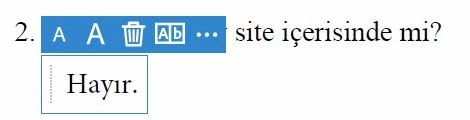
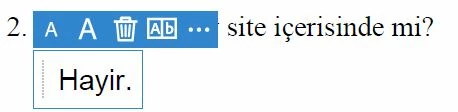
Does anybody know a way to fix this?
Koray
 AdChoices