

Two sided option i greyed out in Acrobat reader DC
My user does see the option for Two-sided, but it's greyed out. Know of a way to restore that dropdown to functionality?
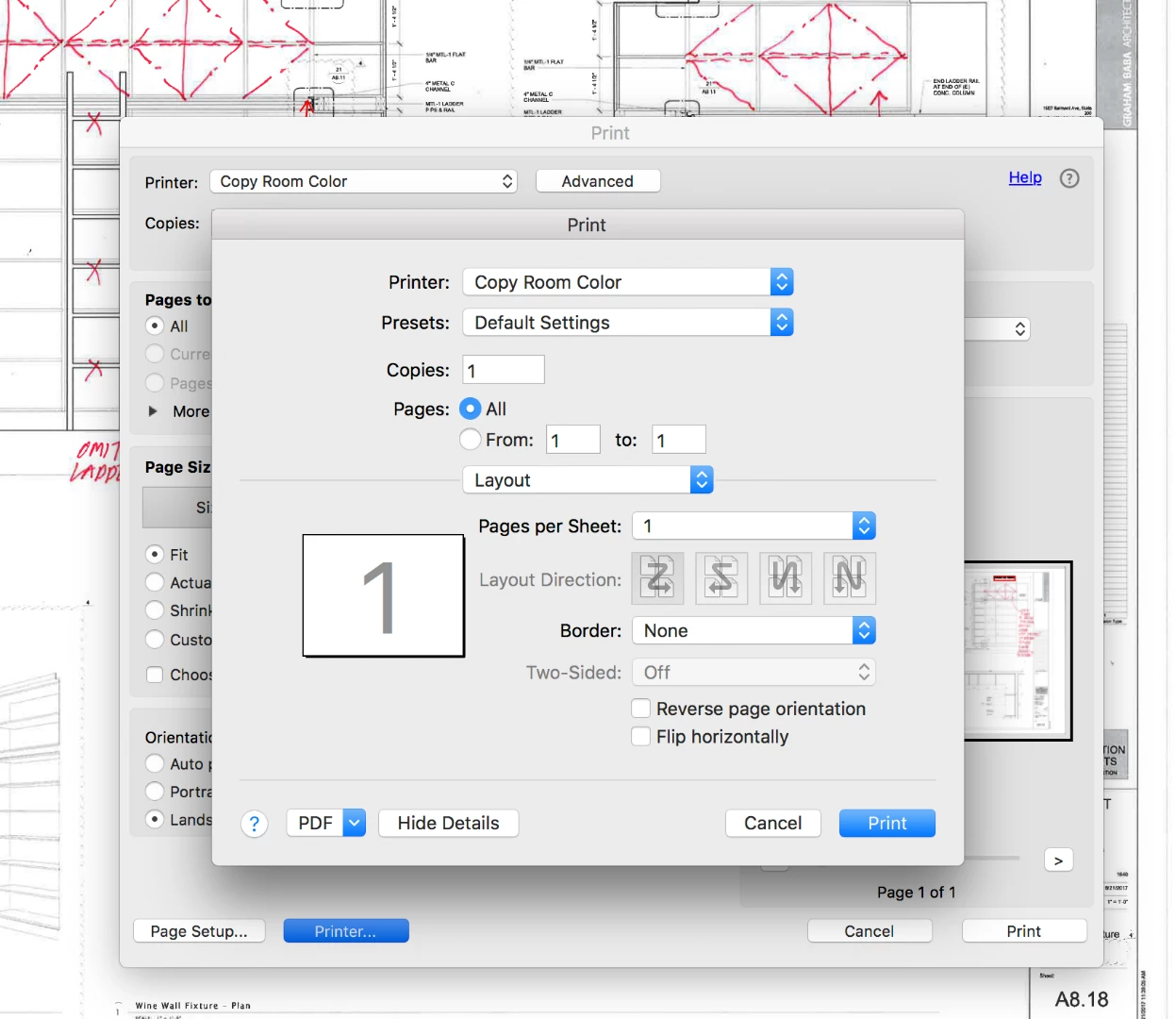

My user does see the option for Two-sided, but it's greyed out. Know of a way to restore that dropdown to functionality?

Hi Andrewh,
As the option for "Two-sided" if greyed out in the Print window, please make sure that your printer has the dual side printing capabilities.
Also, make sure that the box for "Duplex Unit" in the printer settings is checked.
To check that, go to Settings > Printers & Scanners. Select the printer you are using from the list of printers available.
Then click on "Options & Supplies" tab at left in that window and go to "Options" tab.
Check the if the box for "Duplex unit" is marked or not.
If it is not checked, check the box and click OK at the bottom to save the settings.
Then try to print the PDF and check if you able to print on both sides or not.
Hope this helps.
Let us know how it goes.
Regards,
Meenakshi
Already have an account? Login
Enter your E-mail address. We'll send you an e-mail with instructions to reset your password.
