charlene816
Participant
April 16, 2017
Answered

Uninstalled Adobe Reader, now can't install any verson

  • April 16, 2017
  • 1 reply
  • 3903 views

A couple of days ago, I had a balloon pop up that I needed to update Adobe. However, when it said something about not being able to update it. I can't recall what it said it exactly. I tried again. Figured it was an issue with the old version, I still had I believe one of the version 9 adobe reader.

So, I figured, no problem, I will uninstall and try again. I got this message:
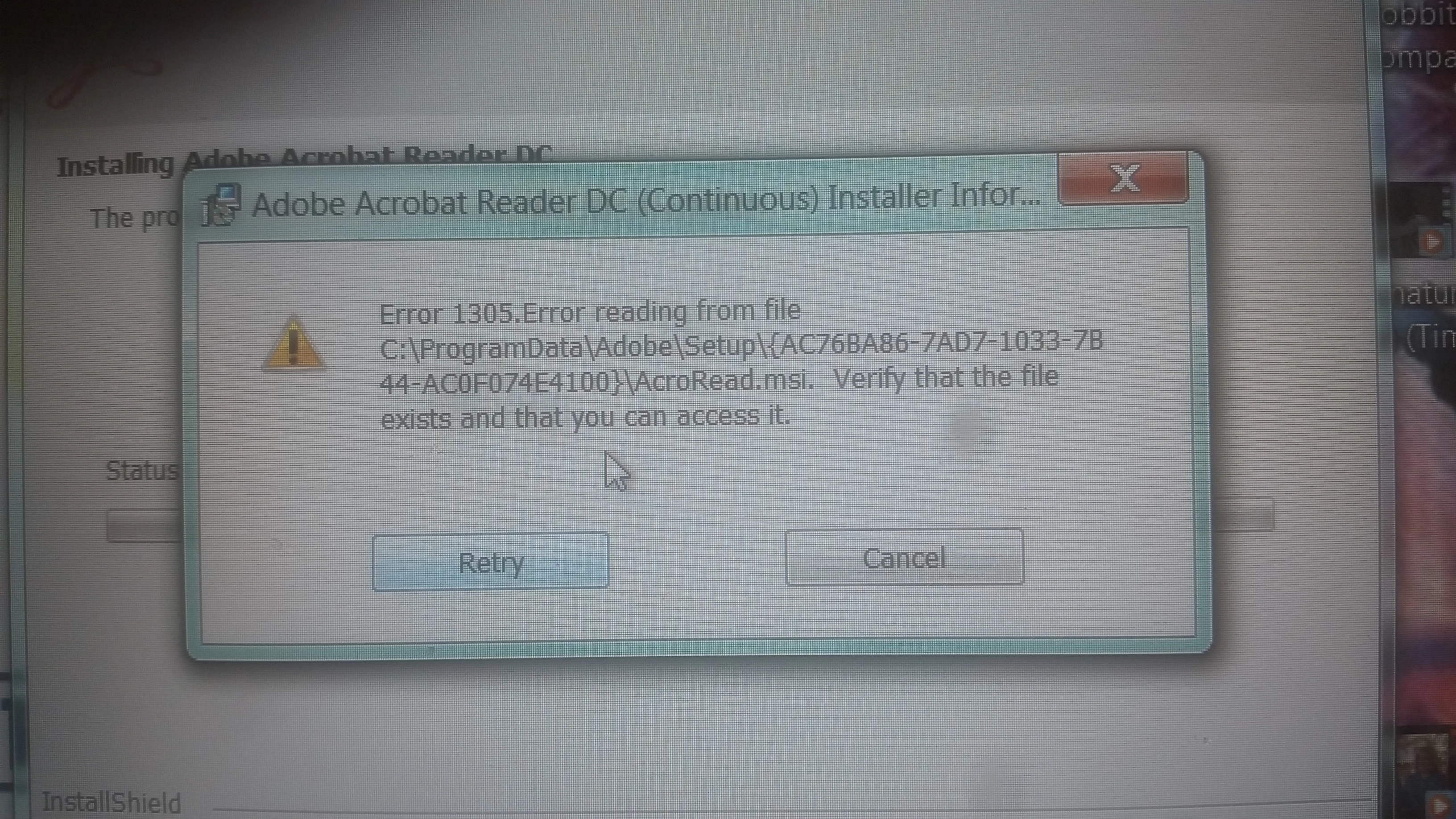
After googling and not really finding anything that seemed easy to do (I am not tech savvy and as I use this computer for school, I'm terrified of messing it up). So, I thought...well, I'll see if I can reinstall an older version. So I went back to a version 9, still got a similar message. Both times I have checked. In both instances, the folders the message mentions are nowhere to be found.

I am at a loss of what to do. It is making research for school much more difficult as everything in my school library uses pdf and I cannot save anything anymore. I have to do all of my reading and information gathering right when I have it open in the library rather than saving it to read later.

I have Windows 7. I generally use Chrome but I have tried downloading Adobe from Firefox.

Any suggestions that I can easily pull off?

    This topic has been closed for replies.
    Correct answer Claudio González

    You can try using this tool to first remove all traces of Reader from your computer:

    http://labs.adobe.com/downloads/acrobatcleaner.html

    Then, you can download the version you want from

    Adobe Acrobat Reader DC Install for all versions

    After downloading, restart your computer and run the installer before doing anything else.

    1 reply

    Claudio González
    Claudio GonzálezCorrect answer
    Legend
    April 16, 2017

    You can try using this tool to first remove all traces of Reader from your computer:

    http://labs.adobe.com/downloads/acrobatcleaner.html

    Then, you can download the version you want from

    Adobe Acrobat Reader DC Install for all versions

    After downloading, restart your computer and run the installer before doing anything else.

    charlene816
    Participant
    April 17, 2017

    THANK YOU!!!

    I did the Adobe Cleanup. It didn't work at first but then I also discovered I needed a Windows Update (I had seen somebody mention a WU in a very old discussion thread and figured it couldn't hurt to try that - I probably missed the notification for it). I had trouble getting that to install. After a reboot, WU installed and I gave the Adobe install a try again. Not one problem. And I am so happy to have Adobe  back up. Thank you very much! In the midst of it all, I was very much contemplating taking it to someone which probably I would have ended up losing it for a couple of days since there isn't anyone local.

    Claudio González
    Legend
    April 17, 2017

    I'm glad that my suggestion helped you.